
Create Greeting Pages with WooCommerce Thank You Page Plugin to Redirect your Customer Anywhere on your Store!
WooCommerce Thank You Page Plugin enables you to create multiple custom thank you pages and display personalized content after a purchase. Showcase order details, customer information, social sharing buttons, and upsell products to keep customers engaged and encourage additional sales.
The plugin also allows you to create smart redirection rules based on products, categories, and payment methods. Instead of displaying the default WooCommerce thank you page, you can redirect customers to a specific product, category, CMS page, or custom URL.
Main Features
- Create and customize unlimited WooCommerce thank you pages
- Redirect customers based on products, categories, or payment methods
- Send users to a product page, category page, CMS page, or custom URL
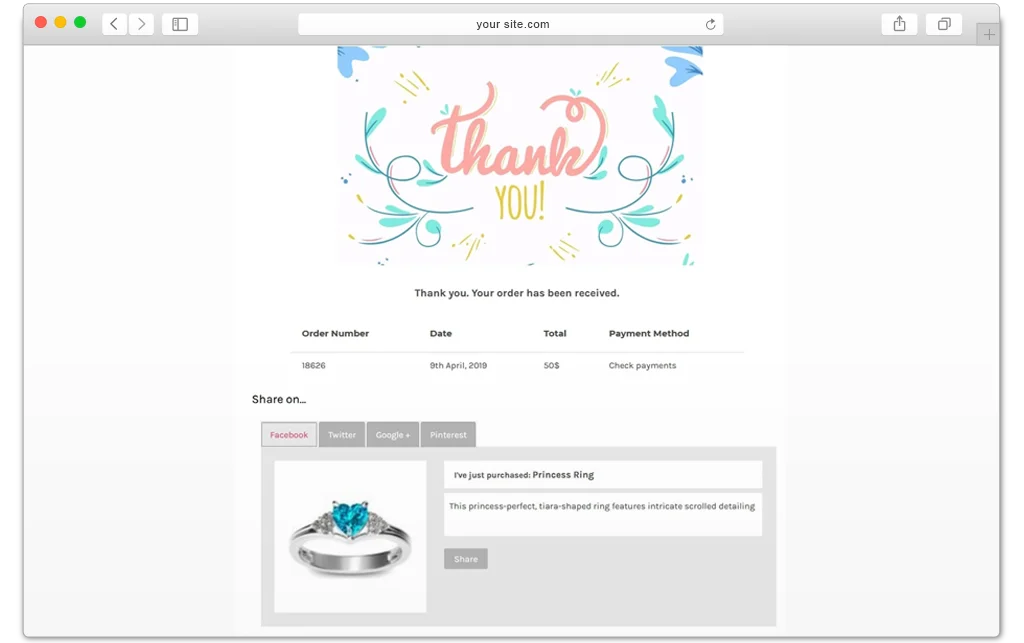
- Display order details, customer information, social sharing buttons, and upsell products
- Create multiple redirection rules with priority settings
- Configure global thank you page settings for the entire store
- Customize the appearance of thank you page elements
Want to redirect after Login, Logout and Registration? Checkout our WooCommerce Login Redirect Plugin
Create Multiple Custom Thank You Pages
Design personalized thank you pages for different customer segments and products. Add custom content along with order details, customer information, upsell recommendations, and social sharing options to enhance the post-purchase experience.
Redirect Users by Specific Products, Categories, or Payment Methods
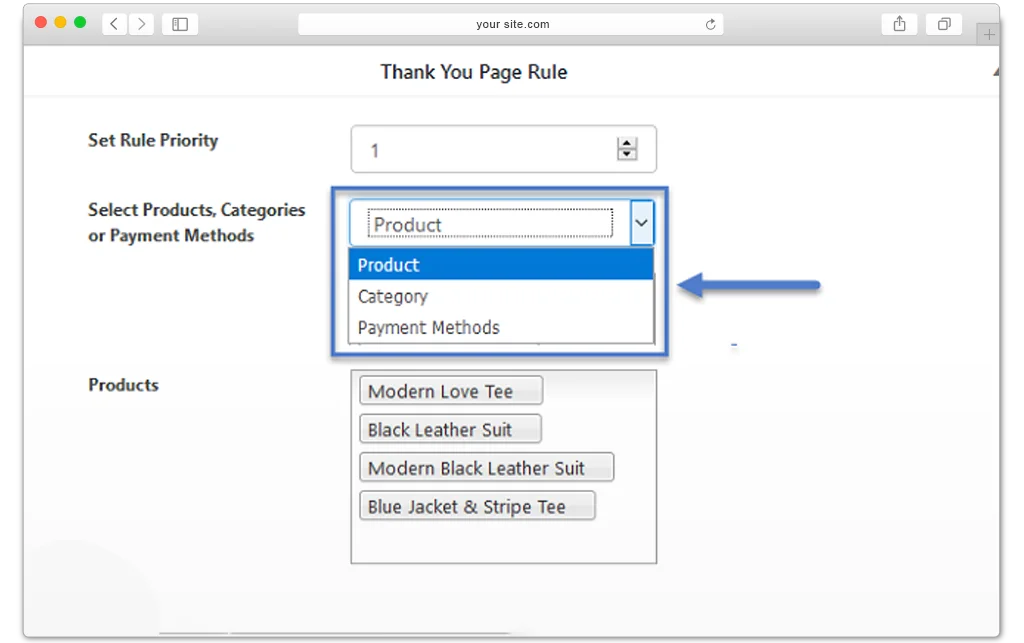
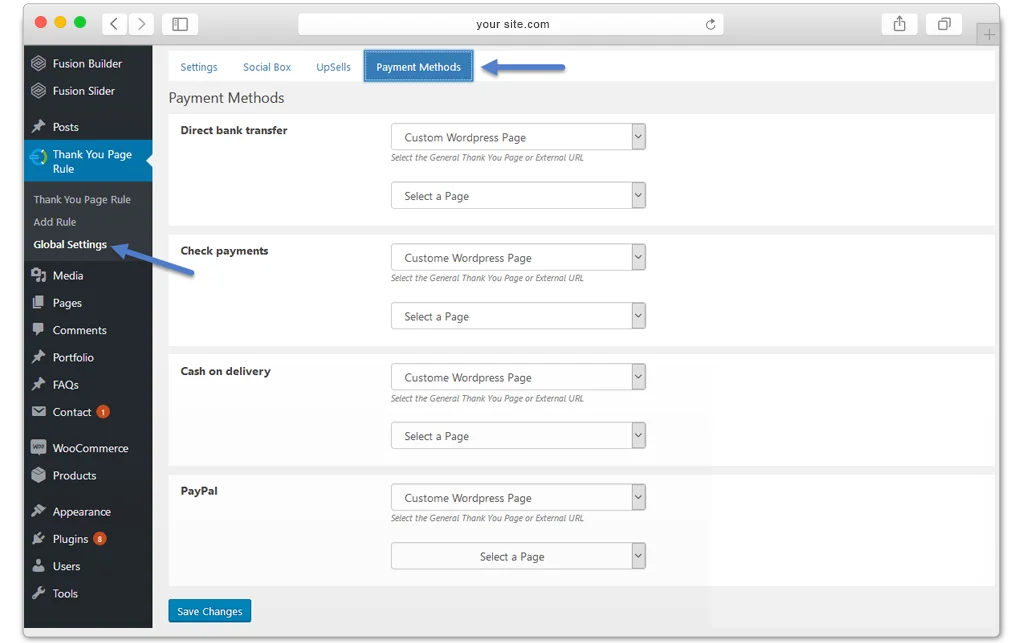
Create targeted thank you page rules and automatically display different pages depending on the products purchased, product categories, or payment methods selected during checkout.
Redirect Customers to Any Page Instead of the Default Thank You Page
Replace the standard WooCommerce thank you page with a custom destination. Redirect customers to a specific product page, category page, CMS page, landing page, or any custom URL to maximize engagement and conversions.
Create Multiple Rules with Priority Control
Set up multiple thank you page rules for different products, categories, and payment methods. Assign priorities to ensure the most relevant rule is applied when multiple conditions match.
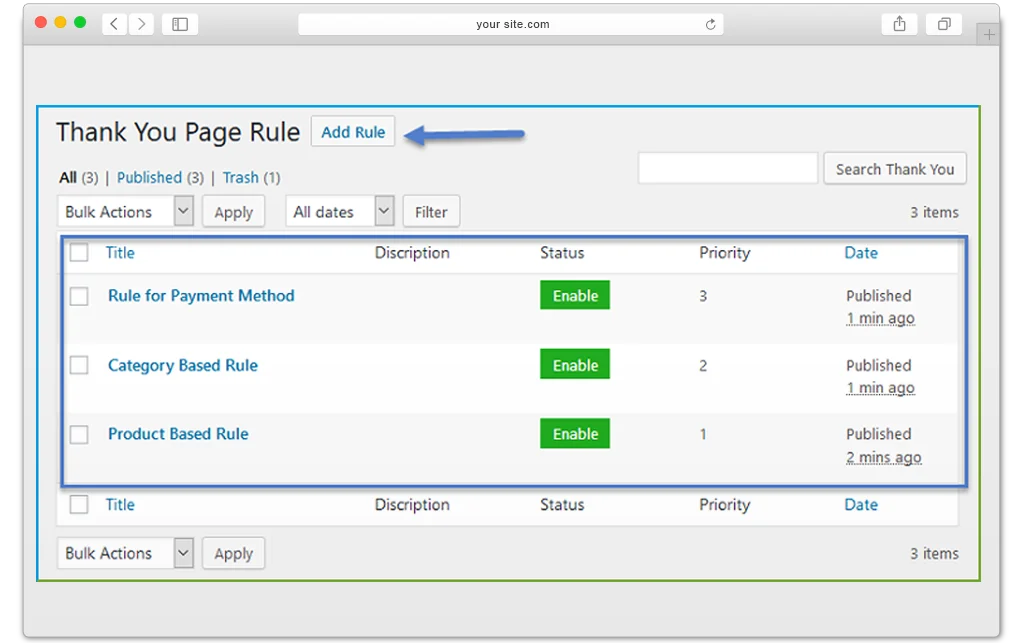
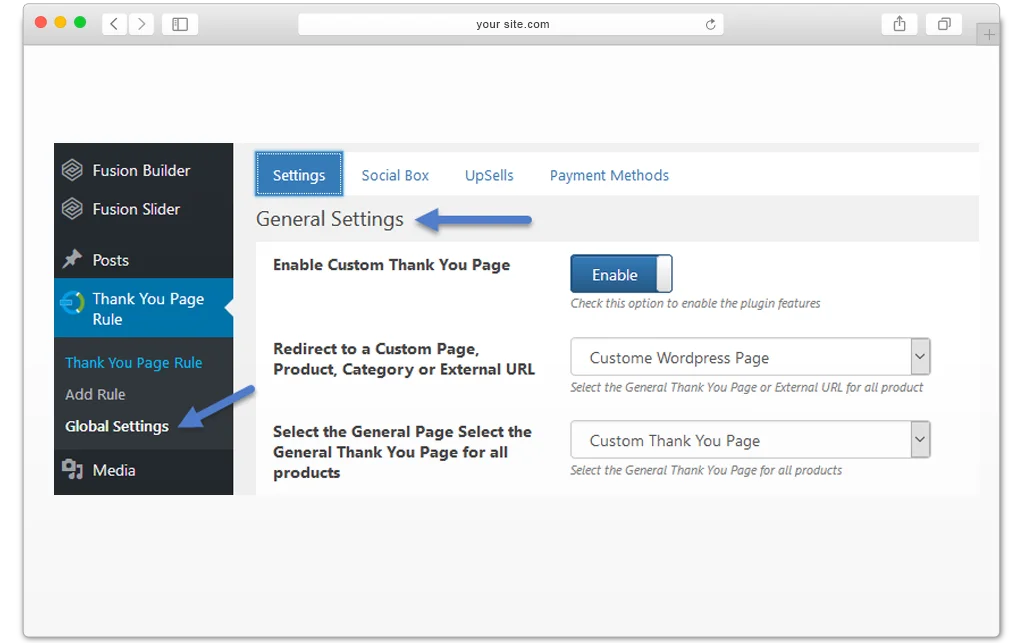
Configure Global Settings for the Entire Online Store
Apply a single thank you page across your entire WooCommerce store without creating individual rules. This option is ideal for stores that want a consistent post-purchase experience for all customers.
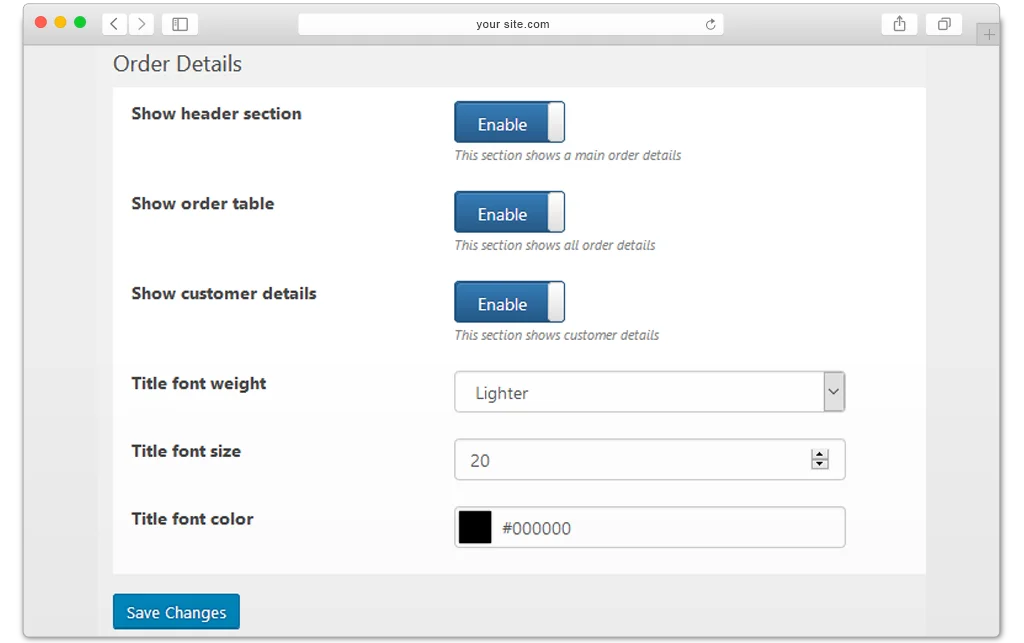
Customize the Thank You Page
Personalize the appearance of thank you page components, including social sharing sections, upsell product displays, customer information, and order details, to match your store’s branding and design.
FAQs
1. How to add a WooCommerce custom thank you page?
Ans. Simply create a page from the WordPress panel and customize it. Then select the ‘custom thank you page WooCommerce’ settings to redirect the customers.
1. How can I customize the Thank You page using WooCommerce thank you page?
Ans. With this plugin, you can easily customize the content, such as the order table, customer details, and font style, on the WooCommerce thank you page.
1. Can I redirect customers to a different page after they complete a purchase?
Ans. Yes, WooCommerce custom thank you page enables you to redirect customers to any page of your choice upon completing a successful transaction.
1. Does the plugin support conditional redirection based on products or categories?
Ans. Customers can be redirected to a custom WooCommerce thank you page URL if they choose specific products, categories, or payment methods.
1. Can the plugin redirect to a custom page instead of displaying the Thank You page?
Ans. Customers can be redirected to a custom WooCommerce thank you page URL if they choose specific products, categories, or payment methods.
1. Will the plugin affect my store’s performance or page load times?
Ans. WooCommerce’s thank you page is optimized for performance and is designed to have minimal impact on your store’s speed.
Change Log
Version 1.0.4
Custom url not saving issue resolved
Categories saving but not showing in the admin
Version 1.0.3
Minor Issues resolved
Version 1.0.2
Compatible with multisite
Compatible with HPOS
Version 1.0.1
Errors and bugs fixed on the setting page.
Front-end short code issue fixed.
Issues fixed related to saving rules on the backend.
Javascript errors fixed.
Deprecated functions have been replaced.
Download Now
LIVE PREVIEWBUY FOR $49