

AI tools were used to assist with parts of the code, documentation and graphics of this item.

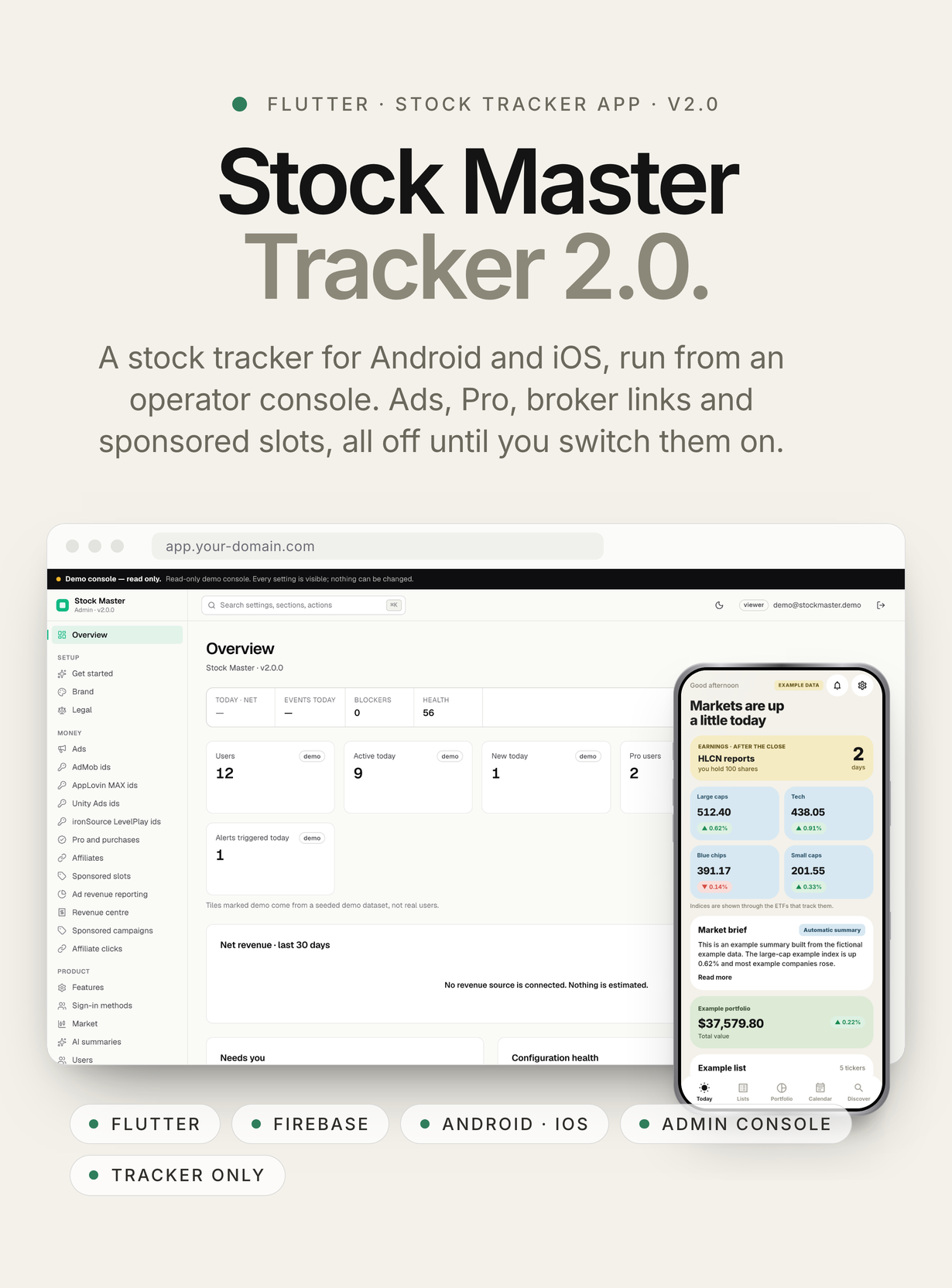
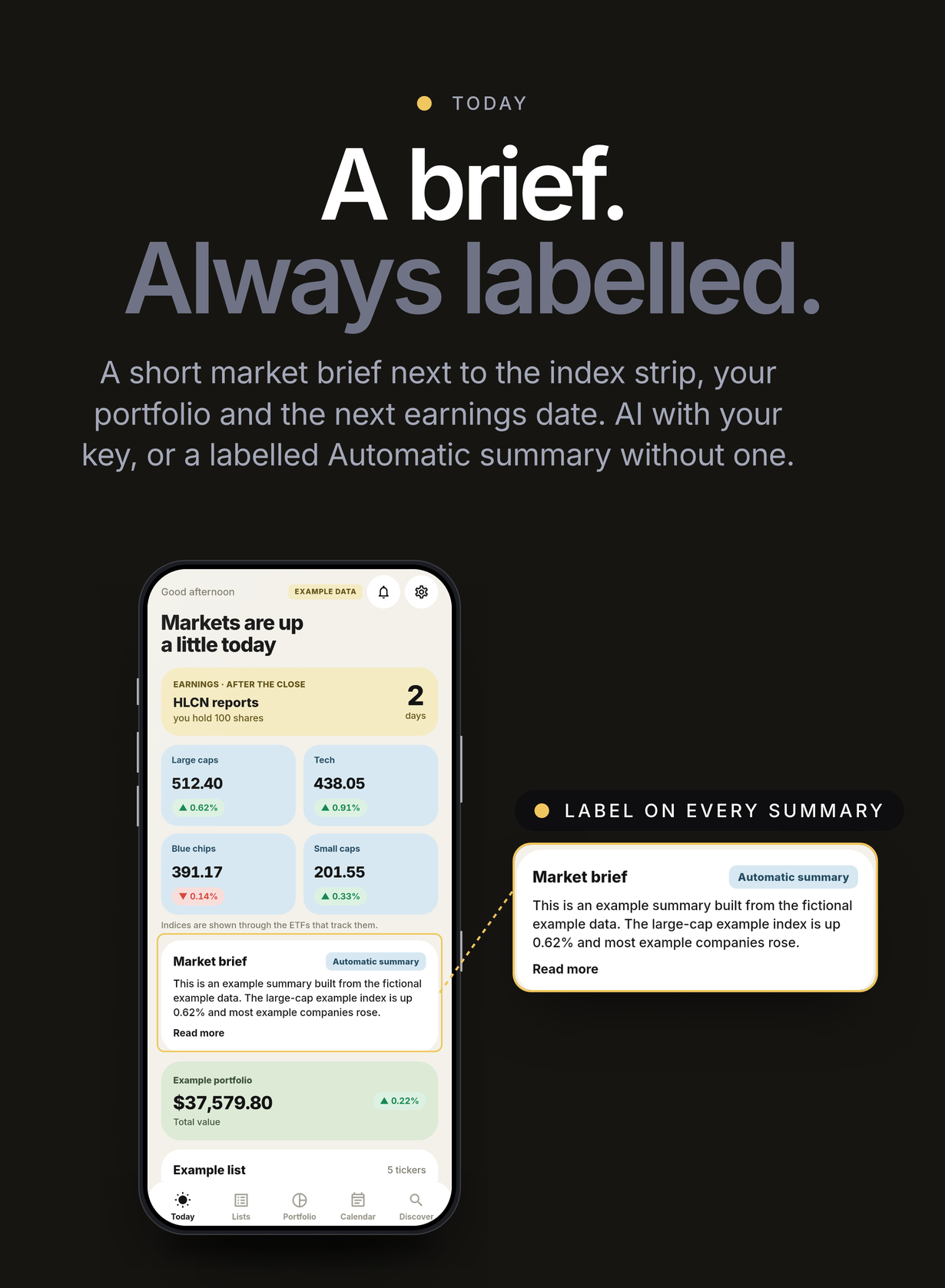
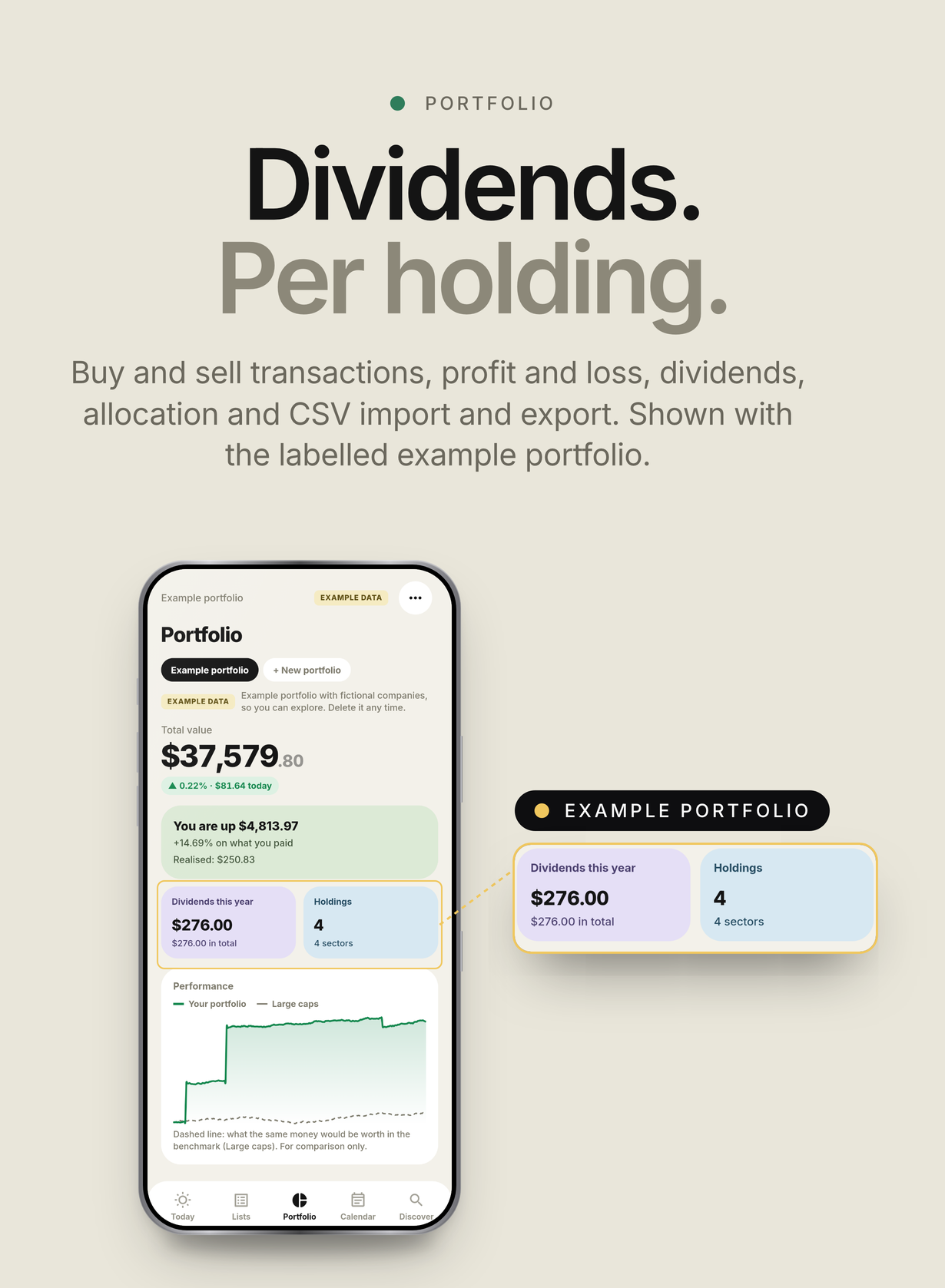
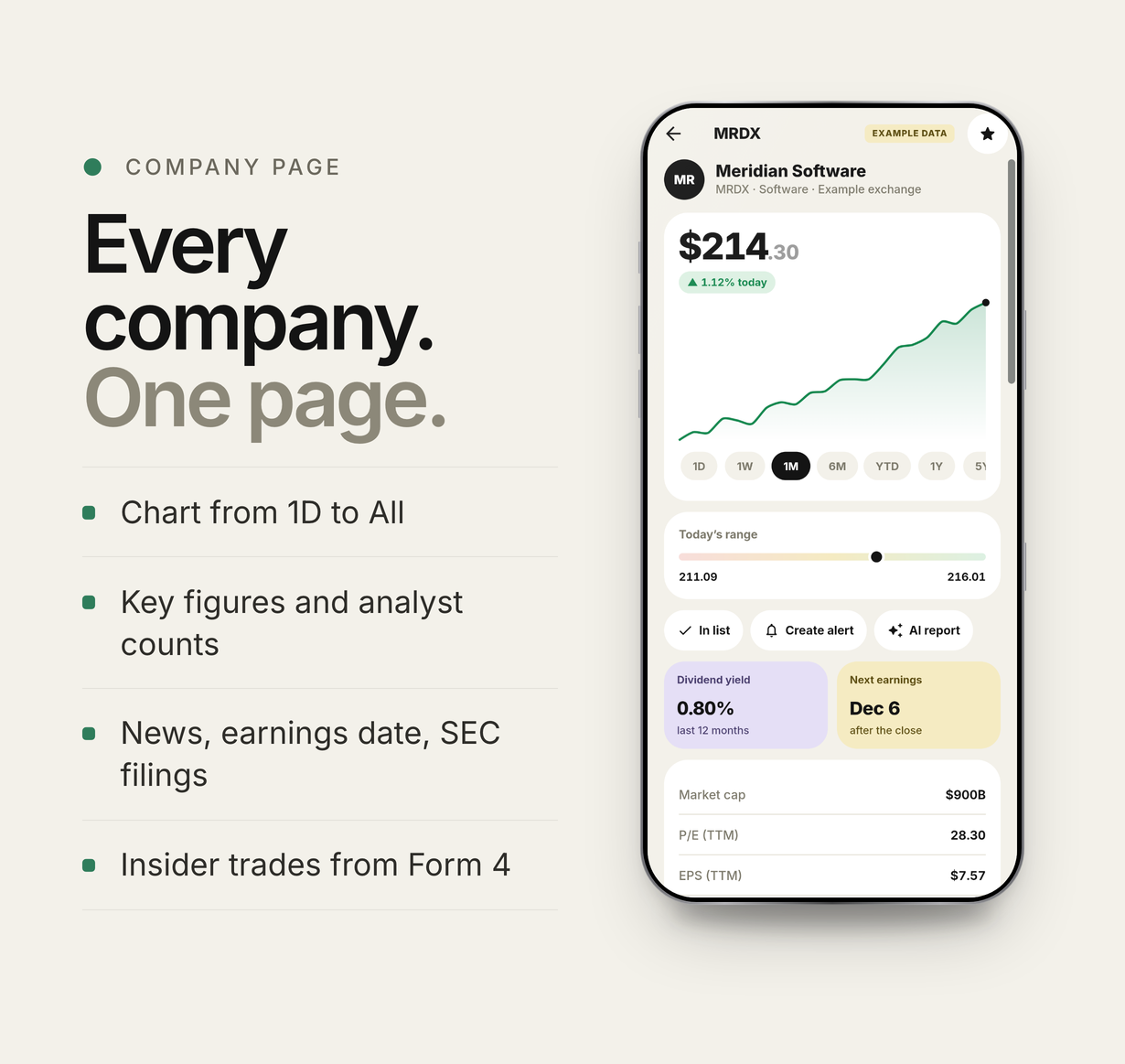
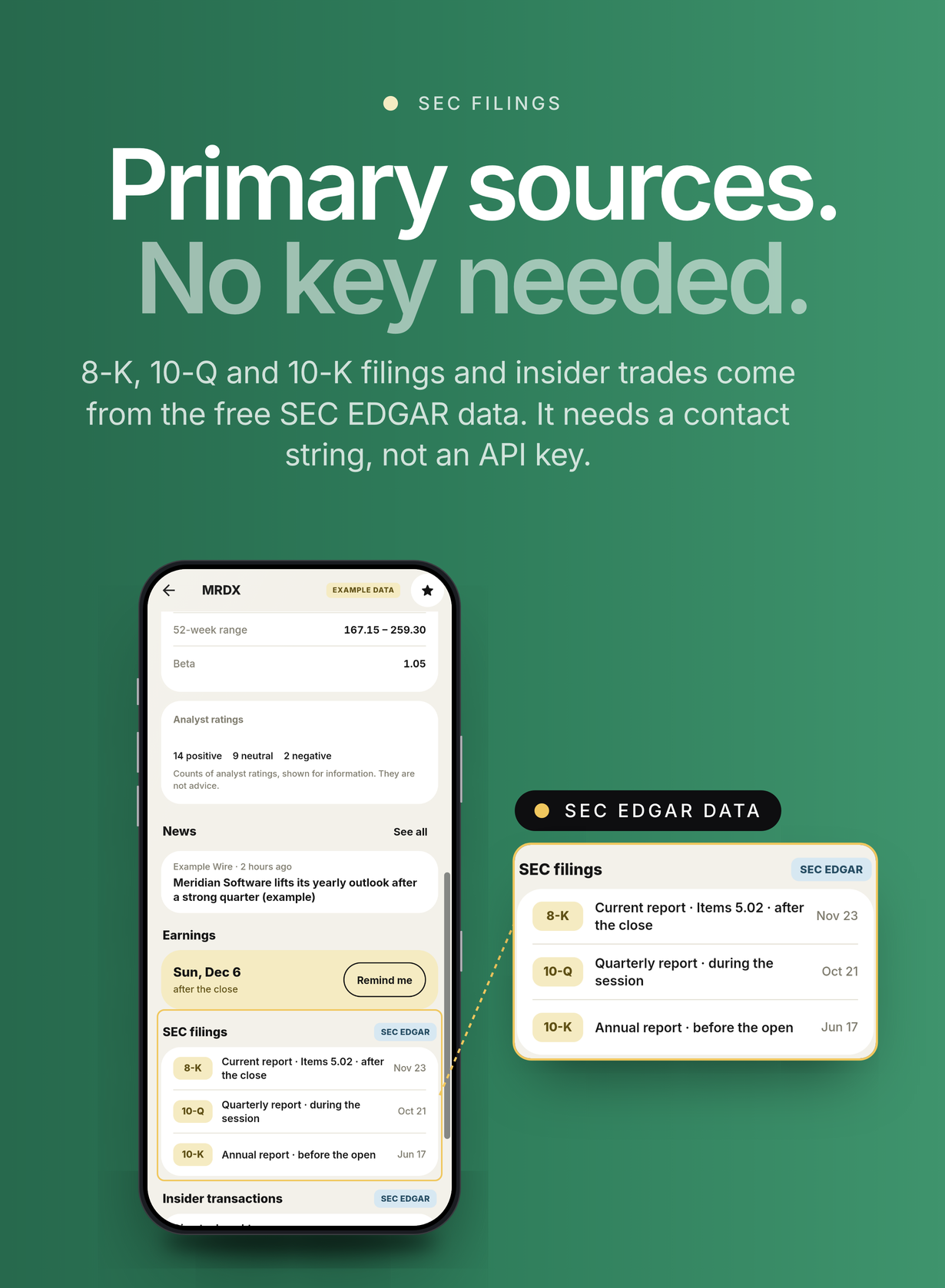
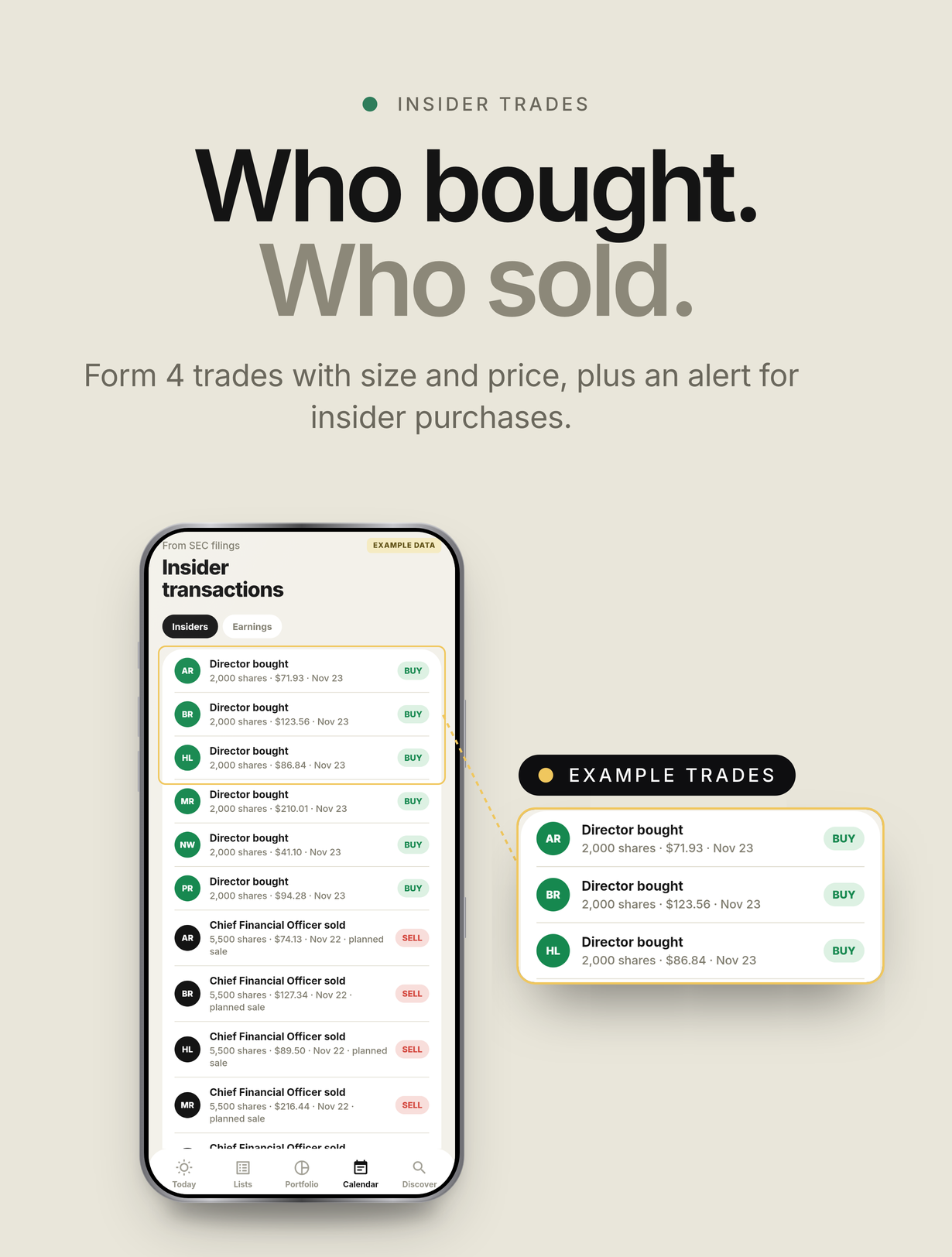
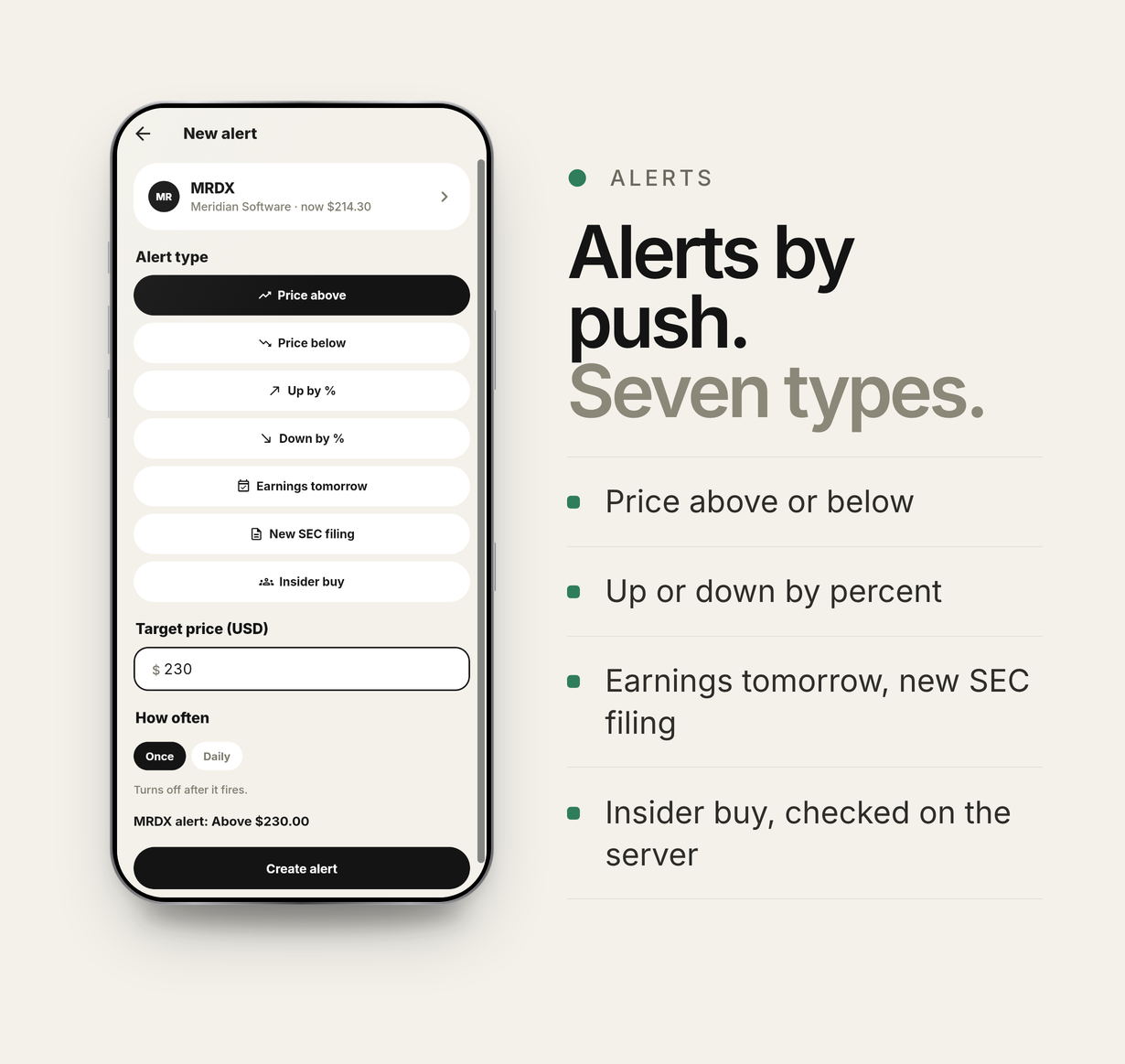
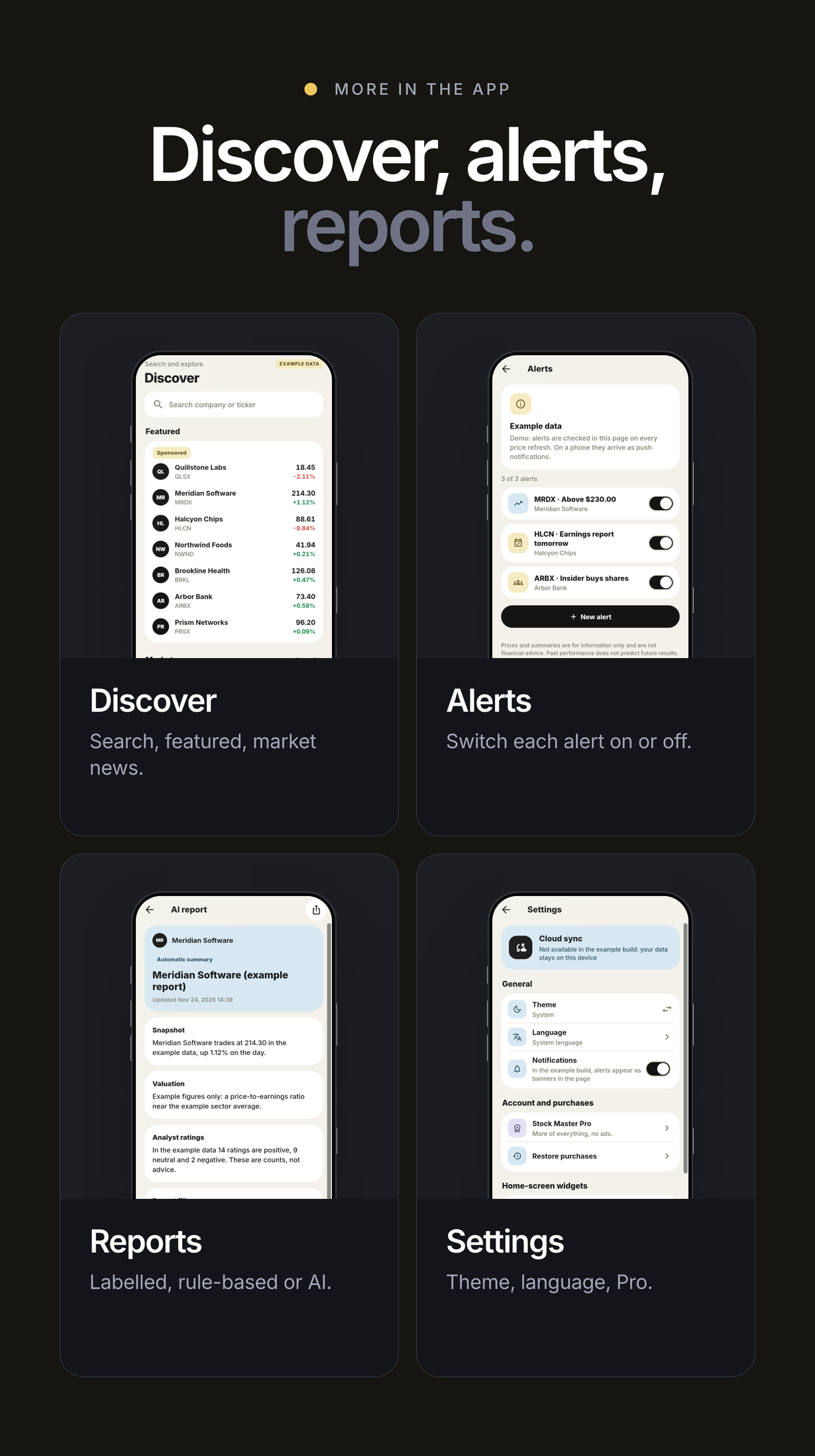
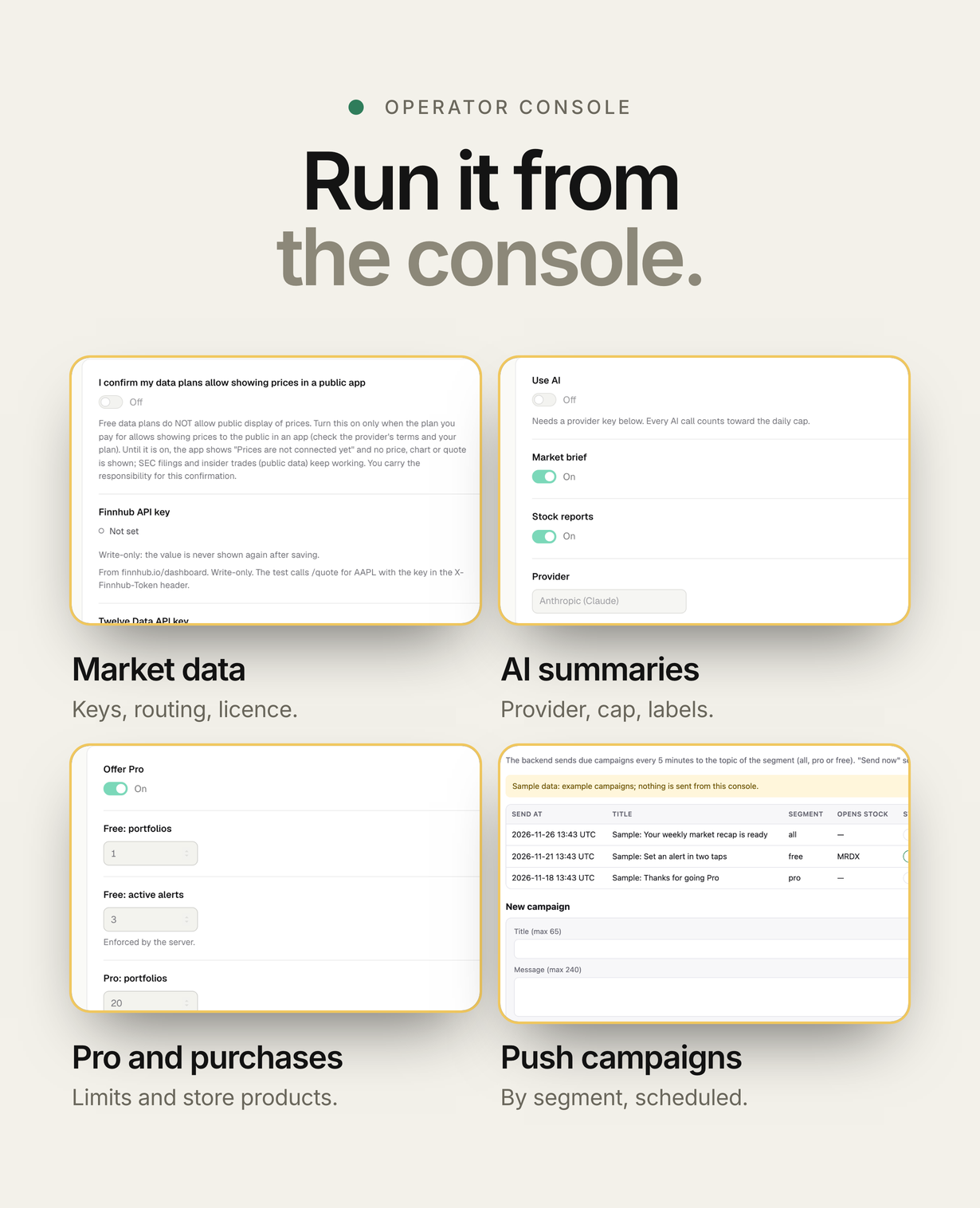
Screenshots show the example-data build of the app: every screen is labelled EXAMPLE DATA and every company, price, insider trade and report is fictional. The console pictures are screens of the console’s built-in sample-data mode (read-only, labelled ‘Demo console, read-only’); there is no public console demo. They are presentation material, not part of the download, and no figure in them is a result or a forecast.
Stock Master Tracker 2.0: a Flutter stock tracker with an operator console
Stock Master Tracker is the source code of a stock-market tracker app for Android and iOS, with a Firebase backend and an operator console in the browser. It follows US-listed companies: quotes, charts, SEC filings, insider trades, earnings dates, news, watchlists, portfolios, alerts and home-screen widgets. Version 2.0 is a complete rebuild of this item.
What changed in 2.0
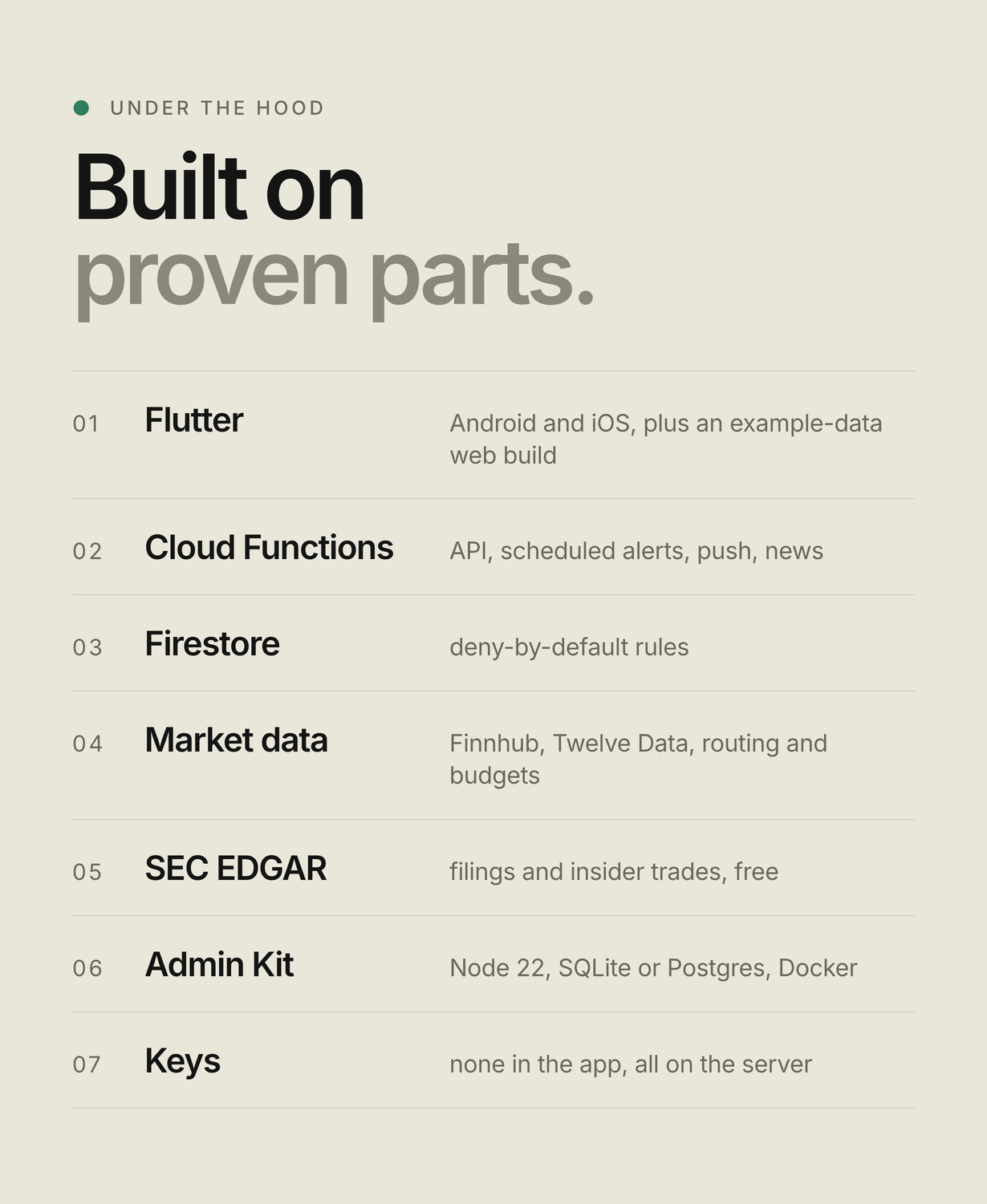
2.0.0 replaces the 2021 Android Studio (Kotlin) project of this item with a new code base written from scratch: a Flutter app for Android and iOS, a Firebase backend (Cloud Functions on the Node.js 24 runtime) and an operator console. The data feed of the old project (IEX Cloud) has shut down, so the new version takes prices from Finnhub and/or Twelve Data under your own plan, filings and insider trades from SEC EDGAR, and headlines from RSS feeds. Everything is called from your server, so no key ships inside the app. Existing buyers of this item get 2.0 as an update at no extra charge. There is no data migration from the 1.x project.
Third-party services and costs (read before buying)
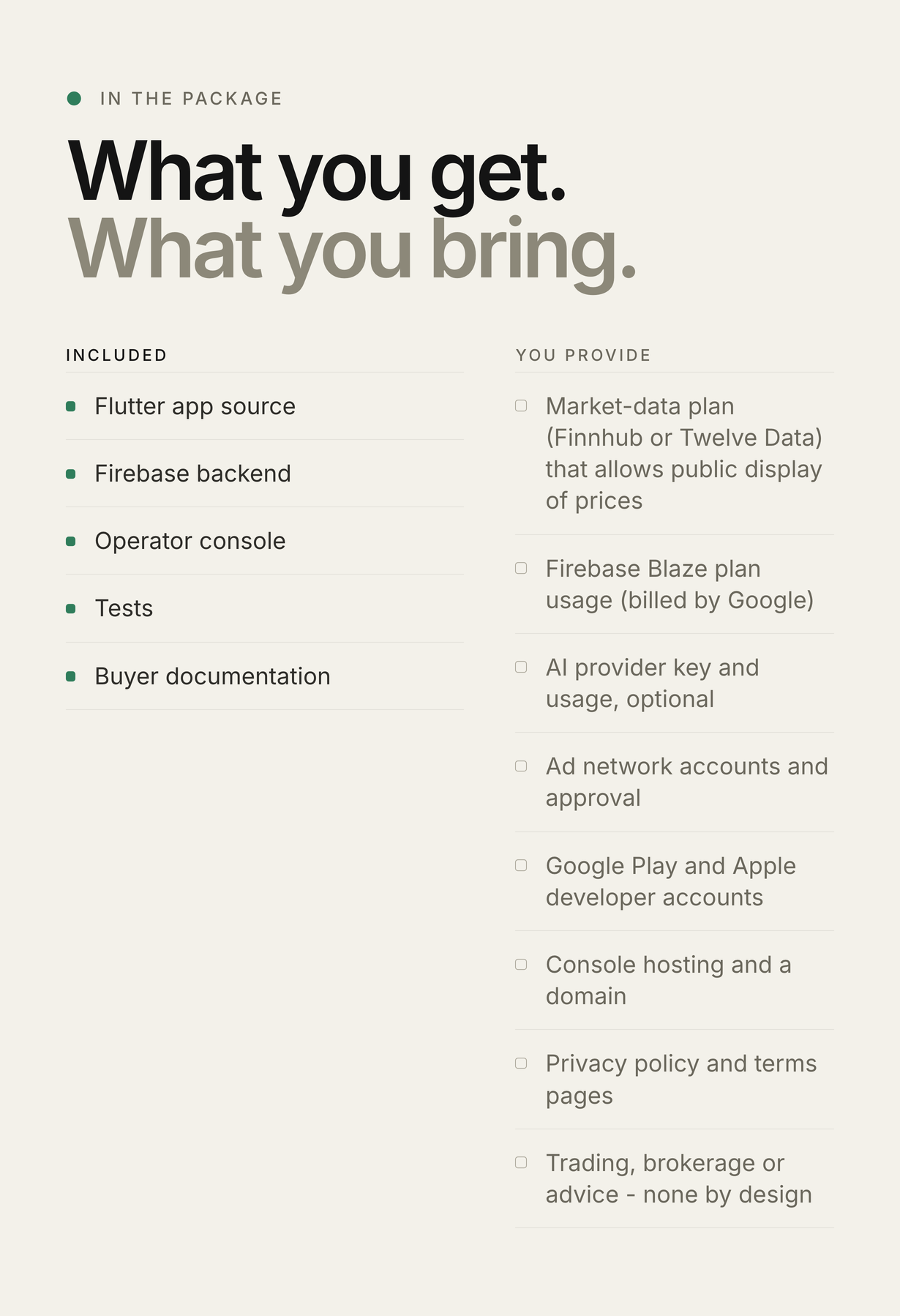
The item price covers the source code and its documentation only. The app relies on external services that are not included and are billed separately. You create every account yourself, enter your own keys and pay each provider directly under its own terms. No API keys, accounts or service credits ship with the download.
- Market data (Finnhub and/or Twelve Data) – required for prices. You need a paid plan that allows displaying prices to the public in your app; entry-level plans are generally for personal or testing use. Check the provider’s current plans and display terms before you launch. Until you confirm in the console that your plan allows public display, the backend refuses to serve prices.
- Firebase (Google) – required. Cloud Functions, Cloud Scheduler and outbound calls need the Blaze pay-as-you-go plan with a billing account. Google bills usage above the included quota to you. Set a budget alert.
- SEC EDGAR – no key. Public data. The SEC requires every client to identify itself with a contact address that you set in the console and allows at most 10 requests per second.
- News RSS feeds – no key. MarketWatch and CNBC by default. The app shows headlines, short summaries and links to the publisher. Check each publisher’s terms before you rely on a feed commercially.
- AI provider (Anthropic, OpenAI or OpenAI-compatible) – optional, off by default. Used only for the market summary and company reports. You supply the key and the provider bills you per call. Without a key the app shows a labelled automatic summary.
- Ad networks and in-app purchases – optional, off by default. Ads need your own accounts (AdMob, AppLovin MAX, Unity Ads, ironSource LevelPlay). Publishing and selling Pro or packs needs a Google Play developer account and an Apple Developer Program membership, which charge their own fees.
- Operator console hosting – required. A Node.js 26 LTS host that you pay for, plus an optional domain.
- Vercel – optional. The API code can also run on Vercel (for example as a static or demo host) and then reads the client IP header that Vercel sets. Nothing requires it; if you choose it, you create the account and pay Vercel under its own terms.
Who it is for
Developers, agencies and entrepreneurs who want to publish and run their own US stock tracker without writing it from scratch and who are comfortable setting up a Firebase project. The documentation walks through the setup.
Live demo and documentation
| What | Link | Notes |
|---|---|---|
| App demo (example data) | stockmaster-demo.mikodes.com | The showcase build of the app. All companies, prices and portfolios are fictional example data labelled ‘Example data’. It uses no data plan, no Firebase and no account. |
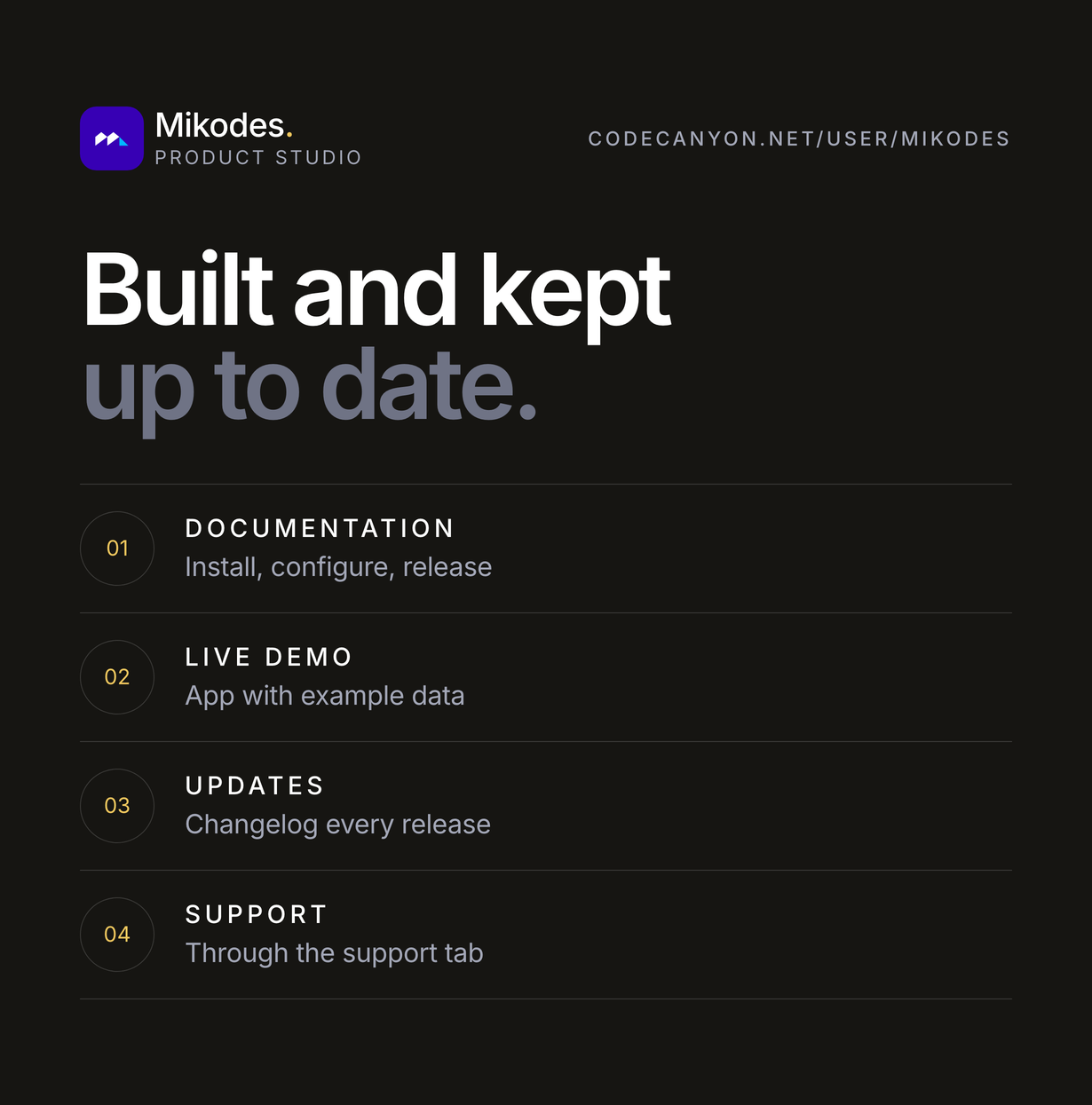
| Documentation | stockmaster.mikodes.com/docs | Public, no sign-in: requirements, quick start, installation, Firebase, market data, widgets, alerts, AI, ads, purchases, release. |
There is no public demo of the operator console. The console pictures in this description are screens of the console’s built-in sample-data mode (read-only, labelled ‘Demo console, read-only’), not a hosted demo. The app demo cannot show home-screen widgets, push notifications, real store purchases, real ad fills or live prices; those need the Android or iOS build and your own accounts.
Demo instructions
Everything is open to anyone: no e-mail, password or account is needed. Open the app demo and it starts on the example-data showcase with fictional companies. The documentation is public. There is no hosted console demo, so there are no console credentials; the console pictures are screens of its sample-data mode.
Core features
- Quotes for US-listed companies and the index ETF strip (SPY, QQQ, DIA, IWM, labelled as ETF proxies for the indices), search over the SEC ticker list, automatic refresh
- Company page: price chart (1D, 5D, 1M, 6M, YTD, 1Y, 5Y, MAX) with a crosshair, profile, key figures, analyst rating counts, the next earnings date and company news
- SEC filings (8-K, 10-Q, 10-K and others) and insider trades (Form 4) from SEC EDGAR
- Earnings calendar
- Watchlist, and portfolios with buy, sell, dividend and split transactions, average-cost profit and loss (realised and unrealised), allocation chart, CSV import and export
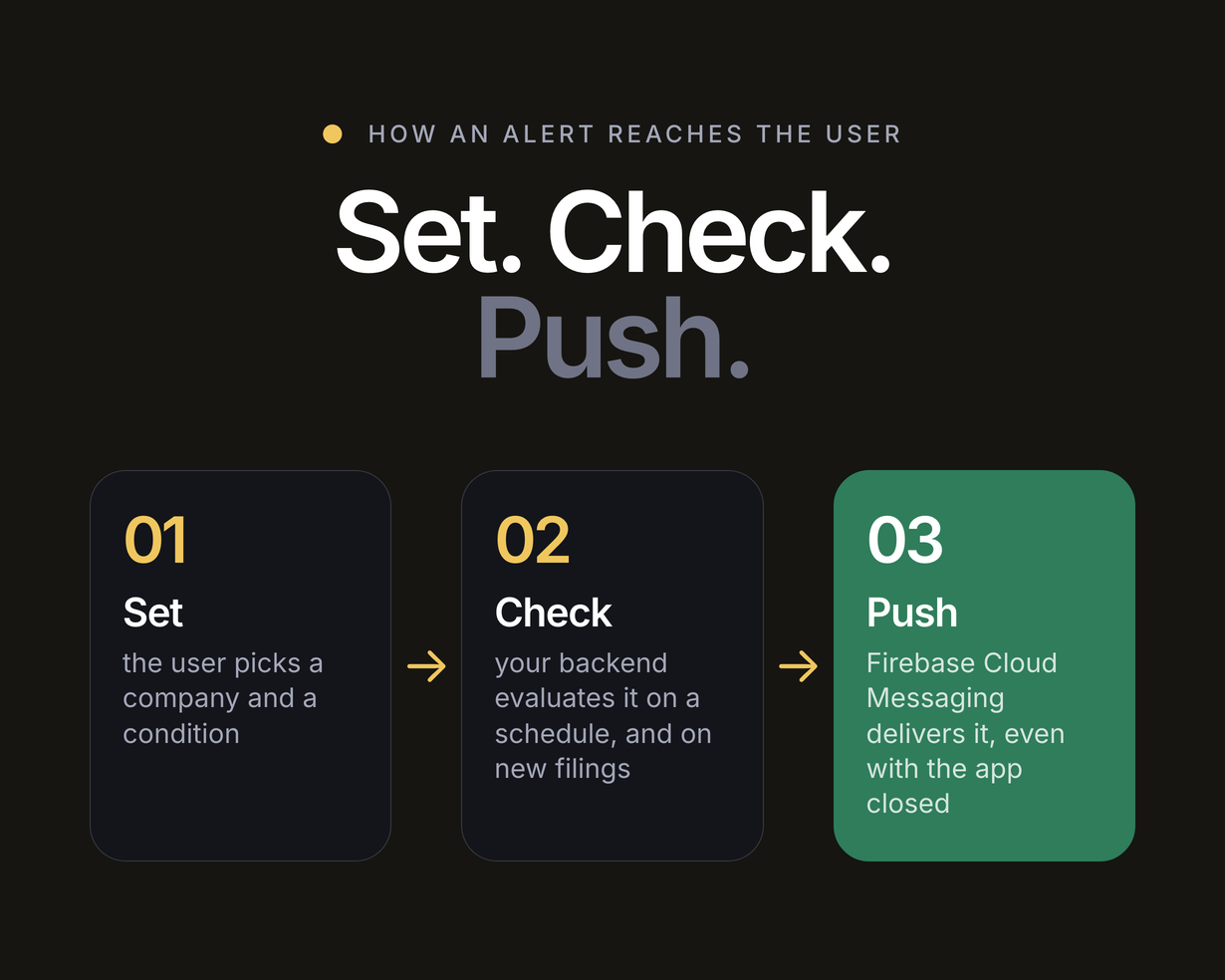
- Alerts evaluated on the server and delivered as push notifications: price above or below, percent up or down, earnings tomorrow, new SEC filing, insider purchase
- Home-screen widgets on Android and iOS (watchlist and portfolio)
- Market news from RSS feeds (MarketWatch and CNBC by default, configurable), tagged with tickers, linking to the publishers
- Market summary and per-company reports written by the AI provider you choose with your own key, or a labelled automatic summary without a key. Never investment advice
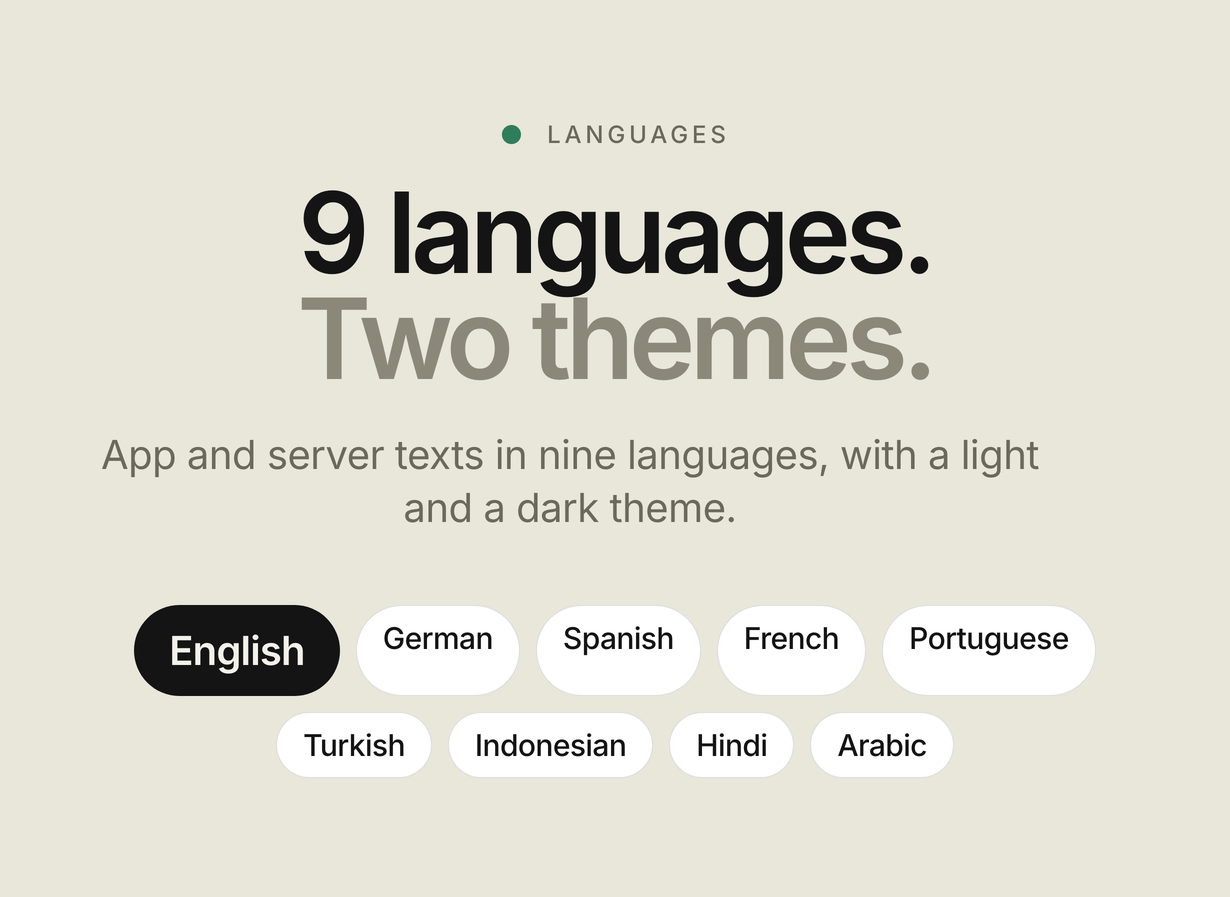
- Dark and light theme, onboarding, 9 languages (English, German, Spanish, French, Portuguese, Arabic with RTL, Hindi, Indonesian, Turkish), optional sign-in that syncs watchlist and portfolios, in-app account deletion
- Operator console on the MIKODES Admin Kit: brand, legal texts, feature switches, sign-in methods, market defaults, data providers and keys (write-only), budgets and caching, news sources, AI, ads, Pro and store products, affiliates, sponsored slots, users, alerts, push campaigns, provider usage and status checks; owner, manager and viewer roles and an audit log
- Display-licence switch: until you confirm in the console that your data plan allows showing prices to the public, every price endpoint answers 503 provider_not_licensed; SEC data is not affected
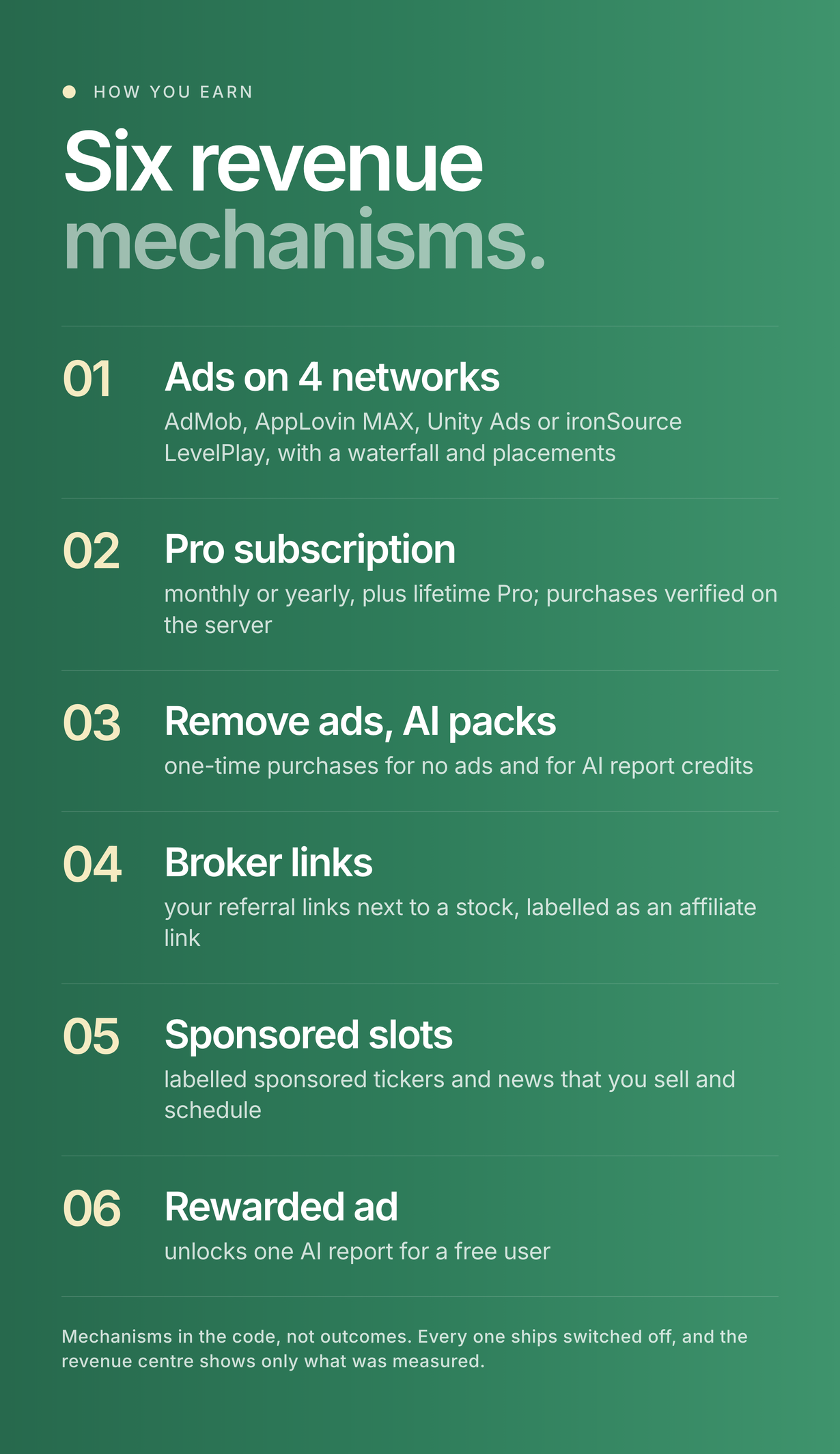
- Optional ways to earn, each off by default: ads on AdMob, AppLovin MAX, Unity Ads or ironSource LevelPlay; Pro subscription (monthly, yearly) and lifetime Pro; remove-ads and AI report packs verified on the server; labelled broker affiliate links; labelled sponsored tickers and news
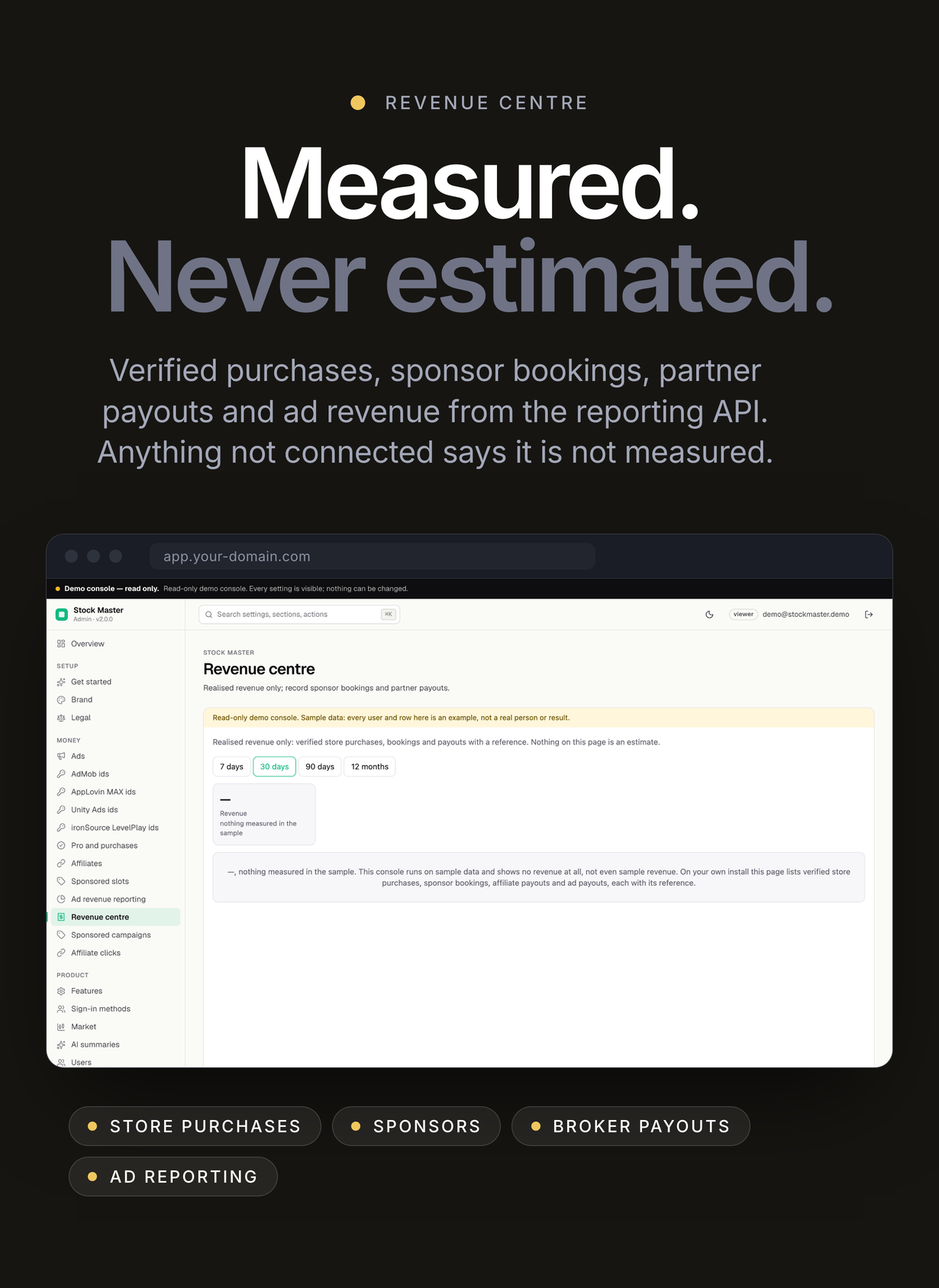
- Revenue centre with measured figures only: verified store purchases, sponsor bookings and partner payouts you record, and ad revenue when you connect a reporting API
What changed for buyers of the old version
Keep your application id to publish 2.0 as an update of your existing store listing, or publish it as a new app. Because it is a new code base, old customisations of the Kotlin project cannot be carried over.
What is included
- source/app: Flutter app for Android and iOS, with an example-data showcase build (lib/main_showcase.dart)
- source/firebase: Cloud Functions in TypeScript, Firestore rules and indexes
- source/admin: operator console, shipped as readable JavaScript with its UI source
- source/docs/CONTRACT.md: the data and API contract; source/README.md and source/CHANGELOG.md
- source/tool/check_ad_ids.sh and source/app/ADS-IDS.md: the ad-id check
- documentation/: the buyer documentation as HTML (open index.html)
- licenses/: third-party licence notices (THIRD-PARTY-LICENSES.md)
- README.md at the top of the ZIP
What is not included
- A data-provider plan, Firebase usage, hosting and a domain for the console, AI provider usage, ad network accounts and approval, Google Play and Apple developer accounts, store listings, your privacy policy and terms pages
- Any trading, brokerage, custody or investment advice. By design there is none
- Professional review of the shipped translations
- Preview images and device frames; they are presentation material and not part of the download
Limits
- The app is a tracker, not a broker: it cannot place orders or hold funds. Nothing in it is investment advice, and AI text is labelled as AI-generated or as an automatic summary
- Focus is US-listed companies and SEC filers. Other markets are not covered
- The four index entries are ETF proxies (SPY, QQQ, DIA, IWM), labelled as such, not the indices themselves
- Prices are only as complete and timely as the plan you buy from your data provider
Technical requirements
- Flutter 3.41 or newer on the stable channel (pubspec: flutter >=3.41.0), Dart 3.11 or newer
- Android: Android Studio with Android SDK 36 and JDK 17 or newer; minSdk 24, compileSdk 36, targetSdk 36
- iOS: iOS 15.0 or newer for the app and the widget extension; a Mac with Xcode and CocoaPods
- Node.js 26 LTS and npm (the operator console runs on Node.js 26; the Cloud Functions deploy to the Node.js 24 runtime)
- Your own Firebase project on the Blaze (pay-as-you-go) plan; Google bills usage above the included quota to you
- A host for the operator console that runs Node.js 26 LTS
- A market-data plan of your own from Finnhub and/or Twelve Data that allows displaying prices to the public
- Optional: your own AI provider key (Anthropic, OpenAI or OpenAI-compatible); ad network accounts; Google Play and Apple developer accounts
- No API keys, accounts or service credits are included
Installation summary
Create a Firebase project on the Blaze plan, deploy the Cloud Functions and Firestore rules, add your data-provider key and your SEC contact in the console, then build the Flutter app with your own package id and Firebase files. To look at the app first, run the example-data build with flutter run -t lib/main_showcase.dart; it needs no accounts. Step-by-step instructions are in the documentation.
FAQ
Do I need a data-plan subscription?
Yes, for live prices: a Finnhub and/or Twelve Data plan that allows public display. SEC filings, insider trades and the ticker search work without a provider call.
Do I need an AI key?
No. AI is off by default and the app falls back to a labelled automatic summary.
Do any features depend on the licence type?
No. Every feature is the same in the Regular and Extended licence.
Is the demo real data?
No. The demo shows example data with fictional companies, labelled ‘Example data’.
Declarations
- AI tools: AI tools were used to assist with parts of the code, documentation and graphics of this item. AI coding assistants were used on the Flutter app, the Cloud Functions, the operator console, the documentation and the preview graphics, under the author’s direction and review. The app’s own AI summary is a product feature that runs only on the key you enter.
- Ad network identifiers: the package contains no ad id of the author. The only literal ids are Google’s public AdMob test ids; every other ad id field is empty until you enter your own in the console. The script source/tool/check_ad_ids.sh checks this.
- Not affiliated: Finnhub, Twelve Data, SEC EDGAR, Firebase, AdMob, AppLovin, Unity, ironSource, Anthropic, OpenAI, MarketWatch, CNBC, Google Play and the App Store are named only to describe compatibility. Names and marks belong to their owners.
- Preview material: screenshots show the example-data build with fictional companies. They are presentation material and no figure in them is a result or a forecast.
Changelog
v2.0.0 (2026-11)
- Complete rebuild in Flutter with a Firebase backend and an operator console, replacing the 2021 Kotlin project whose IEX Cloud feed shut down. Prices via Finnhub and/or Twelve Data under your own plan, SEC EDGAR filings and insider trades, RSS news. New: company pages, earnings calendar, portfolios, server-side alerts with push, widgets, AI or automatic summaries, 9 languages, display-licence switch, optional ads, Pro and affiliate mechanisms (off by default). Requires Flutter 3.41. No data migration from 1.x.
Support
Item support follows Envato’s support policy (6 months included, extendable) and is provided through the Support tab of this item: it covers how the item works and bugs in the code as delivered. Installation on your servers, customisation and third-party services are not covered. Help articles and contact options are at mikodes.com/support. Never send service-account keys, API keys or passwords in a support message.
Credits
Fonts Inter and Space Grotesk (SIL Open Font License 1.1) in the app; Geist and Geist Mono (SIL OFL 1.1), React (MIT), cmdk (MIT) and Lucide icons (ISC) in the console. Package licences are listed in licenses/THIRD-PARTY-LICENSES.md and in the app under Settings, About, Open-source licences.
Download Now
LIVE PREVIEWDownload Now


