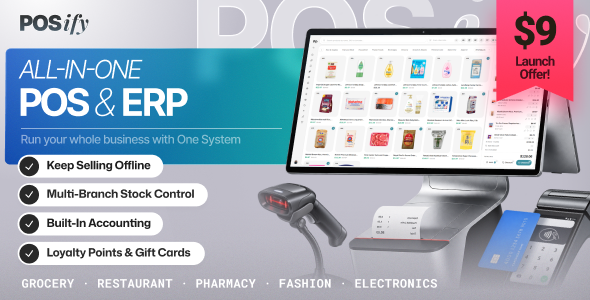
Posify: ERP & POS Business Management System
Sell at the counter, keep stock right and see your books, in one self-hosted application built with Next.js and PostgreSQL.


Posify connects the till, branch inventory, purchasing, customer accounts, marketing and double-entry accounting. A sale at the counter moves the stock of that branch and posts its journal in the same step, so owners and managers read sales, stock and profit from one place instead of rebuilding them from separate tools.
It suits one shop or a business with several branches and registers. You install it on your own server, with your own PostgreSQL database, and your data stays with you.
Try the POS demo |
Explore the back office |
Read the documentation |
Contact support
Demo admin: email: admin@posify.com Password: Demo@123
The demo’s sign-in page has one-click Owner, Manager and Cashier logins. On the demo, deletes and settings changes are switched off so every visitor finds it working.
Important: third-party services and costs
Posify is a one-time purchase with no subscription to us. It contains no AI features and no analytics or tracking service. You host it yourself, and some features use outside services that you sign up for and pay for directly. Their prices are set by those companies and can change.
- Hosting (required): a server that runs Node.js 22.12 or newer, and a PostgreSQL 16 or newer database, on your own machine or a managed provider. Hosting is not included.
- Email (required for password resets, receipts and notifications): your own SMTP account. Many providers charge beyond a free allowance.
- File storage (needed for product images, logos and documents): an S3-compatible bucket such as Cloudflare R2, AWS S3 or DigitalOcean Spaces, billed by the provider, or your own MinIO server.
- Text messages (optional): sent through your own Twilio account or another SMS gateway you connect. The provider charges for every message, per segment, including receipts, reminders and marketing campaigns.
- Direct printing and cash drawer (optional): QZ Tray on each till computer. It is free with a certificate you make yourself; the documentation shows how.
- PDF export (optional): Chrome or Chromium installed on your server, free.
- Card payments: taken on your own card terminal and recorded in Posify. Posify has no built-in payment gateway.
Highlights
- A fast till with barcode and camera scanning, held sales, deposits, credit sales, returns and X and Z reports.
- The till keeps selling when the internet drops and sends the queued sales when it returns.
- One business with many branches and registers, each with its own stock and staff.
- Purchase orders, goods receipts, supplier bills, payments and returns, linked to stock and the books.
- Double-entry accounting posted automatically from every sale, purchase, payment and stock change.
- Loyalty points, gift cards, store credit, coupons and customer marketing by SMS and email.
- 46 reports, a live dashboard and a one-click summary of the day.
- Nine built-in roles, your own roles and per-role limits that need a manager’s approval.
- 18 languages with Arabic right-to-left, light and dark themes, and an installable web app.
A Till Built for the Counter
Cashiers get a workspace that fits the way they sell: a product grid or list, category navigation, favorites and keyboard shortcuts, with the current sale always in view.
- Find products by name, SKU or barcode, with a USB or Bluetooth scanner or the device’s camera.
- Add customers, change quantities, apply discounts and coupons, and hold and resume sales.
- Take deposits, partial payments and credit sales, and collect what customers owe later.
- Handle returns, partial returns, exchanges and voids.
- Open and close registers, record cash in and cash out, and review X and Z reports.
- Show customers their items, discounts, total and change on a second screen.
Payments: cash, card, bank transfer, other, store credit, loyalty points, gift cards and on account. A sale can combine several of them.
Offline Checkout
After a till has been opened online once, it can keep selling through an internet outage: scanning, holding sales, cash, card, bank transfer and other payments, cash in and out, and printed receipts. The queued sales go to the server for checking when the connection returns.
Requirements: a production deployment over HTTPS and an allowed offline period between 1 and 72 hours. Offline support covers the till. Returns, voids, loyalty points, store credit, gift cards and the back office need a connection.
Branches and Registers
- Separate stock for each branch, and registers for each checkout counter.
- Staff limited to the branches and registers they work at.
- Products offered by chosen branches, with branch prices where you need them.
- Stock transfers between branches.
- Reports for one branch or the whole business.
Inventory You Can Act On
Stock is kept per branch with a moving average cost and a full movement history.
- Categories, brands, variants, units, SKUs and barcodes, with printable labels.
- Combo products: several items sold together at one price, with stock taken from each item.
- Whole units or decimal quantities, such as kilograms or metres.
- Batches and expiry dates for goods that need them.
- Adjustments, opening stock, transfers and physical stock counts.
- Reorder levels, low-stock and out-of-stock lists, and draft purchase orders made from them.
- Product import and export by CSV.
Purchasing and Suppliers
Create purchase orders, receive goods, record supplier bills and payments, and send goods back with purchase returns. Supplier balances, statements, credit limits and opening dues show what you owe and to whom.
Customers, Loyalty, Gift Cards and Store Credit
- Customer balances, statements, credit limits and opening dues.
- Customer groups with their own prices.
- Loyalty points earned and spent at the till.
- Gift cards with balance checks, expiry reminders and import.
- Store credit with an optional expiry, and exchange credit from returns.
- Customer import from CSV and export to CSV.
Customer Marketing and Coupons
- Each customer’s SMS and email consent, with the history of every change.
- Customer segments built from rules that keep themselves up to date.
- Campaigns by SMS or email, now or scheduled, within quiet hours and a daily SMS limit, with their results.
- Automatic messages such as birthday wishes and a thank-you after a first purchase.
- Coupons checked against the cart and the customer at the till and on back-office invoices.
- Message templates in each language your business uses.
- Opt-out by the unsubscribe link or by replying STOP.
Messages go out through your own email and SMS providers, which charge for them.
Double-Entry Accounting
Every sale, purchase, payment and stock change posts its journal, so the books follow the shop floor.
- Chart of accounts, manual journals, and cash and bank accounts.
- Expenses, including repeating ones.
- Profit and loss, balance sheet, cash flow, trial balance and general ledger.
- Receivables and payables aging.
- Bank reconciliation, a fixed asset register and owner loans.
- Month closing, so a finished period cannot change.
- Tax rates and groups, tax-inclusive or exclusive prices, exemptions and a tax report.
- A books check that finds and posts any journal a document is missing.
46 Reports and a Live Dashboard
Reports cover sales, registers, inventory, purchasing, profit, finance, loyalty and coupons. Read sales by day, month, hour, product, category, brand, customer, customer group, register, branch, staff member, salesperson and payment method. Reports export to CSV and PDF.
The dashboard shows branch performance, popular products, the category mix, busy hours, low stock and recent sales. A one-click summary in the header shows the day’s sales, purchases, stock, payments and profit.
Receipts, Invoices and Hardware
- A visual designer for receipts and A4 invoices, measured in millimetres, with presets, your logo, barcodes and QR codes.
- Receipts printed, emailed with a PDF copy, or sent by text message.
- Receipt printers, label printers and barcode scanners.
- Printing through the browser, or straight to the printer with QZ Tray, which also opens the cash drawer.
Staff, Roles and Control
- Nine built-in roles: Administrator, Manager, Cashier, Accountant, Stock Keeper, Purchaser, Supervisor, Read-only and External Accountant. You can also create your own.
- Per-role limits for discounts, refunds, cash out and price changes, with a manager’s approval beyond them.
- Two-step sign-in, PIN switching at the till, and staff access that ends on a date.
- An activity log of who did what.
- Notifications in the app, by email and by text, with daily digests for low stock, bills due and customers’ dues.
18 Languages, Right-to-Left and an Installable App
English, Bengali, Arabic (right-to-left), Spanish, French, German, Turkish, Hindi, Dutch, Simplified Chinese, Japanese, Zulu, Xhosa, Afrikaans, Swahili, Hausa, Yoruba and Igbo, with light and dark themes.
Posify installs from Chrome, Edge or Safari as a Progressive Web App. It is a browser-installed app, not a separate native Android or iOS app.
Built for Retail
Grocery stores and supermarkets, clothing shops and boutiques, electronics and mobile accessory shops, beauty and cosmetics stores, household goods and general merchandise, bookshops and stationery stores, and businesses with several branches and counters.
Technology
- Next.js 16, React 19 and TypeScript
- PostgreSQL with Drizzle ORM and reviewed SQL migrations
- Tailwind CSS 4 and Better Auth
- Over 6,000 automated tests, included in the download
- Readable, commented source code that you can change
Requirements
- Node.js 22.12 or newer, and pnpm 10.24
- PostgreSQL 16 or newer (a managed database works)
- HTTPS in production
- An S3-compatible bucket and an SMTP account
- Optional: Chromium for PDFs, Twilio or another SMS gateway, QZ Tray for direct printing
Installation in Short
- Create an empty PostgreSQL database and copy
.env.exampleto.env. - Run
pnpm install,pnpm db:migrateandpnpm build. - Start the app and open it in the browser. The install wizard checks the server, creates your business and owner account, and can add sample data.
- Set up branches, registers, products, opening stock, tax and staff, then start selling.
The documentation covers a plain Node.js server behind nginx or Caddy, a prebuilt Docker image, and panels such as Dokploy.
What You Get
- The full source code
- Database migrations, setup scripts and the install wizard
- Guides for installation, deployment, upgrades, hardware, offline selling, inventory, finance, loyalty and marketing
- The automated test suites
Frequently Asked Questions
Do I need my own hosting?
Yes. Posify is self-hosted and runs on your own server and PostgreSQL database.
Does Posify include AI features or analytics?
No. Posify has no AI features and sends no data to analytics or tracking services.
Can I move data from my current system?
Products and customers import from CSV, and opening stock and gift cards have their own imports. Customer and supplier opening dues and account opening balances are entered during setup.
Can every payment be taken offline?
No. Offline, the till takes cash, card, bank transfer and other. Loyalty points, store credit and gift cards need a connection, and so do returns and voids.
Does it process card payments?
No. You take the card payment on your own terminal and record it in Posify.
Is installation help and support included?
Step-by-step documentation and six months of support are included. Hands-on installation is available as a separate paid service.
Are updates included?
Yes. Database changes come as migrations, with an upgrade guide.
Support
Questions and bug reports go to support.neurolightstudio.com. Please include your purchase code and the version you run.
Changelog
Version 1.0.0: initial release.
Download Now
LIVE PREVIEWDownload Now