
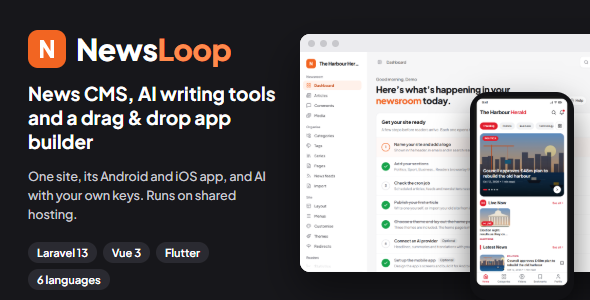
NewsLoop | Laravel News CMS With AI Writer and Flutter App Builder
Publish your news website and configure your Android and iOS news app from one connected platform. NewsLoop combines a Laravel-powered news publishing system, an editorial admin panel with AI writing tools, and a Flutter mobile app with a drag-and-drop builder.
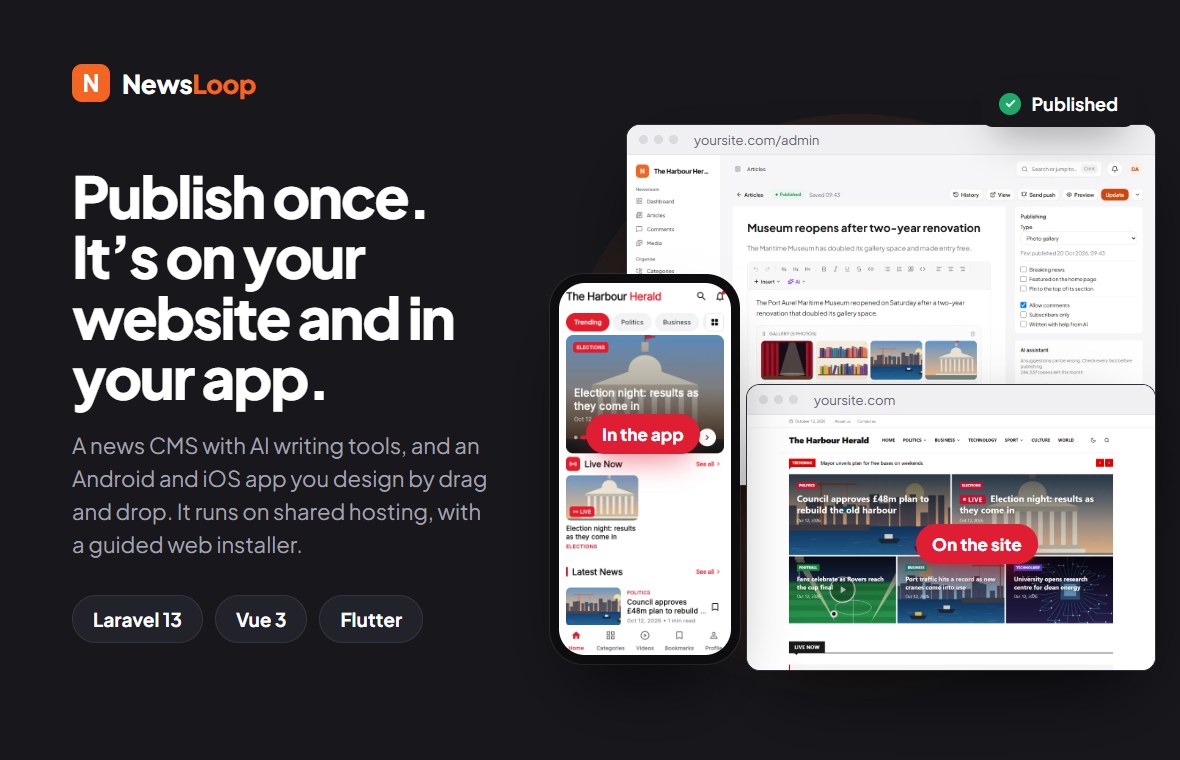
Live Demo | Admin Demo | Documentation | Customization Guide (logo, colours and branding, for the website and the app)
Important Disclosures: Third-Party Services and Costs
Please read before you buy. NewsLoop works on its own, but some features use third-party services that need your own accounts, and those services may charge you. NewsLoop adds no fees of its own. The same disclosures are on a public documentation page, Disclosures: outside services and costs, with set-up details in Outside services and your accounts, an architecture diagram of every connection, and the “Third-Party Services and Disclosures” section further down this page.
- No phone-home: NewsLoop never contacts a server run by us. There is no purchase code check and no update check. An automated test checks this (
tests/Feature/System/NoPhoneHomeTest.php). - Payment gateways (Stripe, PayPal, Razorpay, Paystack): to sell memberships you need your own merchant account with at least one of them. Transaction fees apply to every payment, and other fees (such as monthly, currency conversion, payout, refund or dispute fees) may apply depending on the provider, your country and your plan. They are charged by the provider, not by us.
- Push notifications (Firebase Cloud Messaging, by Google): push notifications need your own Firebase project in a Google account. The Flutter app includes the Firebase SDKs (
firebase_core,firebase_messaging), and the website loads Firebase’s script from Google when web push is on. Firebase Cloud Messaging has no charge at the time of writing, on Firebase’s free Spark plan, but Google may change its pricing, and other Firebase products or a pay-as-you-go Blaze plan may cost money. Without Firebase set up, NewsLoop never contacts it. - AI providers (OpenAI, Anthropic, Google Gemini, OpenRouter): you use your own API key and pay the provider per use. The cost examples in the documentation are illustrative only; check your provider’s current pricing page before budgeting: OpenAI, Anthropic, Google Gemini and OpenRouter (each model lists its price). Self-hosted providers (Ollama, LM Studio, vLLM) have no per-use cost, but your NewsLoop server must be able to reach them over the network:
localhostonly works when the AI server runs on the same machine, and shared hosting can’t reach a computer at your home or office. - Email and newsletters: any SMTP email service (such as your host’s, Mailgun or Amazon SES over SMTP), and Mailchimp, have their own free and paid plans.
- Ads: ads are a website feature. The app contains no ads SDK and shows no tracking prompt. Website ads can use Google AdSense with your own AdSense account: no AdSense publisher ID of ours is anywhere in the item, and there is no default or fallback ID, so the publisher ID is empty until you enter yours. To check: the full source of the site and the app is in the download as plain files, not zipped; every AdSense ID contains
pub-and 16 digits, and searching the source for that finds only examples made of zeros (pub-0000000000000000); an automated test makes the same search. Google’s AdSense script loads in readers’ browsers only once you enter a publisher ID. - App stores: publishing the app needs your own Apple Developer Program membership (a yearly fee) and Google Play developer account (a one-time fee).
- Loaded from outside, with no account: the app downloads the fonts you choose from Google Fonts; the app builder previews fonts from Bunny Fonts in your own browser; embedded videos and posts (YouTube, Vimeo, X and so on) load from those companies; and the website loads Firebase’s script only when web push is on. Like any download, these show the other company the visitor’s IP address. The app’s other packages contact no one, and it asks for no location, camera, microphone, contacts or photos permission; on iOS it asks only for notifications.
Demo Instructions
Try the website, the admin panel and the Android app before you buy.
- Website: https://newsloop-web.codezstack.com/
- Admin panel: https://newsloop-web.codezstack.com/login
- Android demo app: download the APK
Demo login credentials (every account uses the same password):
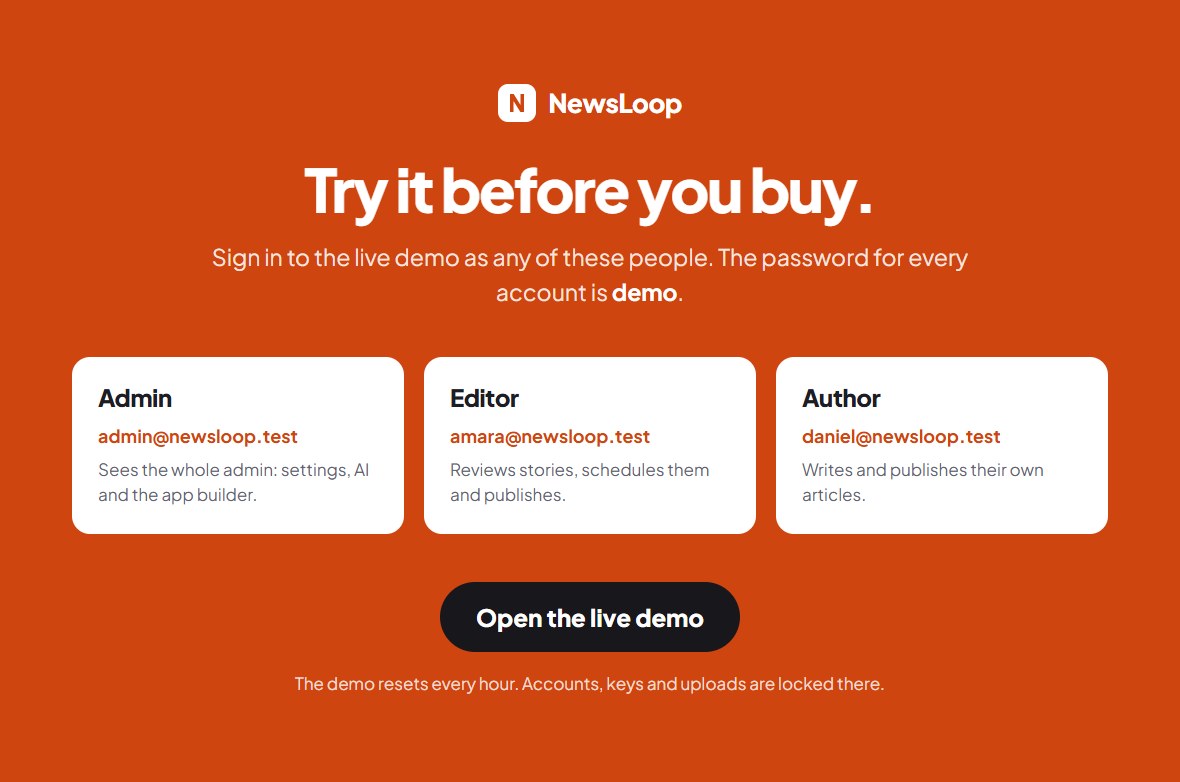
- Admin, with the whole admin panel: email
admin@newsloop.test, passworddemo - Editor, who reviews and publishes articles: email
amara@newsloop.test, passworddemo - Author, who writes and publishes their own articles: email
daniel@newsloop.test, passworddemo
Demo images are not included. The photos on the live demo and in the screenshots are licensed for our demo only, and are not part of the download. The demo content in the download uses illustrations drawn by NewsLoop itself instead, which you may keep or replace with your own pictures.
Open the admin panel, choose one of the accounts on the sign-in page or type its email and password, and press Log in. The demo resets every hour. Passwords, users, API keys, uploads and the System page are locked in the demo, so everything else is yours to try.
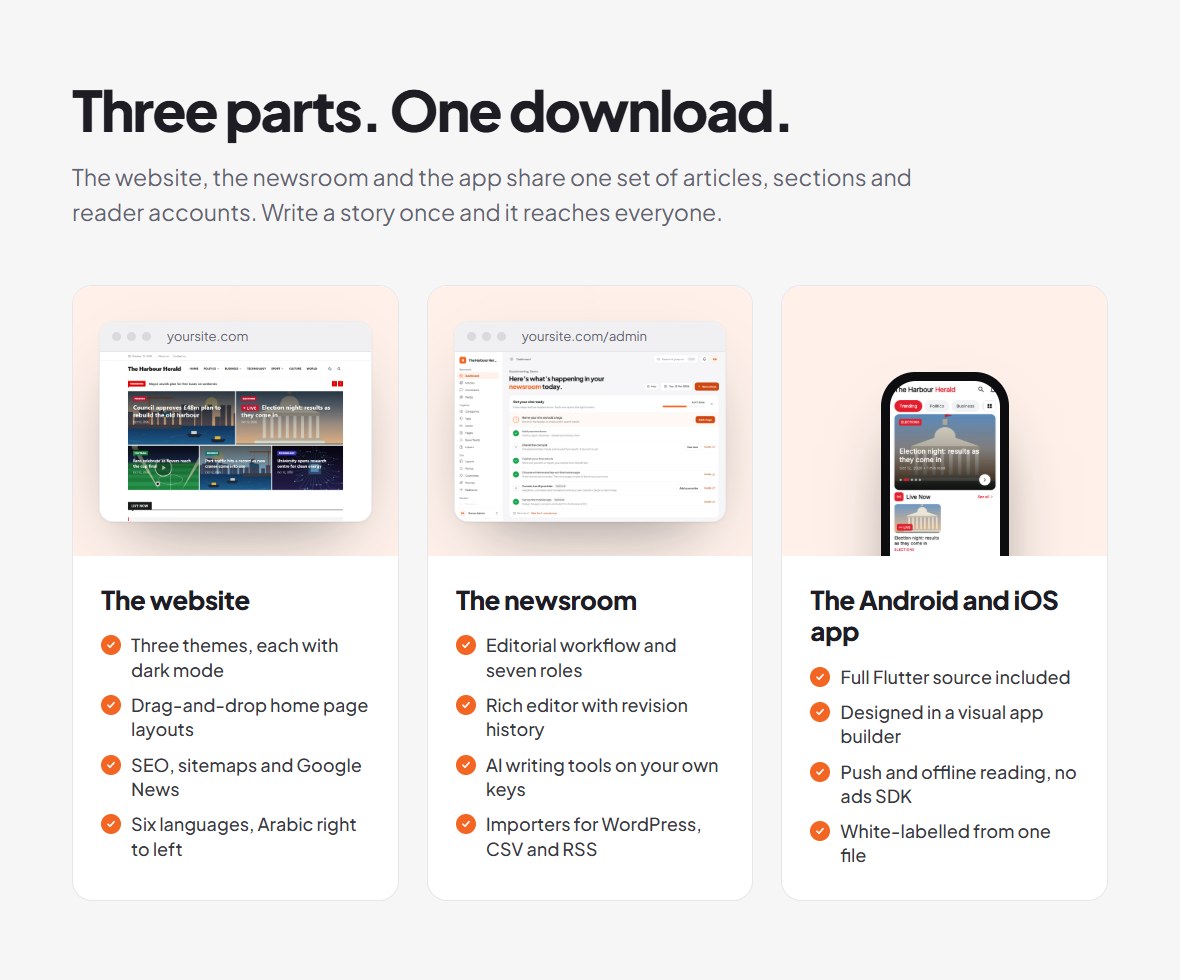
One News Platform. Website, Admin Panel and Mobile App.
NewsLoop is designed for publishers, news portals, digital magazines and developers who want a connected publishing workflow across web and mobile. Manage editorial content through the admin panel and use the included Flutter app source to build branded Android and iOS applications.
What Is Included?
- Laravel-based news website and content management system
- Administrative panel built with Vue 3
- Flutter source code for Android and iOS
- Drag-and-drop mobile app builder inside the admin panel
- AI-assisted writing tools with configurable AI providers
- Editorial workflow and article management
- Website themes, multilingual capabilities and SEO features
- Membership, advertising, newsletter and push-notification features
- Installation and configuration documentation
Build and Configure Your Mobile App
Use the app builder in the admin panel to arrange components and layouts for your news app. It has 24 components and 6 starter layouts, and installed apps show a newly published layout the next time they open, with no store update.
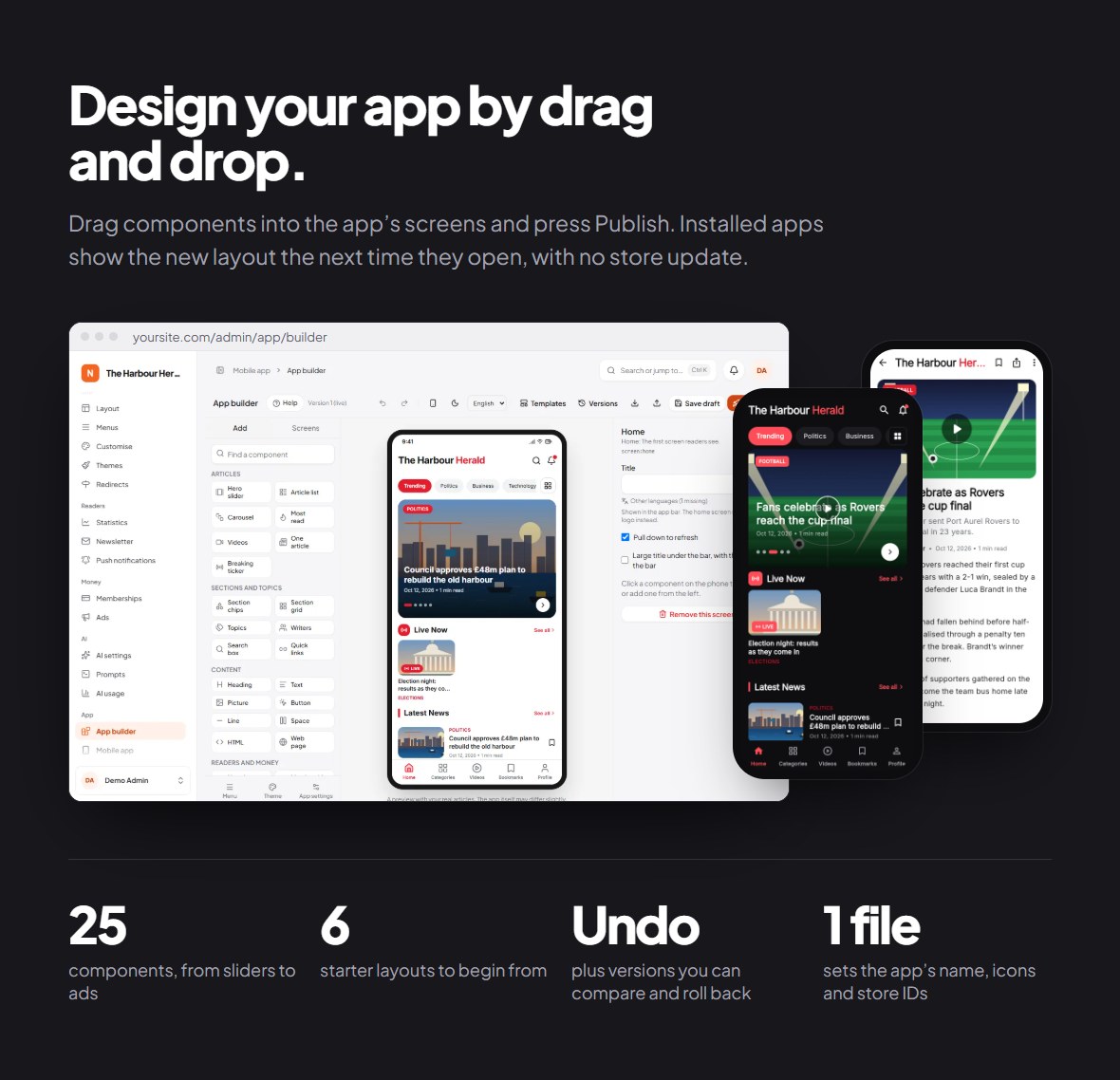
See how it works, step by step with screenshots: App builder walkthrough in pictures: choose and change a component, the screens, the menu, colours and fonts, app settings, the iPhone and dark mode preview, and publishing. You can also try it yourself in the admin demo under App → App builder.
- Configure the app using the included builder interface
- Work with the included Flutter application source code
- Build for Android and iOS using the documented workflow
- Use the included white-label script and build guide
Build note: The mobile application is provided as source code. Building and publishing it requires Flutter (or Codemagic in the cloud), signing credentials, your own Google Play and Apple developer accounts, and compliance with app-store requirements.
No ads or tracking in the app. The app contains no ads SDK and shows no tracking prompt, so in App Store Connect you answer that the app does not track.
Apple privacy manifest. The app ships with its own privacy manifest (ios/Runner/PrivacyInfo.xcprivacy) for what NewsLoop’s code collects (account name and email, the notification token, comments, anonymous reading counts). The Firebase SDKs include their own manifests. Before submitting to the App Store, you generate Xcode’s privacy report and answer App Store Connect’s privacy questions from it; the app guide shows how.
AI-Assisted Editorial Tools
Use the AI tools to support your content workflow. Configure a supported provider with your own API key or provider setup.
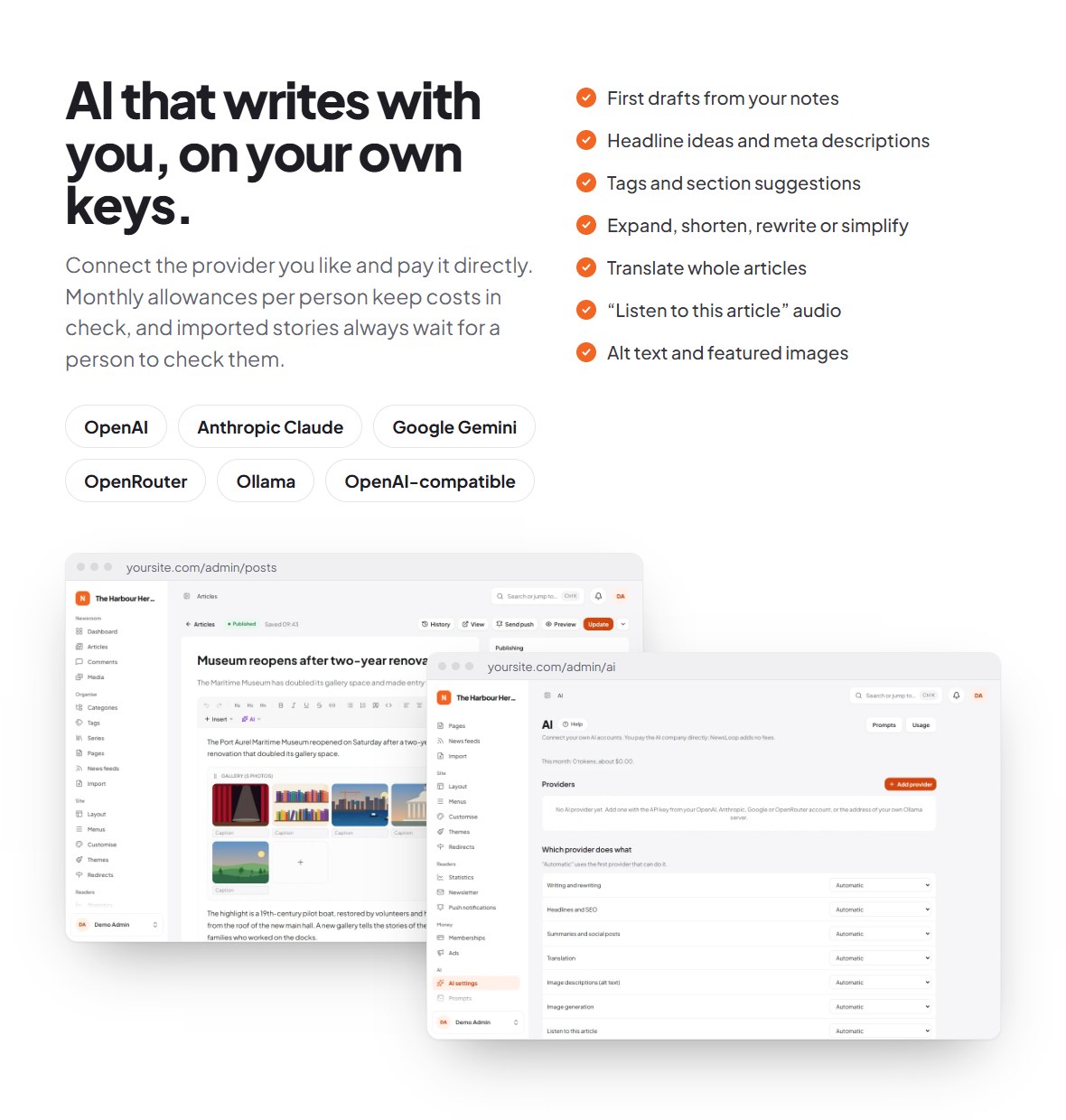
Supported providers are OpenAI, Anthropic Claude, Google Gemini, OpenRouter, any OpenAI-compatible server, and Ollama on your own server. The documentation explains the setup of each one. Network requirement for self-hosted providers (Ollama, LM Studio, vLLM): the AI server must be reachable from your NewsLoop server, either on the same machine (localhost) or at an address and port your hosting is allowed to connect to.
AI usage costs are not included. Official pricing pages: OpenAI, Anthropic, Google Gemini and OpenRouter (each model lists its price). You are responsible for any third-party account, API key, hosting or usage charges required by your chosen provider.
Manage Your Newsroom
Manage articles and editorial content through the NewsLoop administration panel.
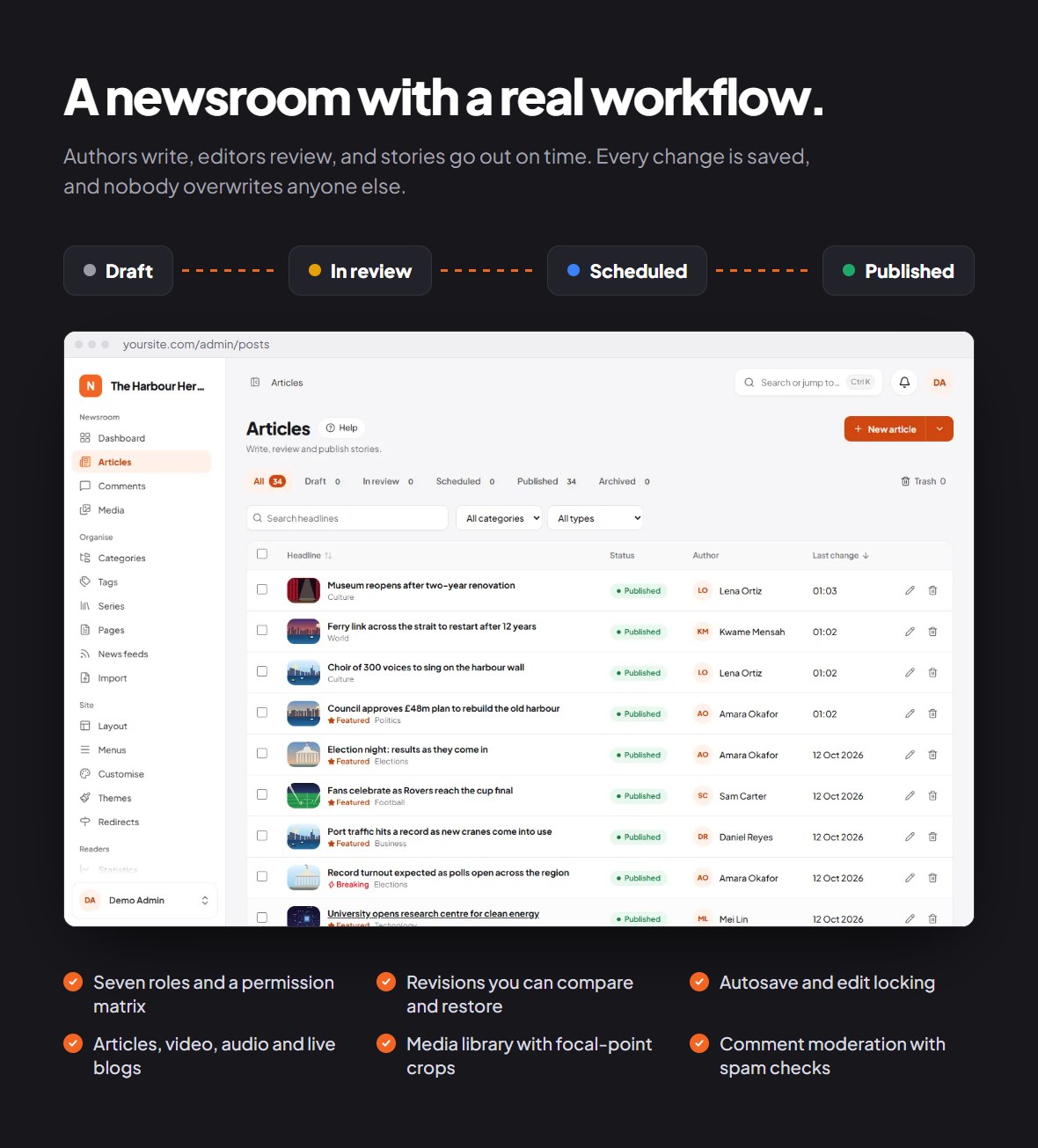
- Manage news articles from the administration panel
- Draft, in review, scheduled and published, with seven built-in roles
- Combine AI-assisted writing with your own editing and publishing process
News Website, Themes and Languages
Present your publication through three website themes (Classic, Magazine and Minimal) and six reader languages: English, Arabic (right to left), Spanish, French, Hindi and Bengali.
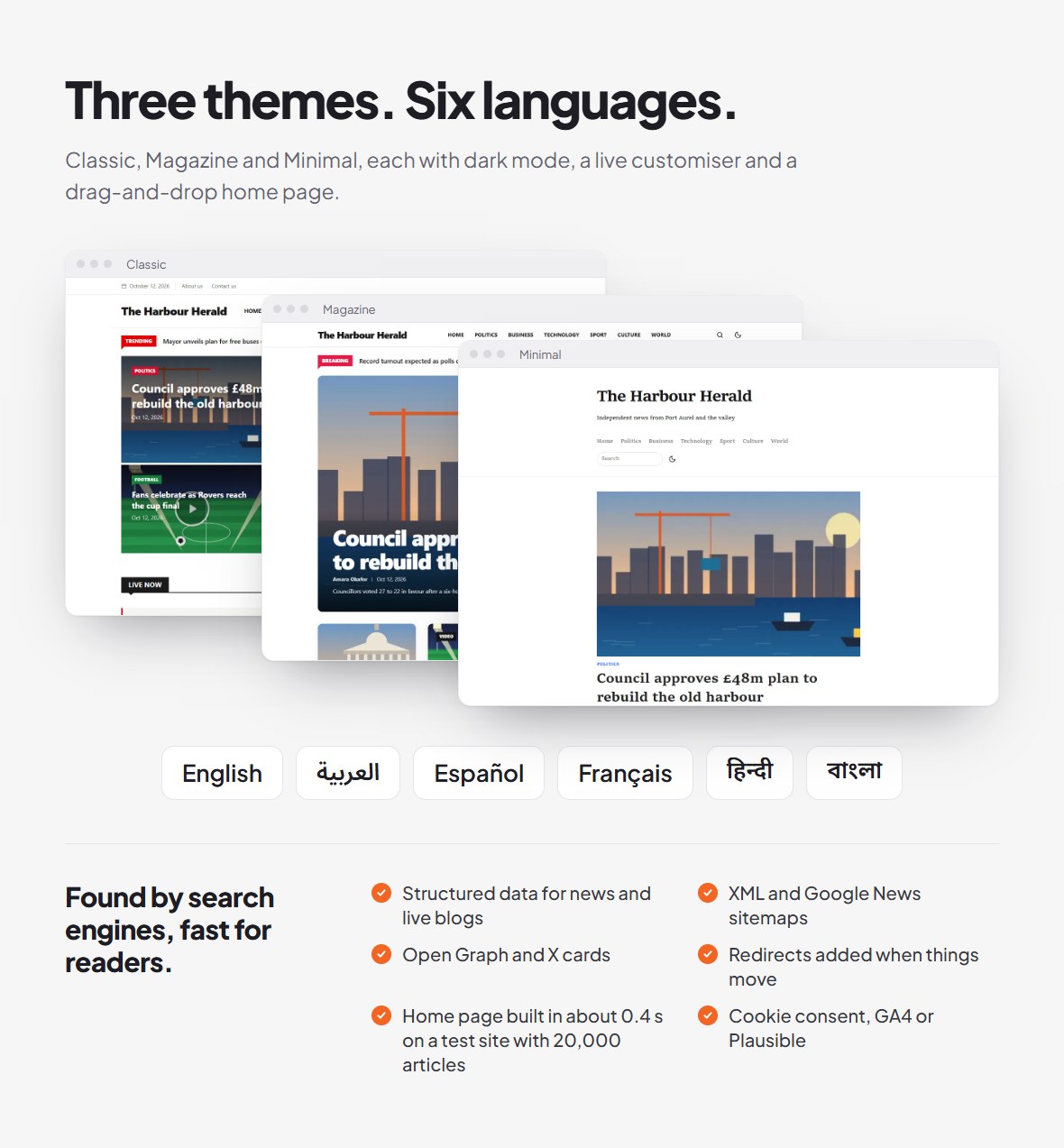
- Three included website themes, each with dark mode
- Six reader languages, and you can add more
- SEO features: structured data, XML and Google News sitemaps, Open Graph and X cards, and redirects
Engagement and Monetization Features
NewsLoop includes features to support reader engagement and publisher revenue.
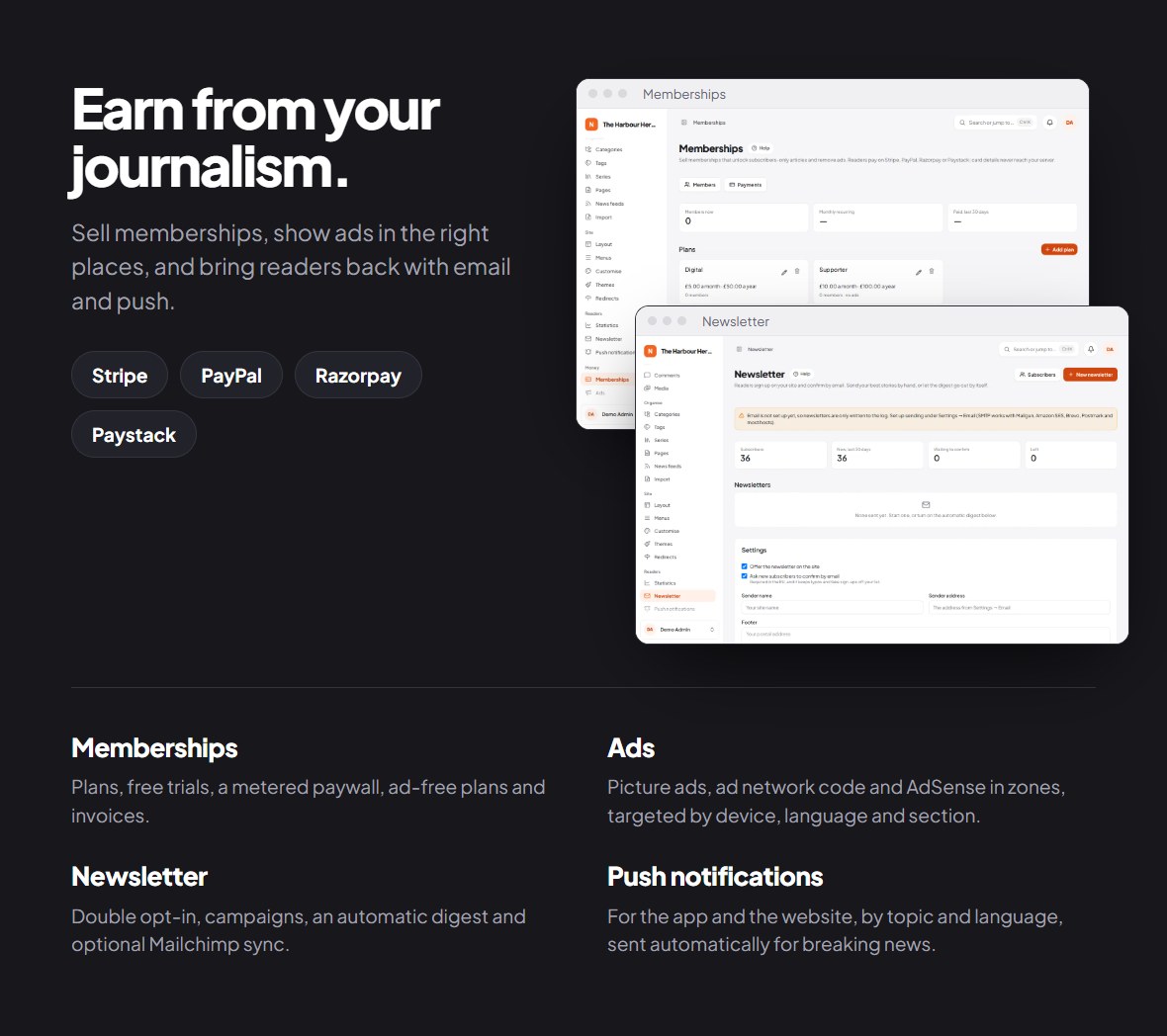
- Memberships with Stripe, PayPal, Razorpay or Paystack, and a metered paywall
- Advertising zones, including AdSense
- Newsletter with double opt-in and an automatic digest
- Push notifications for the app and the website
Payments, push notifications and some email services need your own accounts with those third-party services, and they may charge you: payment gateways take transaction fees on every payment and may have other fees depending on the provider and plan; Firebase (push notifications) and email services have their own pricing and plans. See “Important Disclosures” near the top of this page and What these services may cost.
Installation, Updates and Documentation
The web package includes a guided web installer that checks your server before it changes anything.
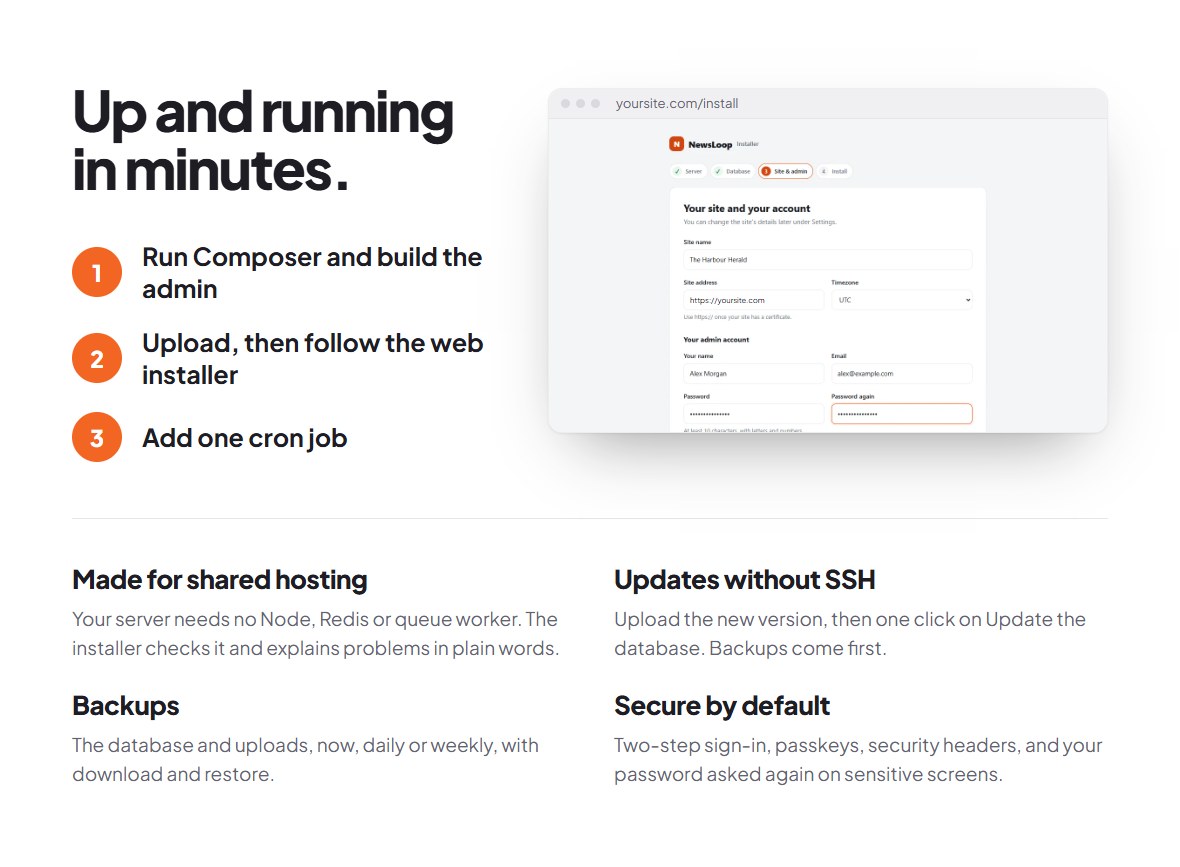
- Prepare the files once: install the PHP packages with Composer and build the admin with Node.js
- Upload, then follow the web installer, with server checks
- Option to add demo content during installation
- Updates without SSH: back up on the System page, upload the new version, then one click on Update the database. The upgrade guide covers database changes, settings and the steps for each version
- A customization guide for non-technical owners: step by step, upload your logo, set your brand colours, and switch or adjust your theme, on the site and in the app, with no code. The app’s name, icon and splash screen go into the app when you build it with the included script.
- Documentation with screenshots: installation, upgrading, site settings, the customization guide, themes, users and roles, AI tools (with troubleshooting, a cost example, a before-and-after prompt example and the background-work setup), the app builder, outside services, the REST API (finding your base URL, flow diagrams of sign-in tokens and the metered paywall, live blog polling, how to show an article’s
content_htmlwith its related articles, and real request and answer examples for every endpoint), a complete Dart walkthrough of an app client (fetching articles, signing in, handling a 401 with a new token), an architecture diagram, and the changelog
Installation note: The download contains the full source code. Before uploading, run composer install --no-dev and build the admin with npx pnpm@10 install --frozen-lockfile and npx pnpm@10 run build, on your computer or over SSH. Your hosting itself needs no Node.js, Redis or queue worker. The Installation guide shows each step.
Third-Party Services and Disclosures
No server of ours
NewsLoop contacts no server of ours: there is no license check and no update check. It never sends anything to us, the author, and nothing can switch it off from outside. You update by uploading a new version from your CodeCanyon download, then pressing Update the database on the System page.
Services you set up yourself
Every other outside service is optional, uses your own account and keys, and is only contacted after you configure it: AI providers, Stripe, PayPal, Razorpay, Paystack, Firebase (push notifications, by Google), Mailchimp, Google and Apple sign-in, Google Analytics or Plausible, and AdSense on the website. These services may charge you directly: payment gateways take transaction fees (and may have other fees depending on the provider and plan), AI providers charge per use, and Firebase, email services and Mailchimp have their own pricing and plans. NewsLoop adds no fees. What these services may cost lists them. The full list, with what each one needs, is in Outside services and your accounts.
Technical Information
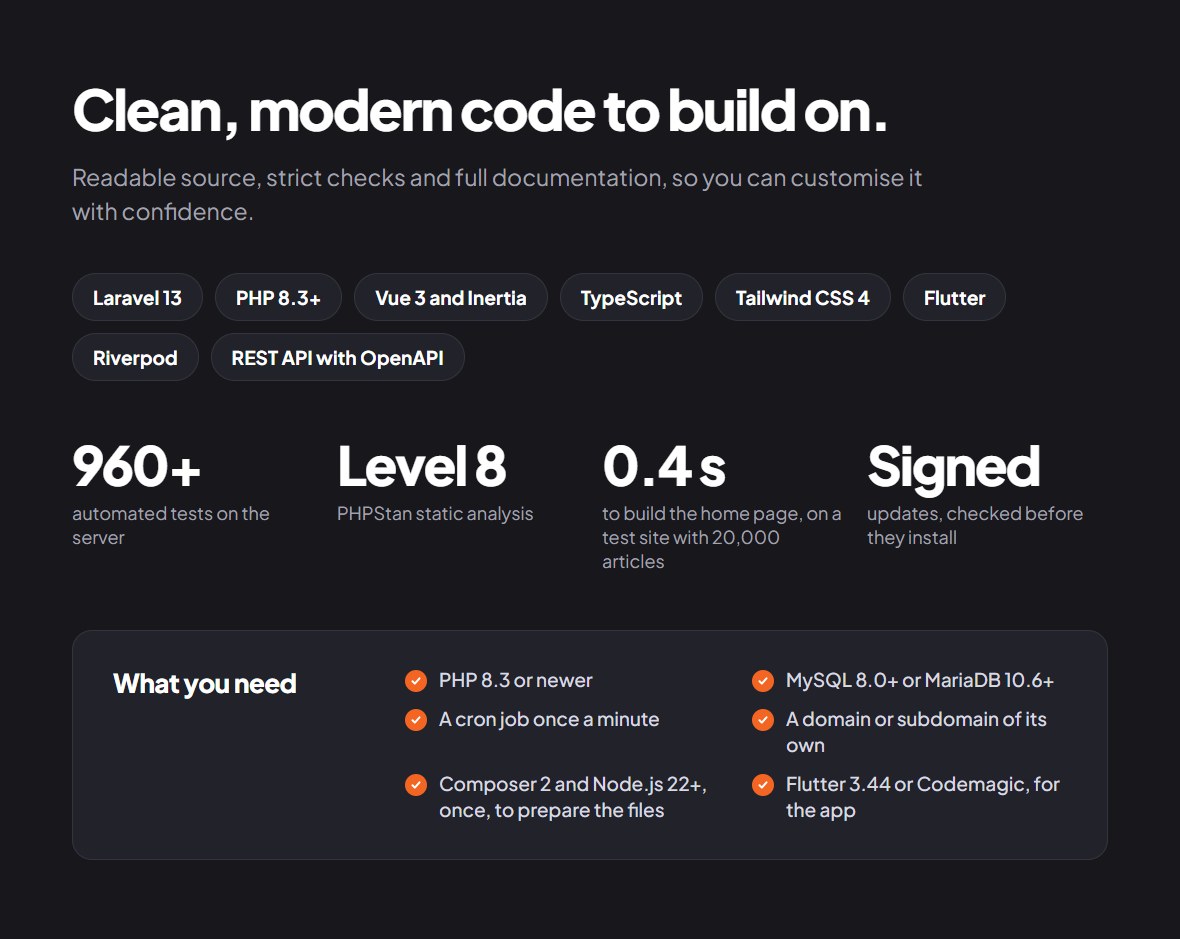
- Backend: the latest Laravel release (the exact version is in
composer.json), PHP 8.3 or newer - Admin interface: Vue 3 with Inertia and TypeScript
- Mobile application: Flutter for Android and iOS
- Database: MySQL 8.0 or newer, or MariaDB 10.6 or newer
- Server: a cron job once a minute, and its own domain or subdomain
- To prepare the files: PHP 8.3, Composer 2 and Node.js 22.12 or newer, on any computer
- Quality: 960+ automated tests and PHPStan level 8
Support
Your purchase includes 6 months of support from us, the author, under Envato’s item support policy, and you can extend it to 12 months.
- Covered: questions about how NewsLoop works, help with bugs and problems you find, and help with the third-party parts included in the download.
- Not covered: changes to the code or design for your site, installation as a service, and problems with your hosting or with other companies’ services, such as your AI provider or payment company.
- How to reach us: use the Support tab on this page. Please include your NewsLoop version (on the System page), your PHP version, and what you did and saw.
- When: we answer within two working days, Monday to Friday, and usually sooner.
Release Notes
Version 1.0.0 – Initial Release
- Initial release of NewsLoop.
- Includes the Laravel-based news website and administration panel.
- Includes Flutter app source code for Android and iOS with the app builder.
- Includes AI-assisted writing tools and the documented publishing features.
Frequently Asked Questions
Does the purchase include the Flutter source code?
Yes. The download includes the full Flutter source code for Android and iOS, as plain files in Main_File/newsloop-app, with the white-label script and the build guide.
Are AI provider fees included?
No. You configure your own provider account, or your own Ollama server. Third-party usage charges are separate.
Can I build and publish the mobile app?
Yes. The Flutter source and build guide are included. You need Flutter (or Codemagic), signing configuration and your own developer accounts to build and publish your app.
Do I need Node.js or Composer?
Once, to prepare the files: install the PHP packages with Composer and build the admin with Node.js, on your computer or over SSH, then upload the folder. Your hosting does not need Node.js. You do the same for each new version you upload later.
Does the app show ads?
No. The app contains no ads SDK and shows no tracking prompt. Ads are a website feature: your own ads, ad network code, or Google AdSense with your own account.
Does NewsLoop contact the author’s server?
No. NewsLoop never contacts a server run by us: there is no purchase code check and no update check.
How do I update?
Back up on the System page, download the new version from CodeCanyon, prepare it as for installing, and upload it over your site, keeping .env, storage and public/uploads. Then open the System page and click Update the database. No SSH is needed. The upgrade guide has every step.
Where can I find installation instructions?
See the online documentation. The same guides are included in the download, in the Documentation folder.
Before You Purchase
- Review the live demo and documentation.
- Check server requirements and supported software versions.
- Review Flutter build and app-store publishing requirements.
- Confirm whether third-party services or API keys are needed for your intended use.
- Review the applicable marketplace license and support terms.
Explore NewsLoop Demo | View Documentation
Thank you for your interest in NewsLoop.
Download Now
LIVE PREVIEWBUY FOR $59


