
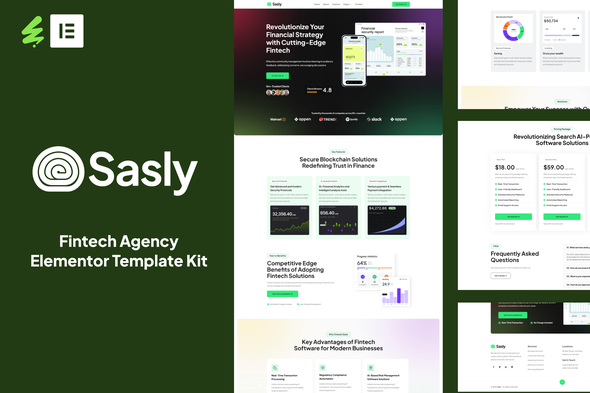
Sasly – Fintech Agency Elementor Template Kit is a sleek, modern, and highly functional template kit designed for Fintech agencies.
With its clean layouts, engaging visuals, and thoughtfully crafted sections, Sasly enables you to highlight your agency services, pricing plans, FAQs, and contacts in a compelling way. Built with the free version of Elementor, it lets you customize every element easily using a simple Drag & Drop interface—no coding skills needed.
Fully responsive and performance-optimized, Sasly ensures a seamless experience across all devices—from desktops to smartphones. Whether you’re launching a site for SaaS products, cloud hosting, app development, or tech consulting, this kit provides all the essential page templates to help you get online quickly and effectively.
Elevate your service brand with Sasly—the ultimate Elementor Template Kit for building a professional, high-performing website in today’s fast-paced digital landscape.
Features :
- 15+ Ready to use templates
- Modern Layout and Clean Design
- Built with Elementor Free Version (Pro is not required)
- 100% Responsive & Mobile-Friendly
- No Coding Knowledge Required
- Easy & Fully Customizable
- Cross Browser Compatibility: Chrome, Firefox, Safari, Opera
Page & Section Templates :
- Global Kit Style
- Home
- About
- Solution
- Pricing
- Faqs
- Contact
- 404
- Header
- Footer
- Contact Form
- Newslatter Form
- Section – About
- Section – Pricing
- Section – Services
- Section – Testimonials
- Section – Contact
- Section – FAQs
- Section – Page Title
Required Plugins(All are Free):
- Elementor
- ElementsKit Lite
- Elextra Widgets for Elementor
- Sticky Header Effects for Elementor
- MetForm
How to Use Template Kits:
This is not a WordPress Theme. Template kits contain the design data for Elementor only and are installed
using the envato Template Kit Import plugin for WordPress or directly through Elementor.
Detailed Guide:
For further support, go to Elementor > Get Help in WordPress menu.
Setup Global Header and Footer
- Import the header and footer template
- Go to ElementsKit > Header Footer select Header and click Add New
- Give it a title, leave Entire Site selected and toggle Activation to On
- Click the template title and Edit Content
- Click the grey folder icon and select the header template to import and update
- Repeat for Footer
How to Import MetForm Custom Form:
- While editing a page where a form should appear, open the Elementor navigator to locate the Metform
widget. - Click Edit Form in the builder panel.
- Select New, leave blank selected then click Edit Form button.
- Click ‘Add Template’ grey folder button.
- Click ‘My Templates’ tab.
- Choose your imported MetForm template, then click ‘Insert’.
- Once the template is loaded, click ‘Update’.
Notes
This Template Kit uses demo images from Envato Elements. You will need to license these images from Envato
Elements to use them on your website, or you can substitute them with your own.
Download Now
LIVE PREVIEWDownload Now