
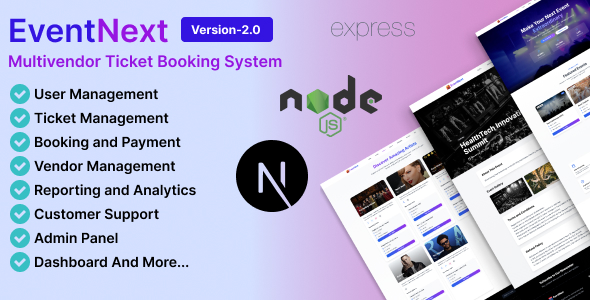
EventNext
EventNext is a comprehensive multivendor ticket booking and event management
system. Designed for seamless collaboration between event organizers,
vendors, and customers, it provides a streamlined way to manage events,
ticketing, and related operations. With features like artist management,
venues, and customizable fields, EventNext is a robust platform for modern
event management.

Modules
-
User Management:
- Customer registration and login.
- Vendor registration and profile management.
- Role-based access control.
-
Event Management:
- Create, edit, and delete events.
-
Event scheduling and management of event details like date, venue, and
capacity. - Event categorization and tagging.
-
Ticket Management:
- Define ticket types (e.g., general, VIP).
- Real-time ticket availability and booking status.
- Secure QR code-based ticket generation.
-
Seat Management:
- Customizable seating layouts.
- Real-time seat availability updates.
- Support for reserved and unreserved seating.
-
Booking and Payment:
- Multivendor ticket booking system.
- Integration with popular payment gateways.
- Discount and promotional code management.
-
Vendor Management:
- Dashboard for vendors to manage their events and sales.
- Vendor-specific sales and analytics reports.
- Multi-vendor commission settings.
-
Reporting and Analytics:
- Insights into ticket sales and event performance.
- Customizable sales and revenue reports.
- Tracking customer engagement metrics.
-
Customer Support:
- Integrated ticketing system for customer queries.
- FAQs and knowledge base management.
-
Admin Panel:
- Complete control over the platform for super admin.
- Moderation of events, vendors, and user activities.
- System-wide settings and configurations.
Key Features and Functionalities
-
Dashboard: Overview of system statistics and activities,
such as sales, bookings, and active events. -
Artists Management: Add, edit, and organize artists
performing at events. Associate artists with specific events for easy
tracking. -
Venue Management: Manage venues with details such as
location, capacity, and availability. Associate venues with events for a
clear schedule. -
Category Management: Create and manage categories to
classify events (e.g., music, sports, workshops). -
Event Management: Full control over event details like
date, time, venue, and capacity. Attach artists, categories, and venues to
events. -
Vendor Management: Enable vendors to manage their own
events and tickets. Track vendor performance and commissions. -
Custom Fields: Add unique fields to events, venues, or
orders for additional customization. Define custom attributes for tailored
event needs. -
Manage Orders: Monitor and manage ticket bookings and
cancellations. Access detailed order history and payment statuses. -
User Management: Manage roles and permissions for
customers, vendors, and admins. View user activities and profiles. -
Change Password: Secure password management for all user
roles.
What’s New in Version 2.0
-
Event Management:
- Create, edit, and delete events with more flexibility.
- Schedule events with date, time, venue, and capacity.
- Generate QR codes for events to enable secure check-in.
-
Ticket Management:
- Support for multiple ticket types (General, VIP, Early Bird).
- Multi-ticketing per event for different audience tiers.
- Secure, printable tickets with QR codes for entry verification.
-
Media Management:
- Upload images, flyers, and videos for events and vendors.
- Create and manage event-specific media galleries.
-
QR Code Management:
- Generate unique QR codes for each event and ticket.
- Printable tickets with embedded QR codes.
- Quick check-in and verification using QR scanning.
-
Session Management:
- Host multi-session events like seminars or workshops.
- Schedule and track each session independently.
-
Seat Management:
- Dynamic and customizable seating layout configurations.
- Real-time updates of seat availability.
- Support for both reserved and unreserved seat types.
- Drag-and-drop seat plan generator for easy seat arrangement.
Demo
Admin:
Login Link
Username: admin@example.com
Password: 12345678
Vendor:
Login Link
Username: vendor2@gmail.com
Password: 12345678
Sources Images and Credits:
Unsplash
Download Now
LIVE PREVIEWDownload Now