
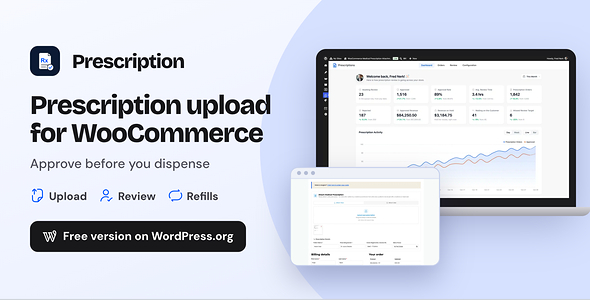
Prescription is a WooCommerce prescription plugin that holds every prescription order until your pharmacist approves it. Customers upload a prescription at checkout and the order waits on hold. Files stay private on your own server with no fee per prescription.
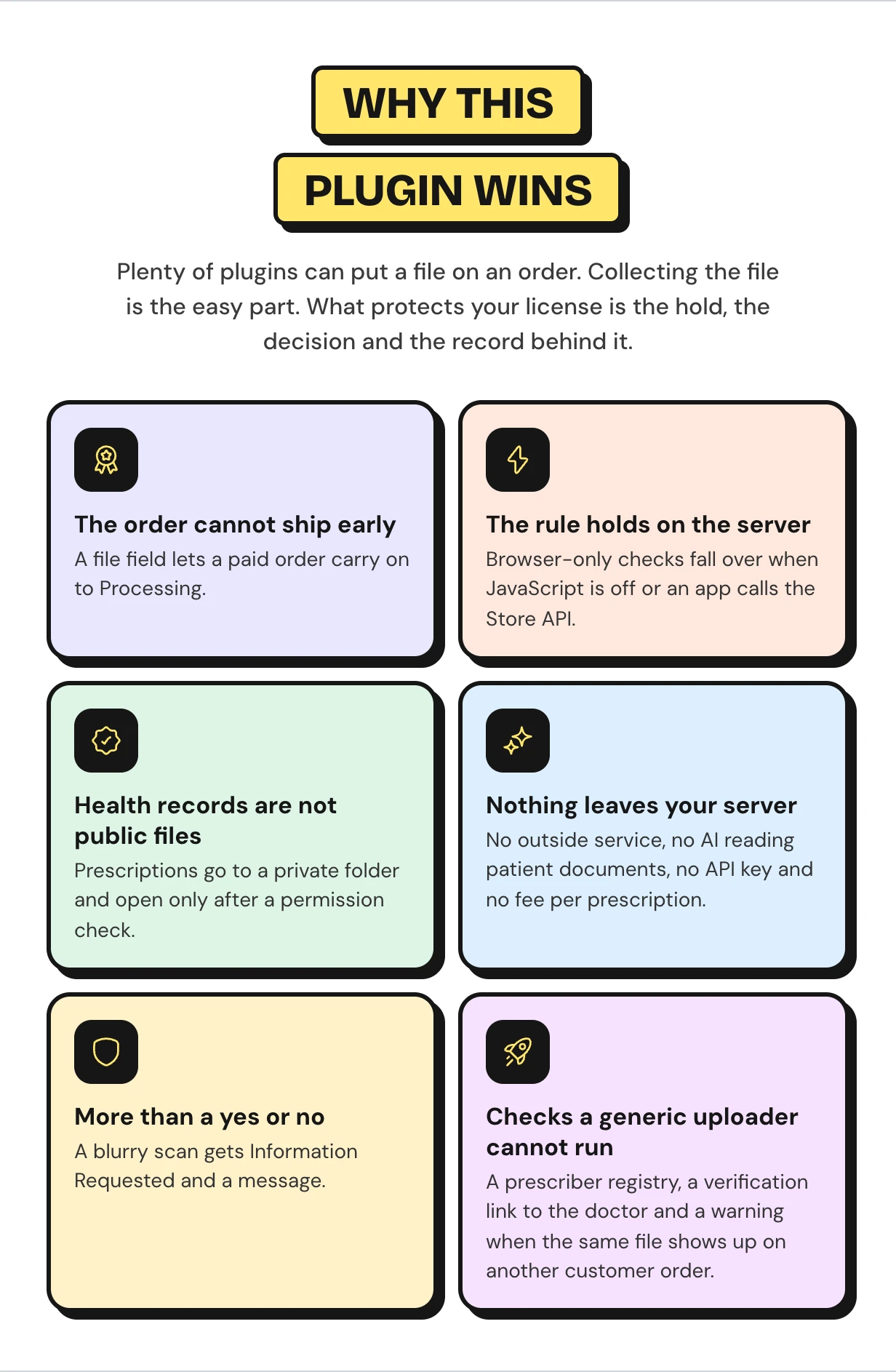
WooCommerce has no prescription upload, and a paid order goes straight to Processing. A generic file field attaches the scan and the order ships anyway.
It works as a medical prescription attachment tool, an online pharmacy plugin and a pharmacy online order system for WordPress. Pharmacist approval before shipping, prescription refills and a prescriber registry come in the same download.
Try it free first: Prescription on devdiggers.com with no time limit
Every plan and the latest features: Prescription plugin page






Start with the free WooCommerce prescription plugin
Want to try it first? Install the free Prescription for WooCommerce plugin from devdiggers.com. It takes the upload at checkout, holds the order and lets you approve or reject with an email.
The free build has no time limit and no cap on orders, files or reviewers.
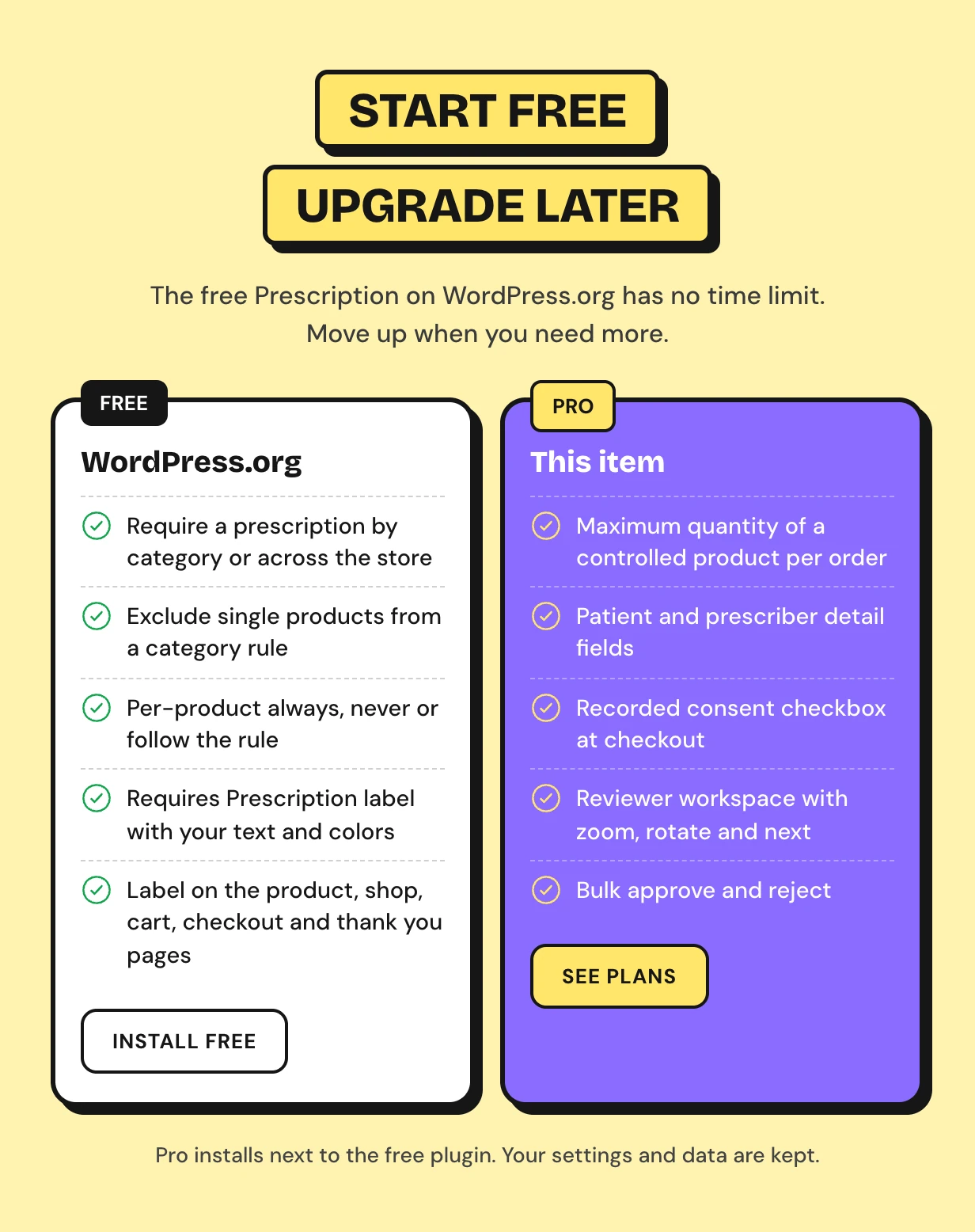
Pro adds the reviewer workspace, the Pharmacist role, prescriber checks, refills and expiry, the audit and access logs and pharmacy analytics. Pro installs next to the free plugin and keeps every prescription and setting.
A paid order for prescription medicine should not ship on its own
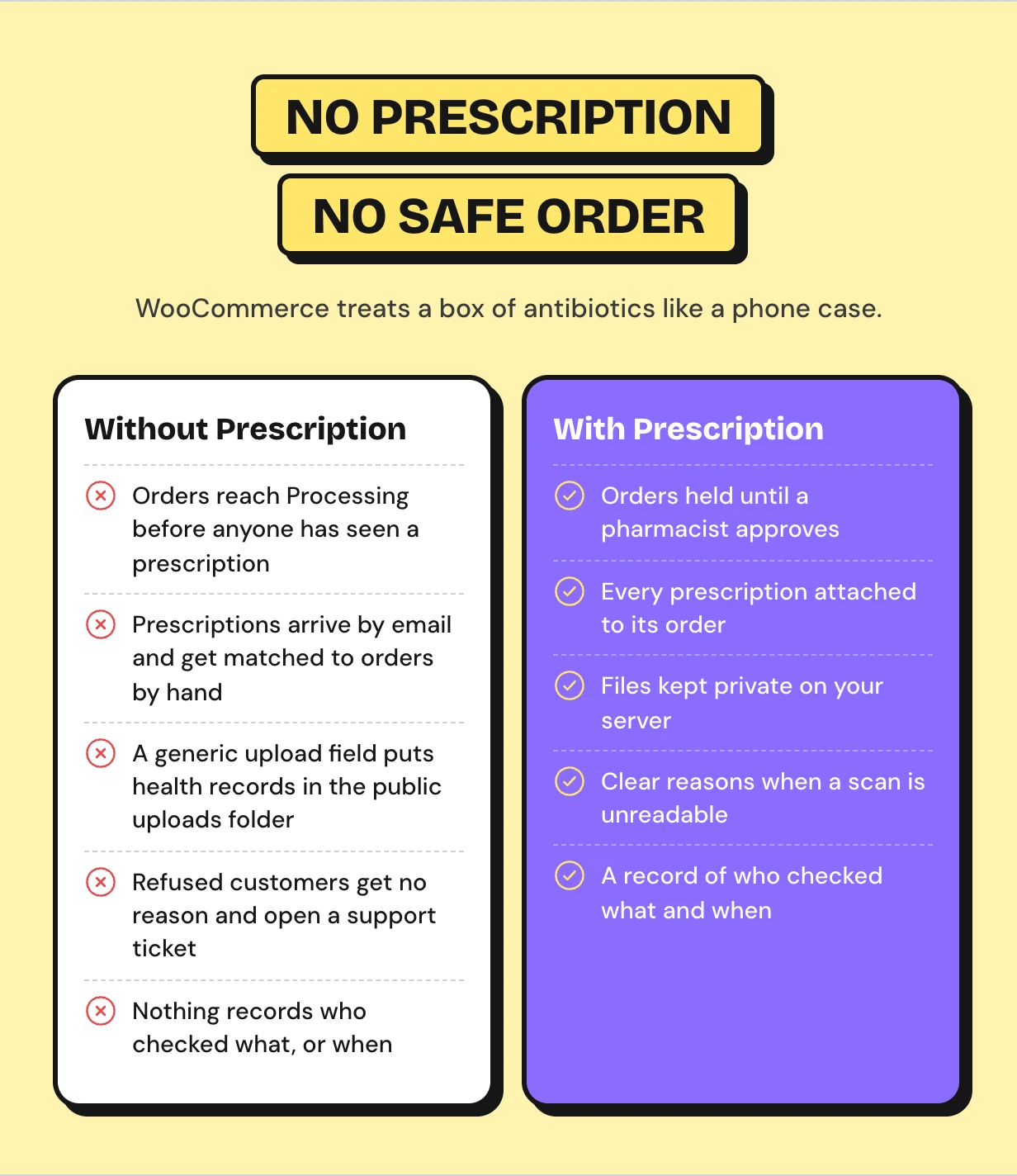
WooCommerce treats a box of antibiotics like a phone case. The customer pays, the order turns Processing and your packing team sees nothing that says stop.
So pharmacies ask people to email a photo and match inboxes to orders by hand. The scans end up in a shared mailbox where health records should never sit.
How prescription upload and approval works in WooCommerce
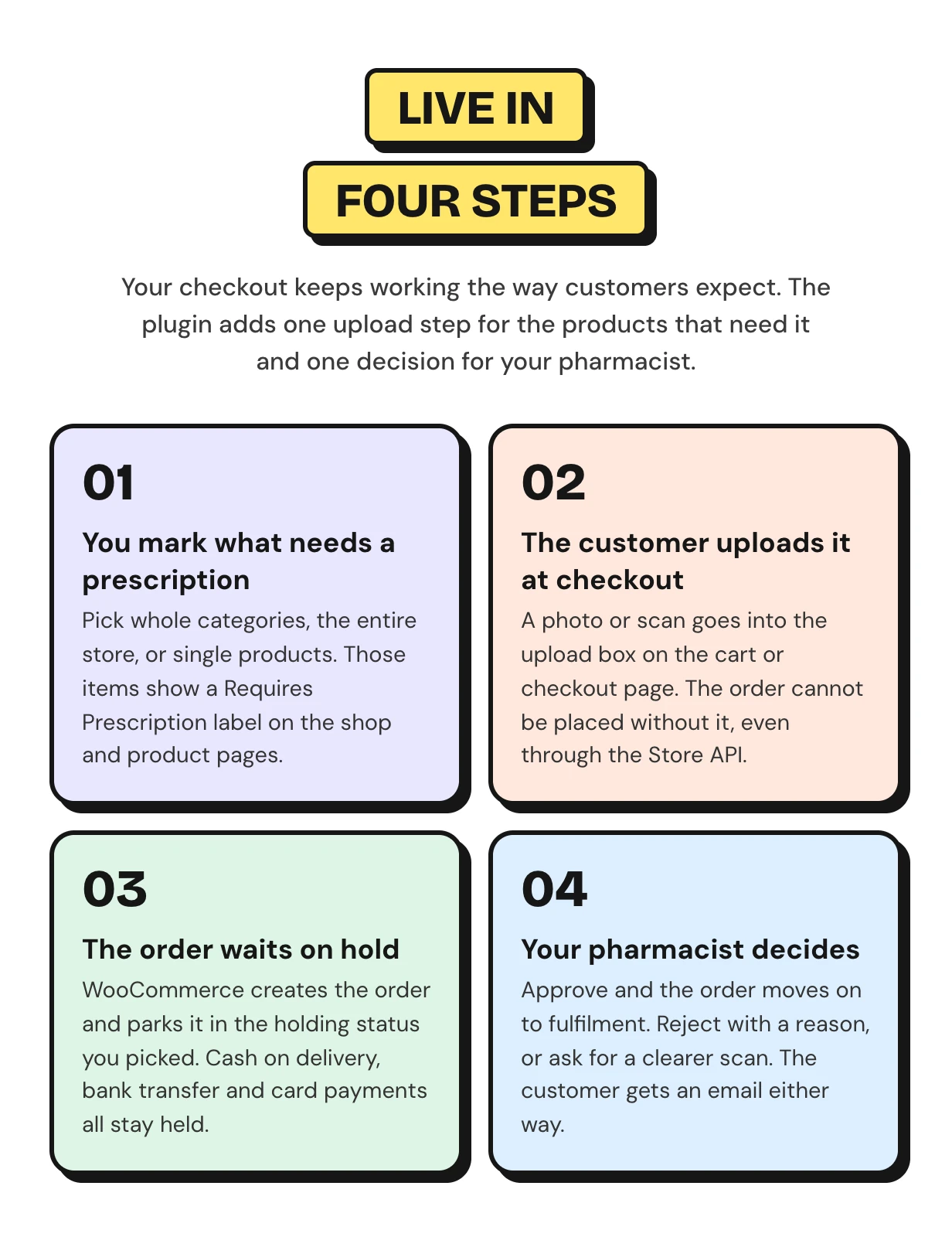
You mark what needs a prescription and the customer uploads it at checkout. The order waits on hold until your pharmacist decides. The setup wizard gets it live in a few minutes.
WooCommerce prescription plugin features
Every feature below ships in this one download. It covers the prescription upload, the hold, the review and the records a regulator asks for.
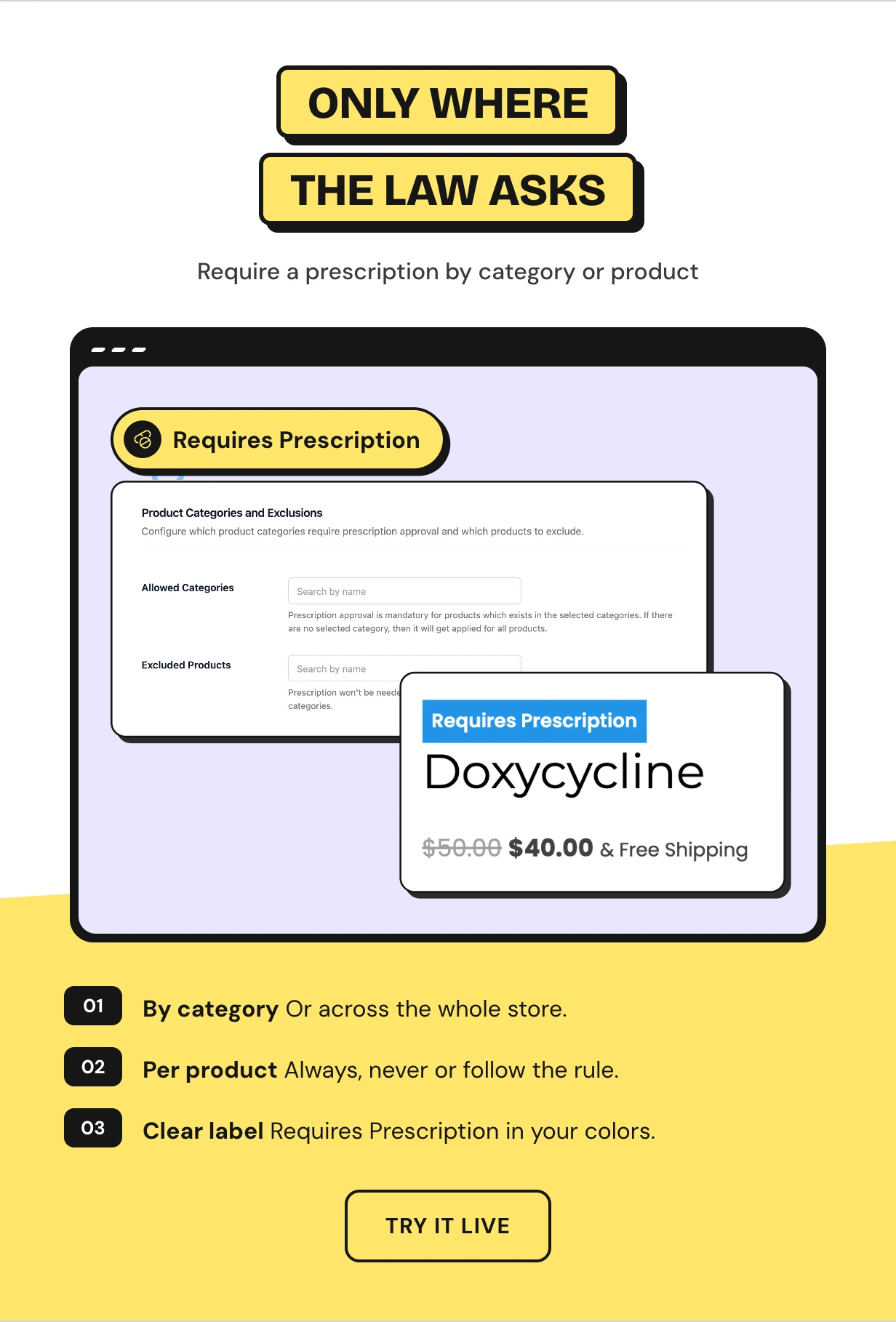
Ask for a prescription only on the products that need one
Most pharmacies sell vitamins next to prescription only medicine. Choose the categories that need a prescription and leave the rest of the store alone.
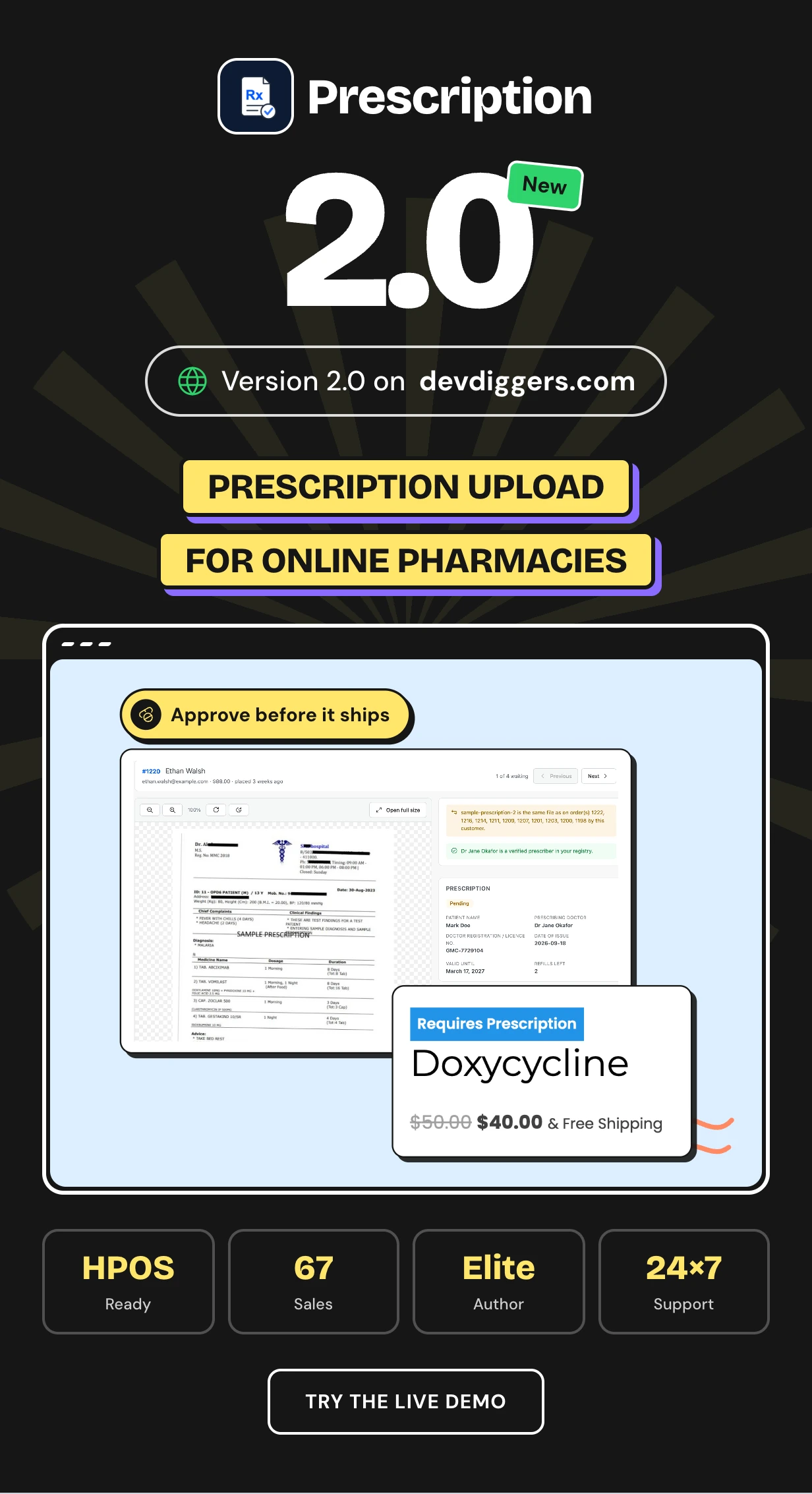
Any product can override its category. Those items show a Requires Prescription label on the shop and product pages.
WooCommerce prescription upload at checkout that cannot be skipped
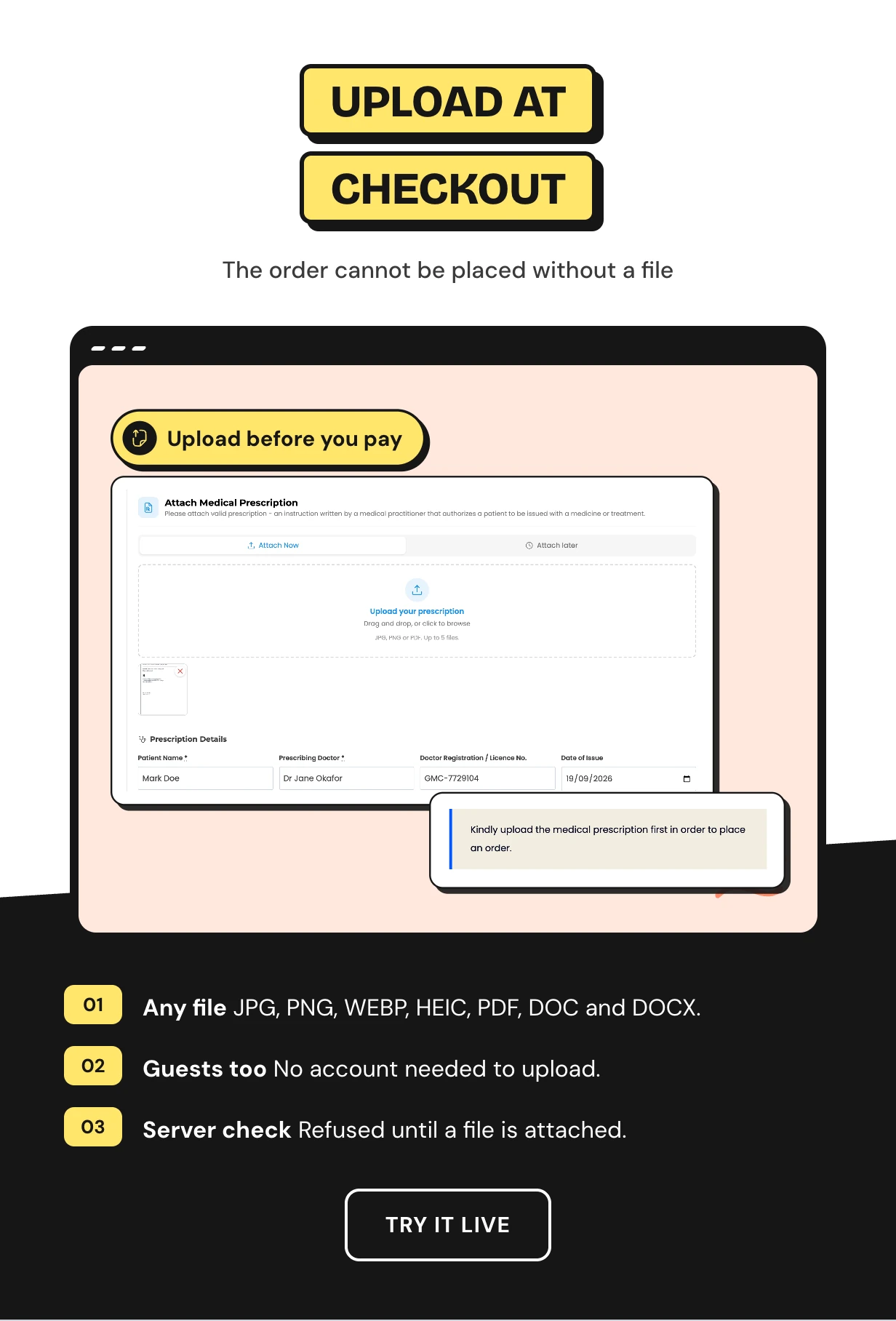
The upload box sits on the cart, the checkout or the order page. Customers drag in a photo from their phone or a PDF from their doctor.
The rule is checked on the server too. Turning off JavaScript or calling the Store API still gets the order refused until a file is attached.
Pharmacist approval before shipping
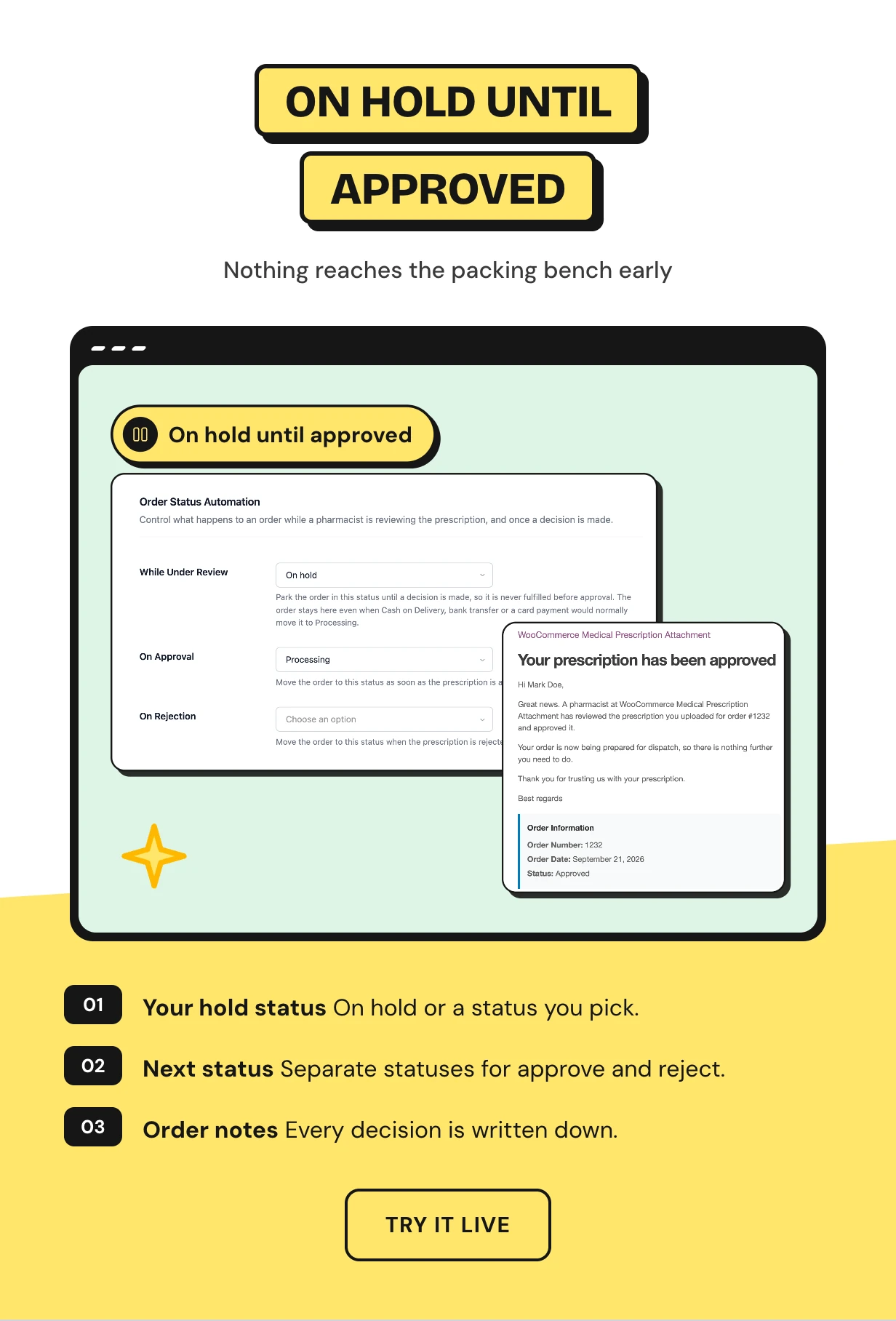
A new prescription order goes into the holding status you choose, and it stays there. This is the part a file upload field never does.
Card, cash on delivery and bank transfer all try to push a paid order to Processing. The hold stays in place until the decision is made.
A prescription review workspace for your pharmacist
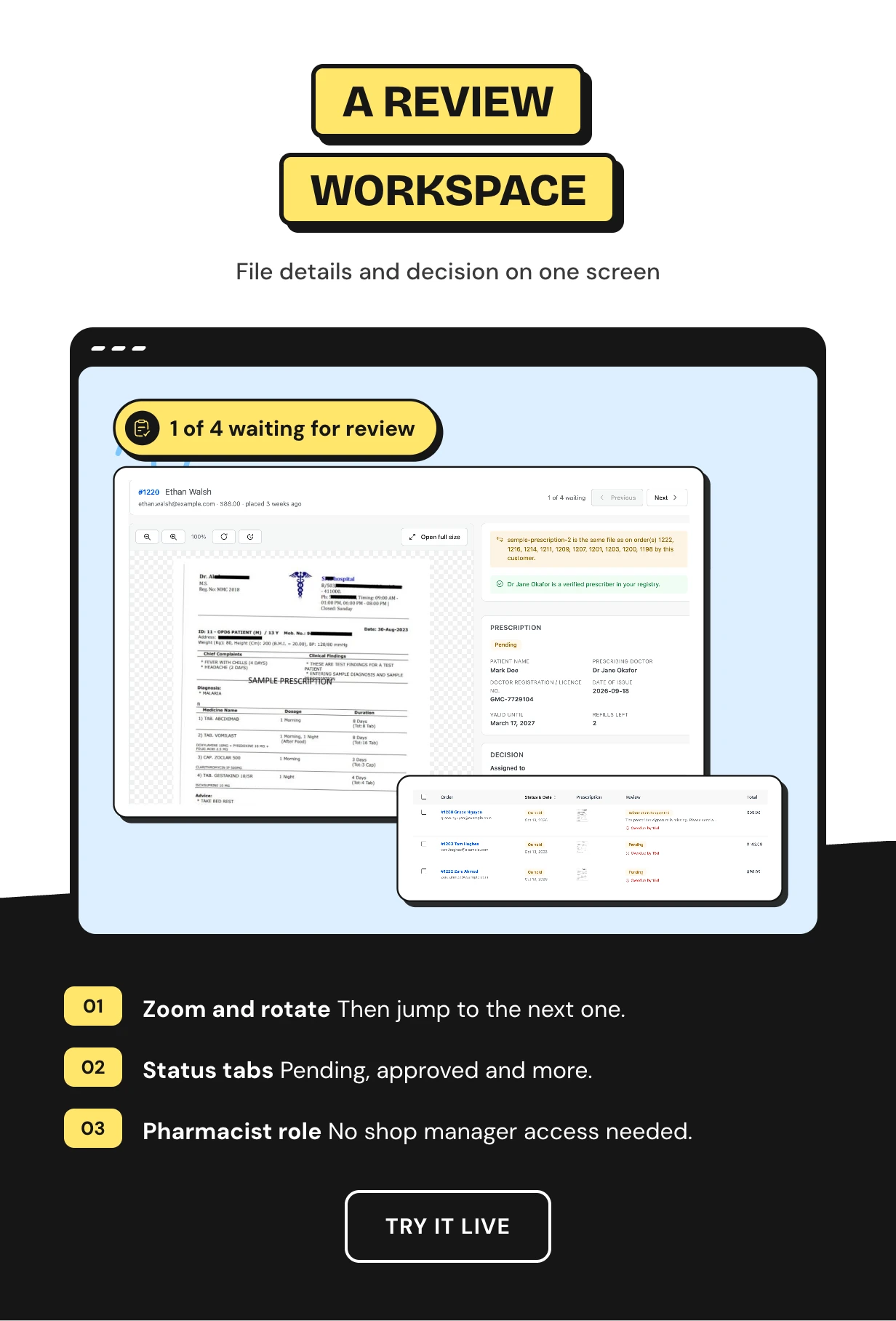
The reviewer workspace puts the file, the patient details and the decision on one screen. Zoom in, rotate the scan and jump to the next prescription.
The Orders screen lists every prescription order with a tab per status. Approve or reject a batch and reuse saved replies.
Prescription attached to order and kept in a private folder
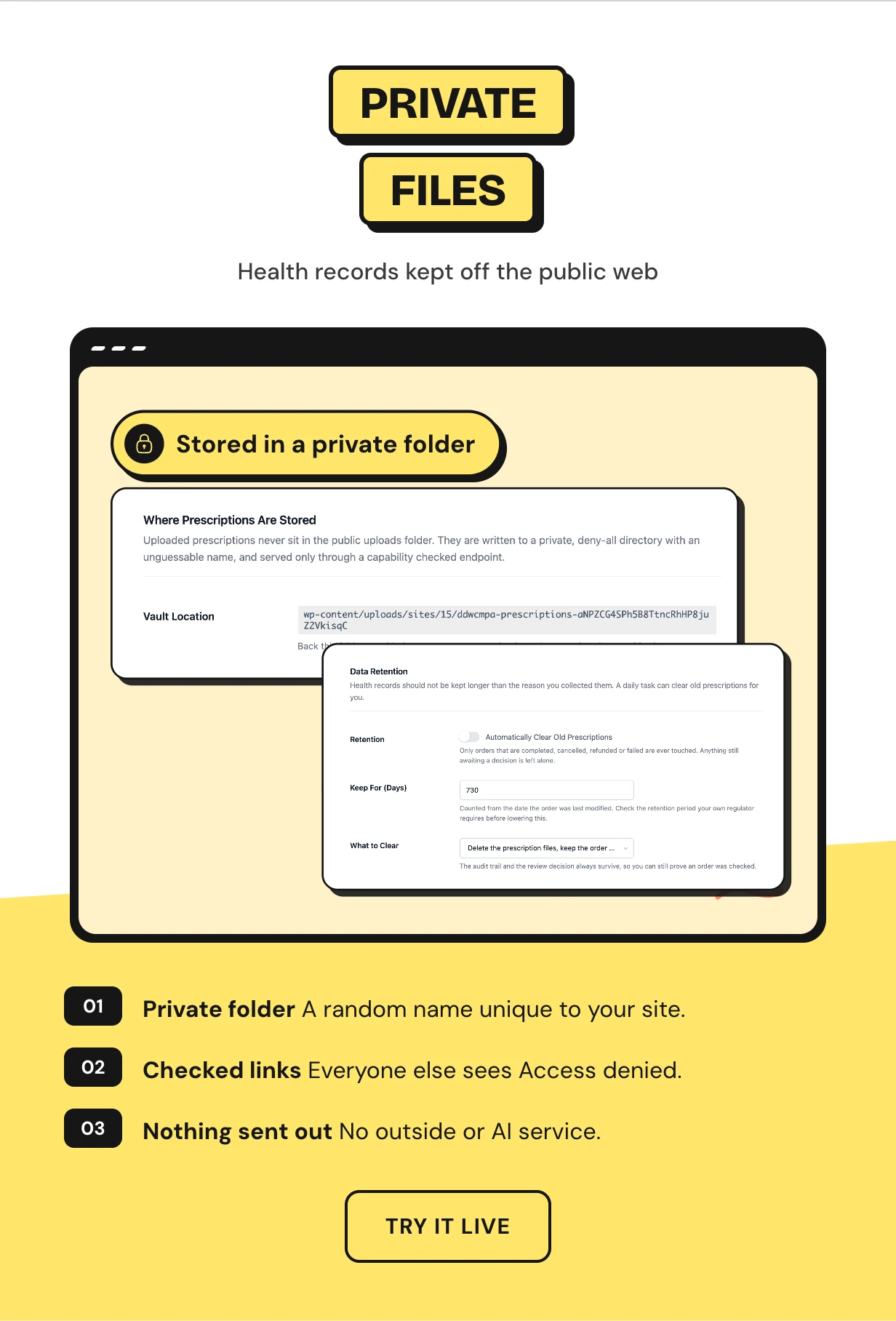
Most upload fields drop a prescription into the public uploads folder. Anyone holding the link can open it.
Here every file goes to a private folder with a random name unique to your site. It opens only through a checked link for the customer and your staff.
Ask for more information instead of refusing
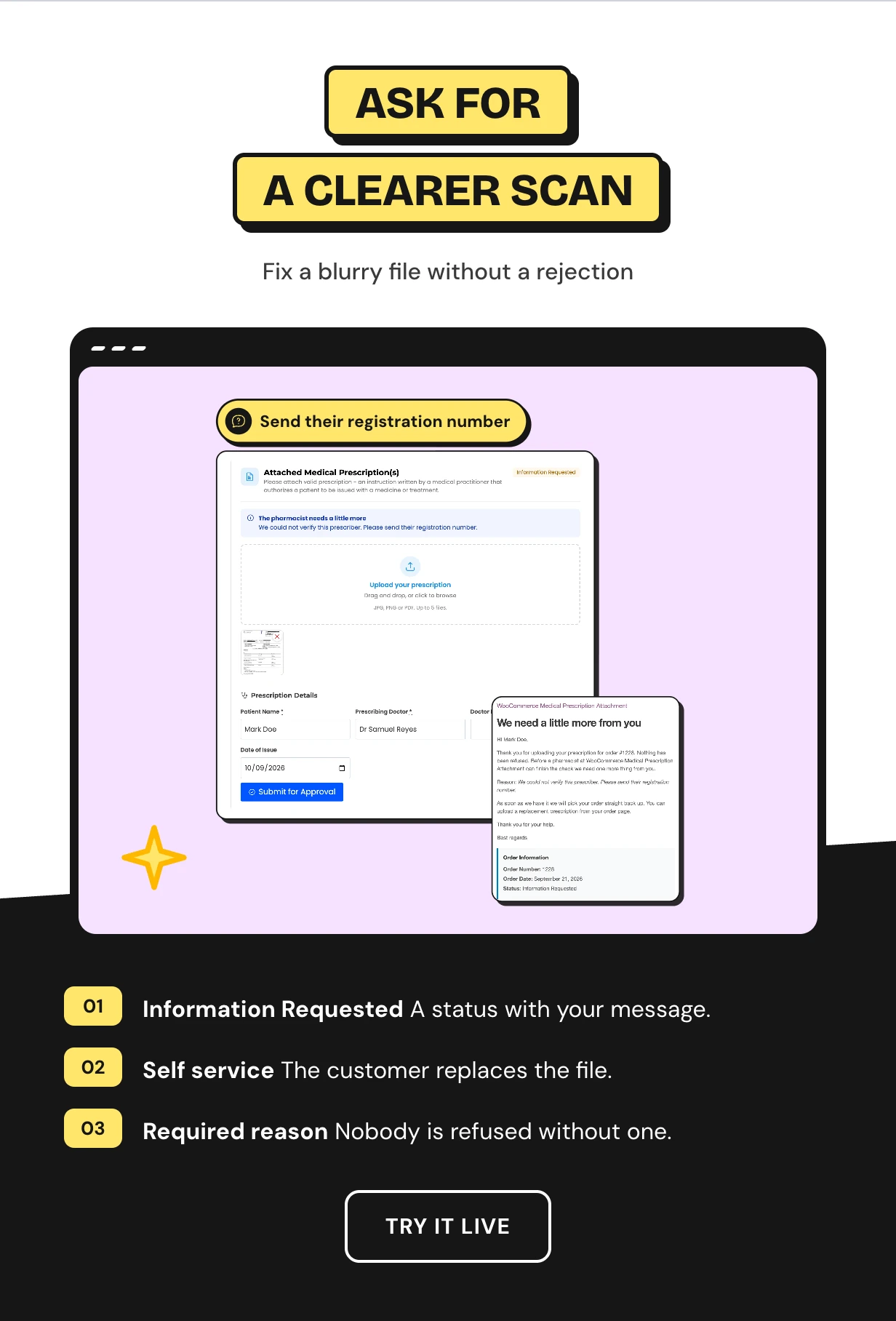
Plenty of prescriptions are not wrong, just blurry. Information Requested tells the customer what is missing without rejecting the order.
The customer reads your message on their order page and uploads a new file right there. A rejection always needs a reason.
A prescriber registry and verification link
The upload box collects the patient name, the prescribing doctor, their registration number and the issue date. You choose which are mandatory.
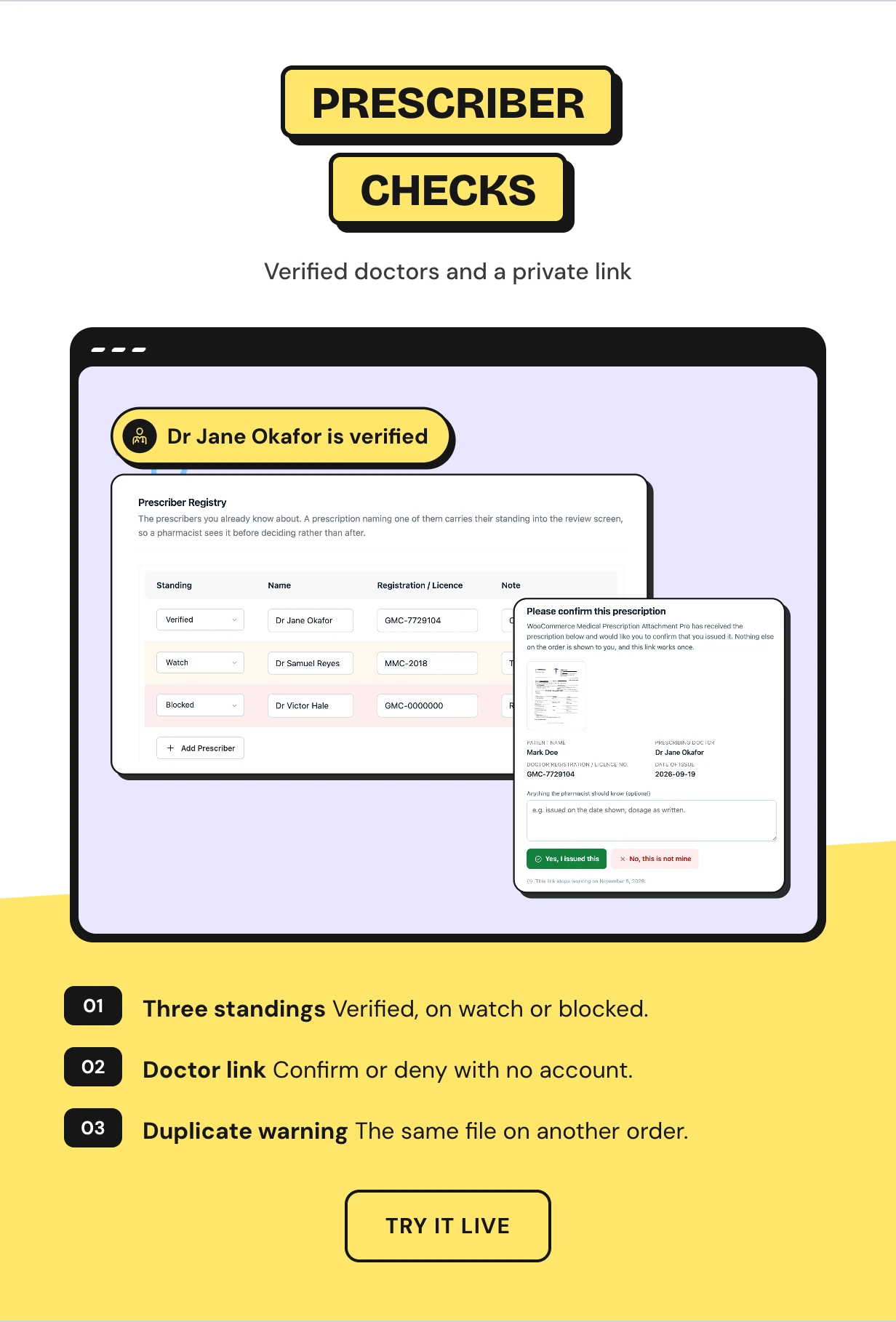
The registry marks doctors as verified, on watch or blocked. Send a doctor a private link and they confirm or deny in one click.
Prescription refills without a new upload
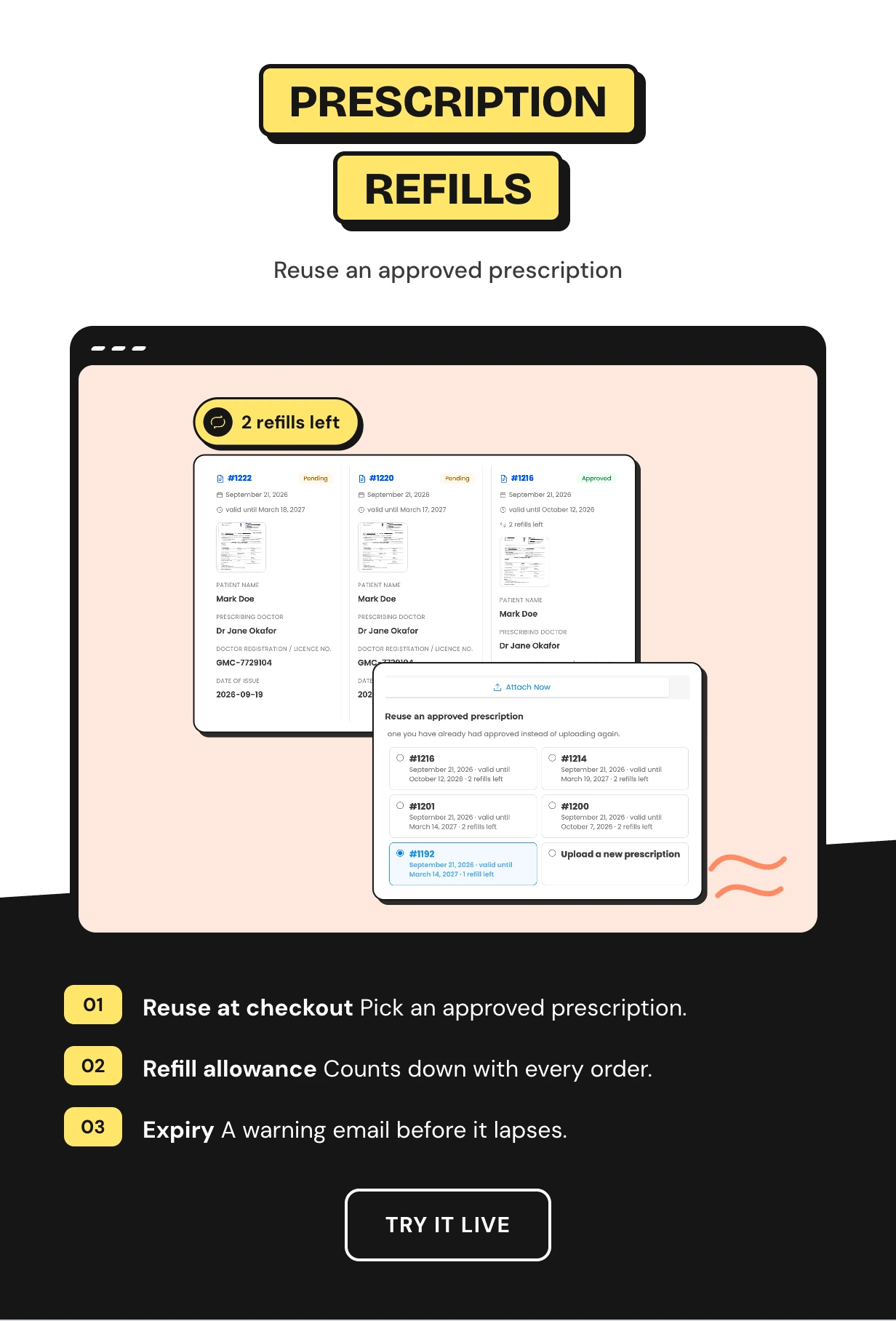
A patient on long-term medication should not photograph the same prescription every month. Returning customers pick an approved one at checkout.
Each reuse draws down a refill allowance you set. Prescriptions expire after your chosen period with a warning email first.
An audit trail and file access log
Sooner or later someone asks who checked an order and who opened a file. The plugin logs every decision and every file view with its time and IP.
A consent checkbox stores its exact wording, date and IP on the order. Old files can be cleared on a schedule while the decision record stays.

A prescription dashboard with review time and revenue on hold
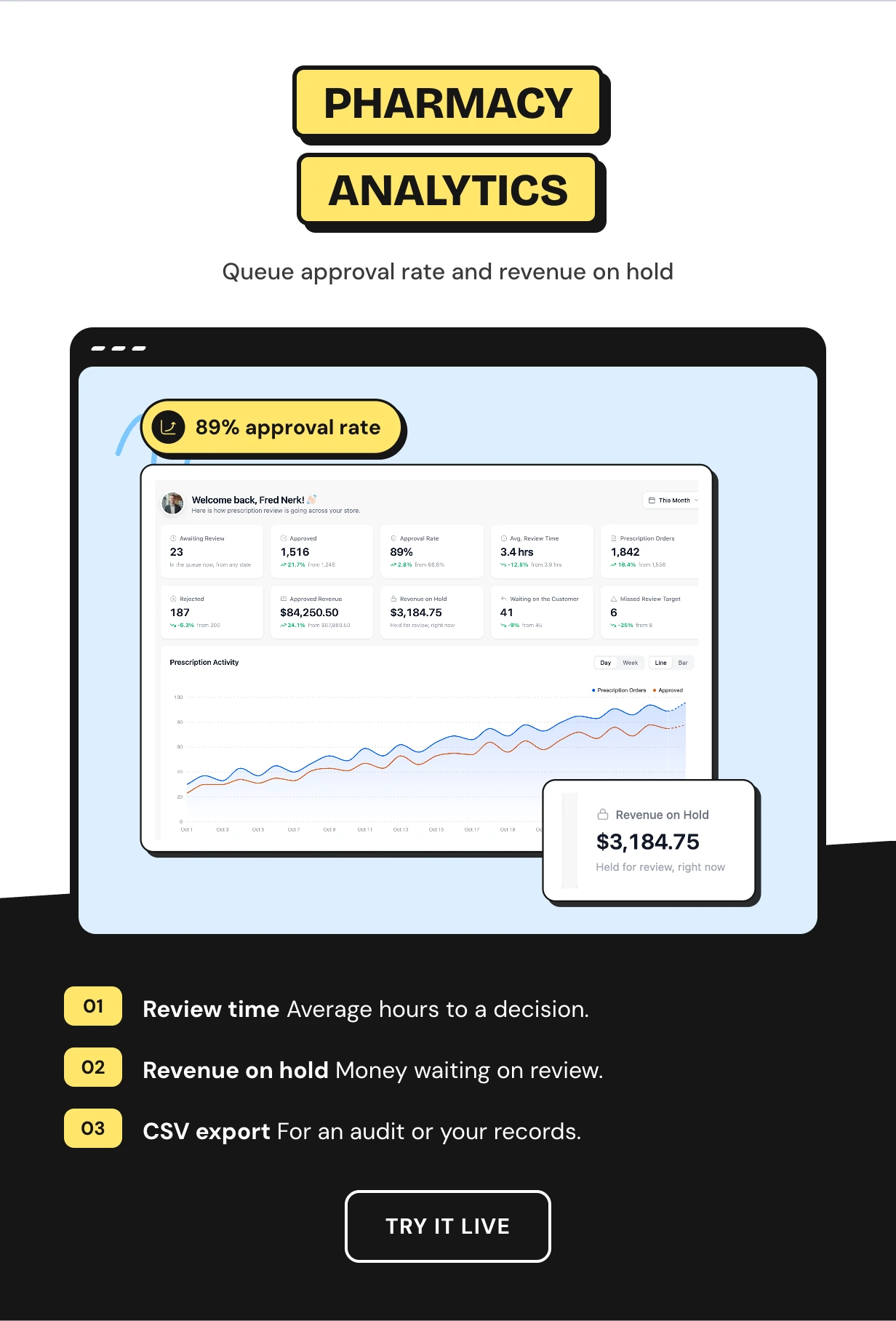
See prescriptions awaiting review, approval rate, average review time and revenue on hold. Each number compares with the previous period.
Lists show top prescribers and prescriptions about to expire. Export prescription orders to CSV for an audit.
Full feature list
Prescription rules
- Require a prescription by category or across the store
- Per-product always, never or follow the rule
- Requires Prescription label with your text and colors
- Maximum quantity of a controlled product per order
Upload at checkout
- Upload box on the cart, checkout and order pages
- Classic checkout and Cart and Checkout blocks
- JPG, PNG, WEBP, HEIC, PDF, DOC and DOCX
- Several files per order with a limit you set
- Guest upload and Attach Later for logged-in customers
- Patient and prescriber detail fields
Review and decisions
- Order held until the prescription is approved
- Approve, reject or request more information
- Required reason before a rejection
- Reviewer workspace with zoom, rotate and next
- Bulk approve and reject with saved replies
- Pharmacist role, assigned reviewer and review target
Verification
- Prescriber registry with verified, on watch and blocked
- Private verification link for the prescriber
- Duplicate file warning across orders
Customers and refills
- Prescriptions tab in My Account
- Customer replaces a refused file from the order page
- Reuse an approved prescription with a refill allowance
- Expiry with a warning email
- Reminders for orders still missing a file
Privacy and records
- Private folder with permission-checked links
- Files hidden from the Media Library
- Audit trail and file access log
- Recorded consent at checkout
- Scheduled deletion of old files
Emails and reports
- Emails on approval, rejection and information requests
- Store email when a prescription is waiting
- Your own subject, heading and body
- Dashboard with approval rate, review time and revenue on hold
- CSV export of prescriptions
What you need to sell prescription medicine on WooCommerce
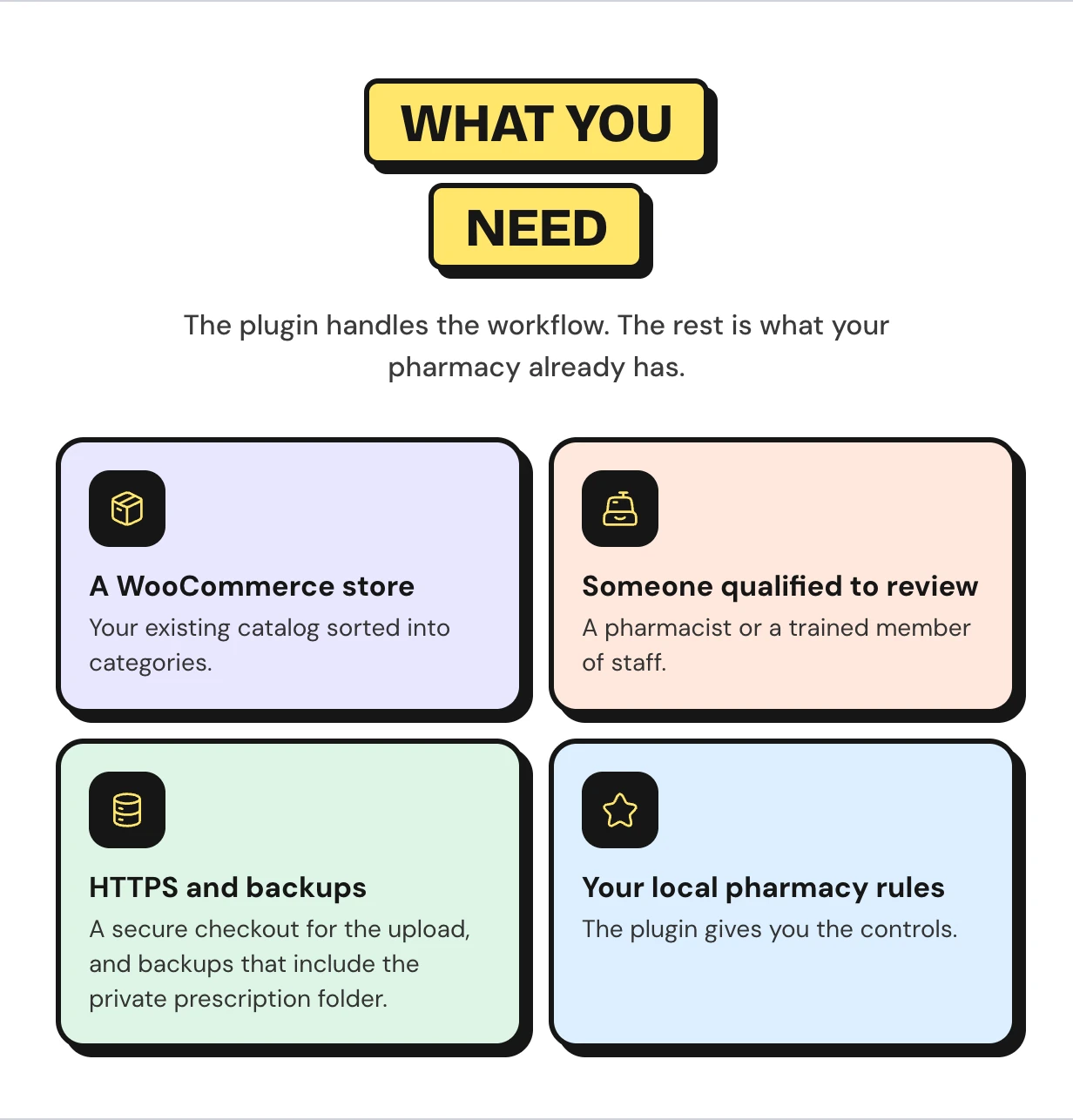
The plugin handles the workflow. You need a WooCommerce store, someone qualified to review and HTTPS with backups that include the private folder.
Works with the WooCommerce store you already run
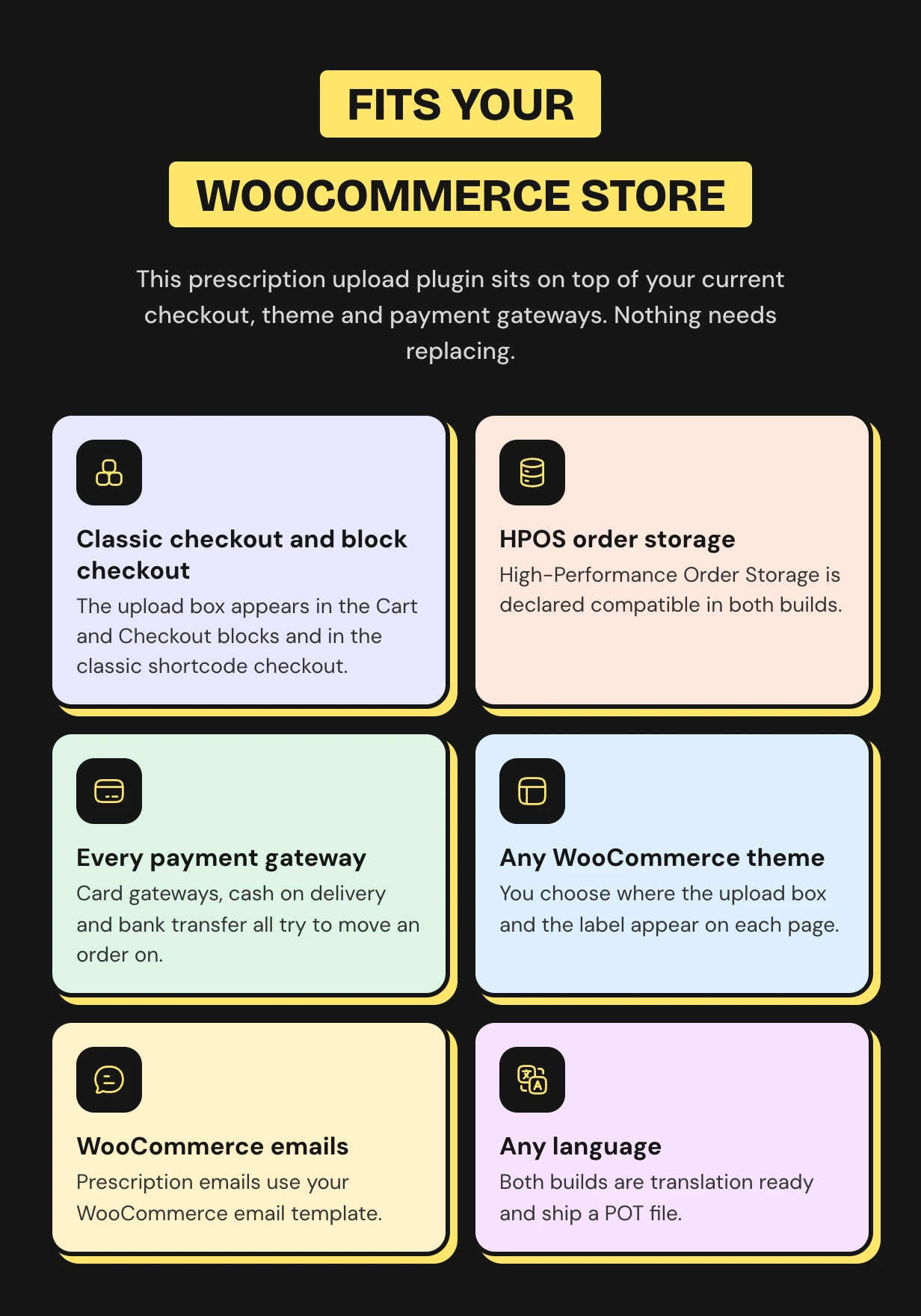
The upload box works in the classic checkout and the block checkout, and the rule is enforced through the Store API. HPOS is declared compatible and every payment gateway stays held.
Why a pharmacy needs more than a file upload field
Plenty of plugins can put a file on an order. What protects your license is the hold, the decision and the record behind it.
Who this WordPress pharmacy plugin is for
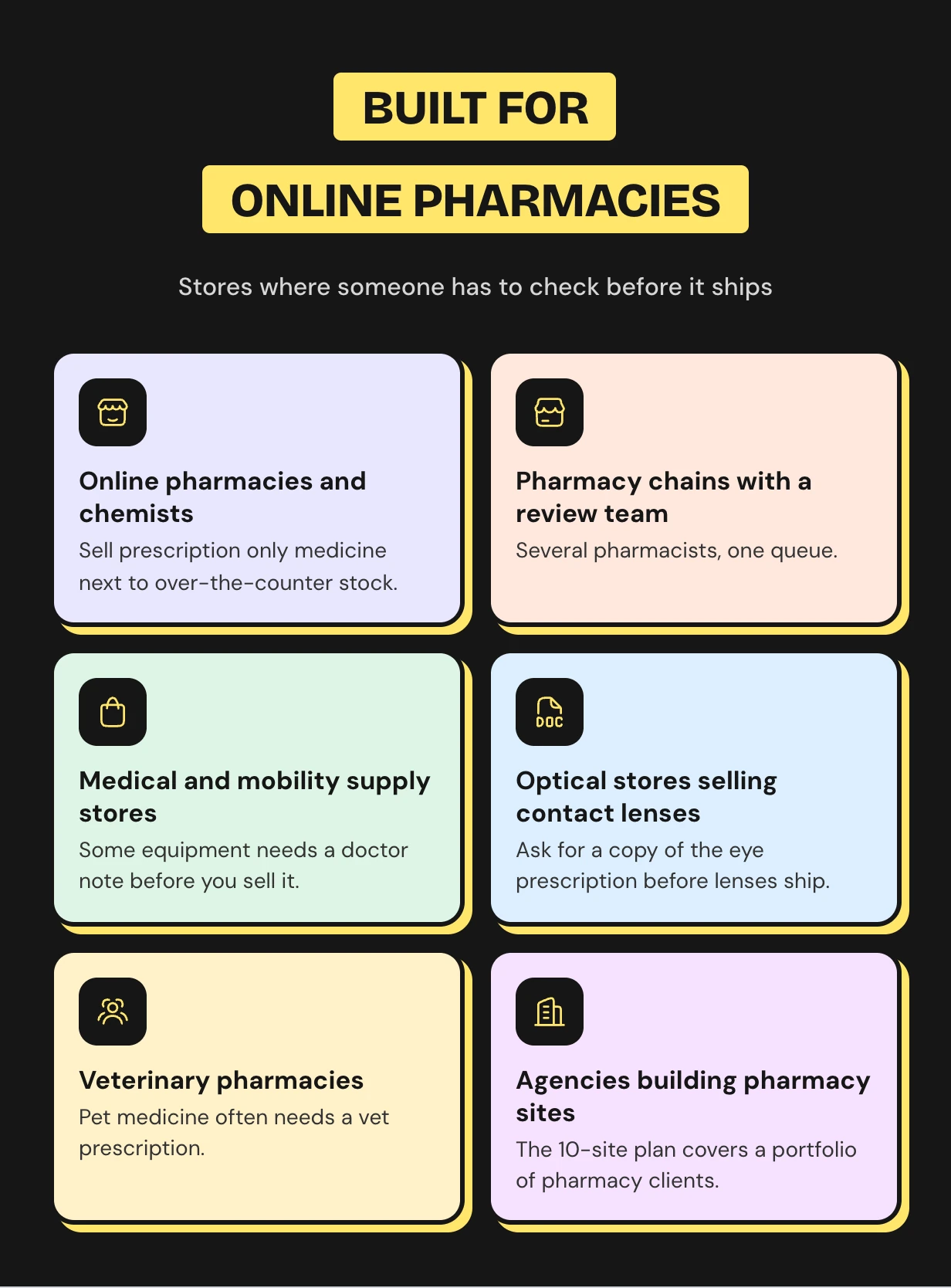
Online pharmacies, chemists and medical supply stores use it to upload prescription online orders safely. It is one of the WordPress plugins for pharmacy teams that keeps every file in house.
What buyers say

WooCommerce prescription plugin questions
How do I require a prescription upload before checkout in WooCommerce?
Turn the plugin on and choose the categories that need a prescription. Customers buying those products see an upload box and cannot order until a file is attached.
Will the order ship before the prescription is approved?
No. New prescription orders move to the holding status you choose and stay there. That holds even when a card gateway would normally mark the order Processing.
Is there a free WooCommerce prescription plugin?
Yes. Prescription for WooCommerce on devdiggers.com runs the upload, the hold, approve and reject and the customer emails. There is no cap on orders, files or reviewers.
Pro adds the reviewer workspace, prescriber checks, refills, the audit logs and analytics.
I use the free version. Do I lose my prescriptions when I upgrade?
No. Pro runs on top of the free plugin and reads the same settings and order data. Every prescription and decision stays in place.
Is this for medicine or for glasses and contact lenses?
It is a document workflow. It suits medicine, medical supplies and contact lenses. It does not add a form for lens values such as sphere or axis.
Can guests upload a prescription?
Yes, guests upload at checkout. Attach Later lets logged-in customers order first and upload afterwards from their order page.
Where are prescription files stored and who can see them?
On your own server in a private folder with a random name. Files open only for the customer who uploaded them and your staff.
Does the plugin verify prescriptions automatically?
No. A person on your team reviews every prescription and no file goes to an outside or AI service. The registry, the duplicate warning and the doctor link help with the check.
Does this make my store HIPAA or GDPR compliant?
No plugin can do that on its own. This one keeps files private and records consent, file access and every decision. Check your rules with a qualified advisor.
Support and custom work

Support comes from the developers who wrote the code, usually within hours. Start with the Prescription documentation or contact our team. See every feature on the WooCommerce prescription plugin page.
Need a link to your pharmacy system or your own review rules? Our WooCommerce development services team builds custom Prescription features for you.
Requirements
- WordPress 6.5 or newer
- WooCommerce 9.0 or newer
Changelog
v 1.1.0
Added WooCommerce HPOS (High-Performance order storage) compatibility.
Added compatibility with latest WordPress and WooCommerce.
Resolved security issues.
v 1.0.1
Added compatibility with latest WordPress and WooCommerce.
Resolved security issues.
v 1.0.0
Initial Release
Download Now
LIVE PREVIEWDownload Now


