
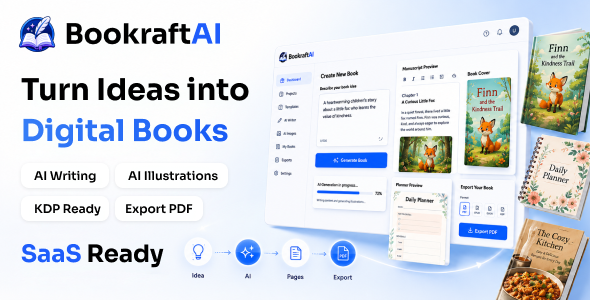
Turn a single prompt into a print-ready Amazon KDP book — interiors, covers, and KDP-spec PDFs in one flow.
Run it as your own self-hosted SaaS. Keep 100% of the revenue.
⚠ Important — external service costs are NOT included in this purchase.
BookraftAI is a self-hosted application that connects to third-party services such as
OpenAI and OpenRouter (for AI text and image generation) and payment gateways
like Stripe, PayPal, Razorpay, and Dodo Payments. These providers bill you
directly for their own API usage and subscription fees. The purchase price of this item does
NOT include any API credits, subscriptions, or usage costs for these external
services — you (and the end users of your SaaS) create your own provider accounts and pay them
separately based on your usage and volume.
AI disclosure: BookraftAI uses large language models and image models through
OpenRouter (and optionally OpenAI) to write book text, plan chapters and outlines, and generate
covers and illustrations. AI output can contain mistakes, so review generated books before you publish them.
The keys are bring-your-own: the operator adds them in Admin → AI settings or .env, and end users
can add their own. Manuscript import (DOCX/PDF), page layout, PDF and EPUB export, the Publish Kit, billing and
the admin panel are regular code and do not call any AI model.
New in 4.5.0
- Live demo with logins: try both the user app and the admin panel. The credentials are below.
- New interface on the Wixzel UI design system, with light and dark themes
- Chapter count and editable AI outline before the book is written (1–60 chapters)
- Manuscript import: start from an existing DOCX or PDF, with chapters detected automatically
- EPUB 3 export for Kindle, Apple Books, Kobo and Google Play, plus the KDP-ready PDFs
- Publish Kit: a readiness checklist and a ZIP with everything for KDP and Google Play
- Drag-and-drop page reordering in the workshop
- Admin → AI settings: platform keys in the dashboard (encrypted), a model allowlist and defaults
- Latest models: Claude 5.5, GPT-6, Gemini 4, DeepSeek V4.1, Grok 4.7, Nano Banana 2.1
What you can do with BookraftAI
- Generate full books (text and image-page) from a single brief in minutes
- Edit any page or block in the workshop editor with live AI rewrites
- Export KDP-ready PDFs (full book, interior-only, cover-only) and EPUB 3 eBooks right from the browser
- Import an existing DOCX or PDF manuscript and format it for print and eBook
- Launch your own AI book-generation SaaS and charge users per credit or per plan
Who this is for
- SaaS founders who want a real, vertical product to sell subscriptions, not a weekend script
- Agencies and publishers who can productize AI book generation for clients under their brand
- KDP self-publishers and content operators who need a faster path from idea to manuscript
- Operators who want BYOK (bring your own keys) so end-user inference costs never hit the operator

Browse the full documentation online:
https://bookraft-ai-docs.vercel.app/
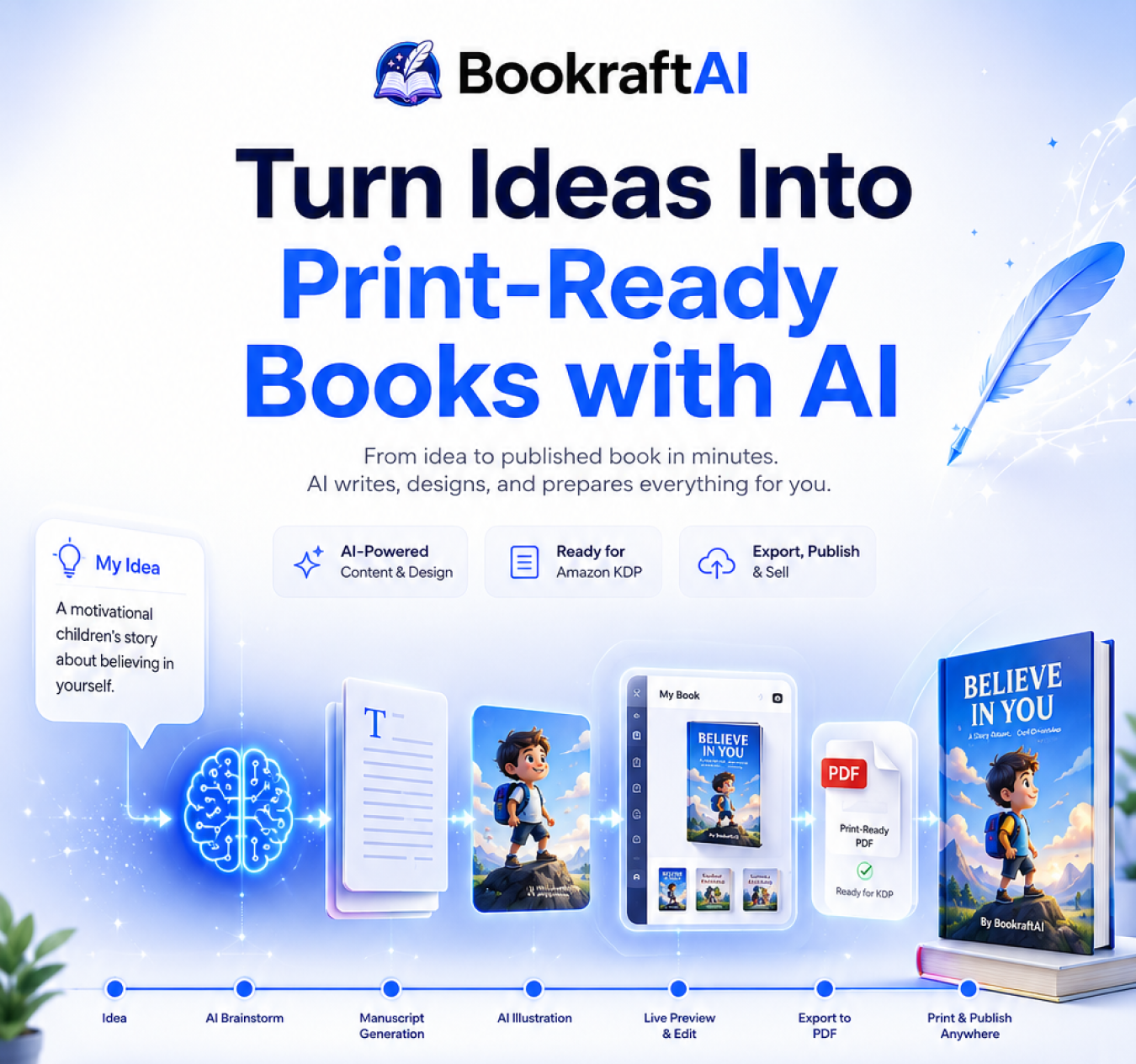
How it works: a real-world flow (step by step)
- Brief: a user picks a book type (journal, picture book, comic, planner, devotional, cookbook, and 17 more) and writes a one-line idea.
- Plan: BookraftAI drafts the structure, page count, and (for image-page books) per-page visual briefs.
- Generate: pages stream live into the workshop using the user’s own OpenRouter or OpenAI key.
- Edit: regenerate any page, rewrite individual blocks, swap cover styles, or pull from the persistent asset library.
- Preview: see the manuscript composed with KDP-style backgrounds, page numbers, and trim sizes.
- Export: download full book, interior-only, or cover-only PDFs that drop straight into KDP upload forms.
- Bill: end users buy credits via Stripe, PayPal, Razorpay, or Dodo Payments; failed generations auto-refund credits.
Try Live
The live demo runs the current release with sample books already in the library. You can generate short books
live on a fast, low-cost model.
Demo instructions
- URL: https://bookraft.wixzel.com/login
- User:
demo@bookraft.app/demo1234 - Admin:
admin@bookraft.app/admin1234 - Or click Try as user or Try as admin on the login page.
- The demo resets every night. Changing payment keys and passwords is disabled, and real payments are
turned off. To try Admin → AI settings with your own key, use one with a low spend limit and remove it when
you are done: the demo is shared. Book length and models are capped to keep the demo free. Your own install has no such limits.
URL: https://bookraft.wixzel.com/
Feature highlights
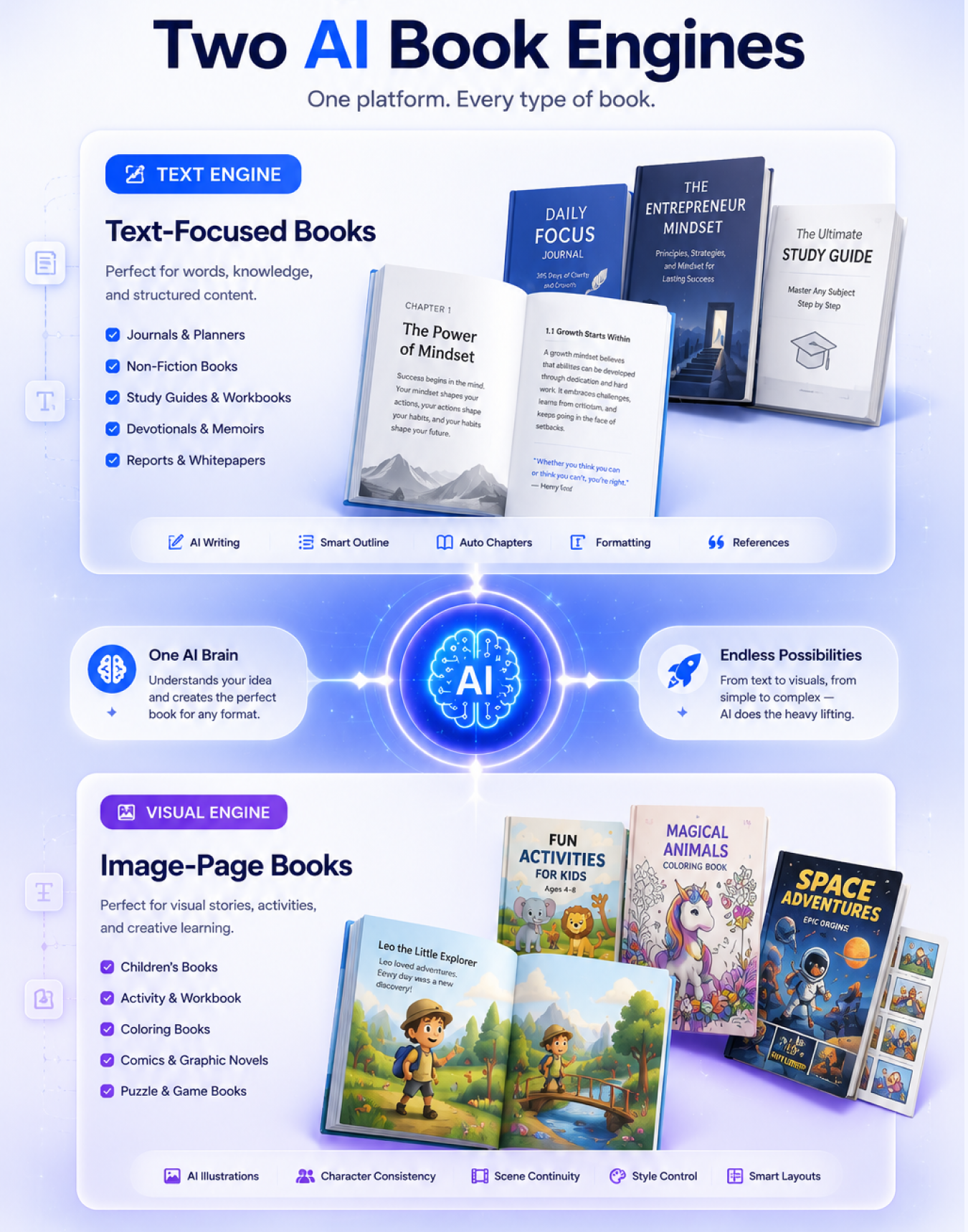
Two AI book engines
- Text books for prose-heavy formats (non-fiction, journals, planners, study guides, devotionals, memoirs, self-help)
- Image-page books for visual formats (picture books, comics, coloring books, sketchbooks, activity books)
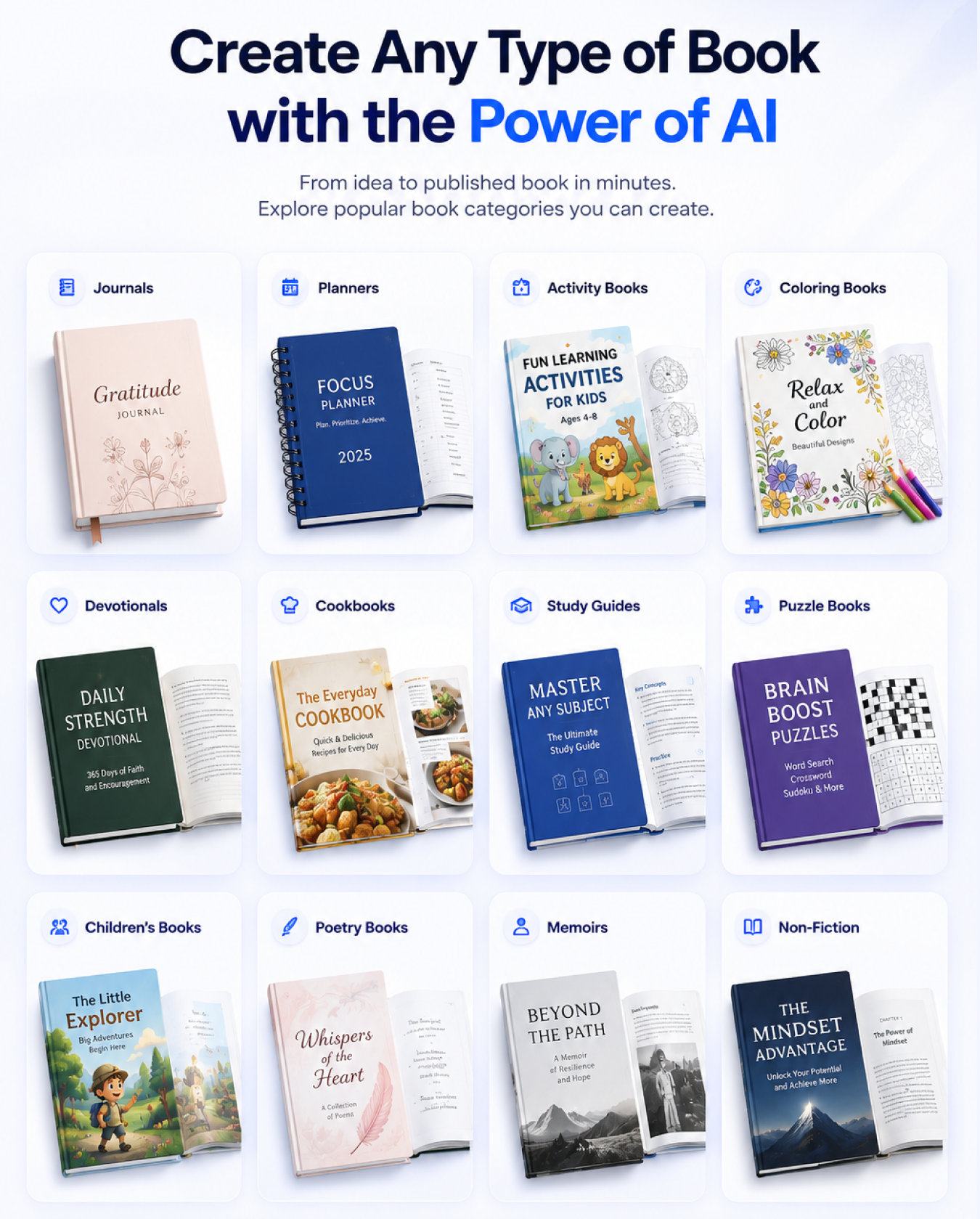
23 book types out of the box
- Non-fiction, fiction, journal, planner, activity, workbook, coloring book, puzzle book, cookbook, poetry, picture book, devotional, memoir, self-help, notebook, sketchbook, logbook, guidebook, study guide, quote book, comic, children’s fiction, and a free-form “other” type
- Each type tunes structure, pacing, tone, and recommended page count
Workshop editor with seven tabs
- Details, Content, Cover, Assets, Preview, Export and Publish cover the full book production lifecycle
- Regenerate any page, rewrite single blocks (text, heading, image-prompt), insert / duplicate / delete pages, and drag pages into a new order
Chapters, outline and manuscript import
- Set the chapter count, or let the AI draft an outline you can rename, reorder, extend or trim before writing
- Long books are written chapter by chapter against the outline until they reach the target page count
- Import DOCX or PDF manuscripts. Chapters come from headings, and DOCX images are kept
KDP-ready PDF and EPUB export
- Three PDF export modes: full book, interior-only, cover-only
- EPUB 3 with cover, title page and a table of contents built from chapters and sections
- Arabic and other right-to-left books export right to left in both PDF and EPUB
- KDP-compliant trim sizes (6×9”, 8.5×11”, custom), safe-zone margins, 0.125” bleed for image-page books
- Configurable page numbering position, font, color, and start offset
Two-phase image pipeline with character continuity
- Step 1: a planning pass drafts a per-page visual brief
- Step 2: images render sequentially with the previous page injected as a reference for palette and character continuity
- Three coherence modes: sequential-story, thematic-series, individual-pages
Live streaming page generation
- Real-time SSE streaming so pages appear in the workshop as they are drafted
- Lets buyers and their end users watch progress instead of waiting on a spinner
Persistent asset library and cover styling
- Every generated image is saved to a per-book asset library and can be reused across pages
- Cover generator with remix and style-guide control to match the book’s interior
Credits billing with auto-refund
- Pay-per-credit model with admin-defined plans (name, price, generations granted, gateway IDs, popular flag)
- Failed generations automatically refund the credit so end users are never charged for broken runs
- Full purchase audit trail (pending, completed, failed, refunded)
Admin panel
- Users (edit credits, toggle active/deactivated), Plans, Gateways, Purchases, Analytics, Settings
- Workspace currency, support email, contact info, social links, and default signup credits all admin-configurable
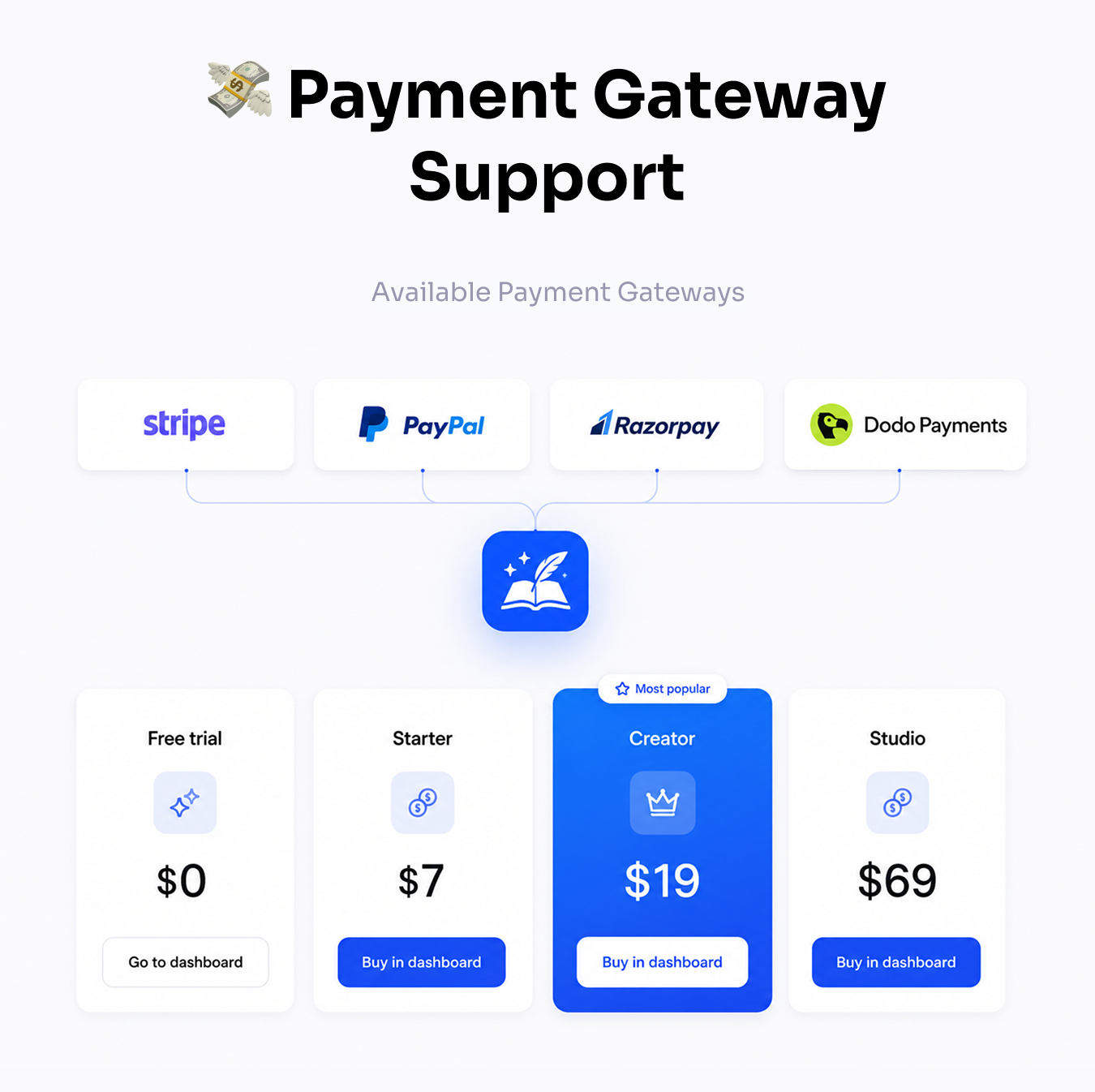
Payment gateways
- Stripe, PayPal, Razorpay, Dodo Payments — admins enable any combination per workspace
- Webhooks on each gateway mark purchases complete and grant credits automatically
Publish Kit for KDP and Google Play
- Store-readiness checklist (page count, trim size, cover, description, language) with one-click fixes
- One ZIP with the interior PDF, cover PDF, EPUB, eBook cover JPG, listing fields and upload steps
- Direct links to each store’s new-title page and copy buttons for every listing field. The stores have no public upload API, so the final upload happens in their dashboards
Flexible AI keys: platform-funded or BYOK
- Admins add the platform OpenRouter/OpenAI keys in Admin → AI settings (encrypted), choose which models users can pick, and set defaults
- End users can add their own OpenRouter and OpenAI keys from Settings, which are used before the platform keys
- A server-side model allowlist stops platform-key users from picking expensive models
Self-hosted SaaS with centralized branding
- You control hosting, data, and branding
- App name, tagline, support and legal emails, logos, and favicon all live in one constants file
- One brand colour generates the full light and dark palette (
npx wixzel-ui --seed)
Key features (detail)
AI stack and providers
- Text models: Claude Opus/Sonnet/Haiku 5.5, GPT-6.2 and GPT-6, Gemini 4, DeepSeek V4.1, Grok 4.7 through OpenRouter (default
anthropic/claude-sonnet-5.5). Users with their own key can use any OpenRouter model - Image models: Nano Banana 2.1, Gemini 3 Pro Image, GPT-5.4 Image, FLUX.2 and more through OpenRouter (default
google/gemini-nano-banana-2.1), with optional direct OpenAI images for strict trim sizes - BYOK at the user level: per-user keys override workspace defaults, with a
forceOpenRouterForImagesescape hatch
Book workshop
- Details tab: title, subtitle, author, series, ISBN, publication date, language, age/grade range, KDP keywords, Amazon category
- Content tab: stream new pages, regenerate any page with a custom prompt, rewrite individual blocks
- Cover, Assets, Preview, Export tabs: cover remix, persistent asset library, KDP-style preview, three PDF export modes and EPUB
- Publish tab: readiness checklist, Publish Kit ZIP, store links and listing fields
KDP export pipeline
- Client-side PDF generation via jsPDF; manuscripts never leave the browser during export
- Asset deduplication so repeated images share a single embedded resource
- Background image composition per page or per page-group
SaaS monetization and administration
- Credit plans with per-gateway product IDs and a “popular” flag
- Payment gateways: Stripe, PayPal, Razorpay, Dodo Payments (configure what you need)
- Branding: app name, primary visuals, logos, favicon, and landing experience all editable in one place
- Analytics: total users, revenue, purchase counts, and last-7-days breakdown
Authentication and security
- Email + password with bcrypt hashing and Joi validation
- Google OAuth 2.0 via Passport (auto-disables cleanly when OAuth env vars are unset)
- JWT sessions with a 30-day expiry, signed out everywhere on password reset or deactivation
- Encrypted secrets: payment-gateway and AI keys are AES-256-GCM encrypted at rest and never sent back to the browser
- Verified, idempotent payments on every gateway, plus private signed upload URLs, SSRF protection, CSP/HSTS headers and race-free credits
- RBAC: admin and user roles, with the first signup auto-promoted to admin for safe bootstrap
- Helmet security headers and express-rate-limit on auth and contact endpoints
- Production safeguard: backend refuses to boot with the placeholder JWT secret
Integrations and extensibility
- SMTP: deliver public Contact form messages via Nodemailer
- REST APIs: build custom integrations on top of the Express backend
- BYOK providers (choose your stack):
- Text and image inference via OpenRouter
- Optional OpenAI for precise image sizing
- Optional Google OAuth credentials for social sign-in
- Optional Stripe, PayPal, Razorpay, and Dodo Payments for monetization
Perfect for SaaS and agencies
- Run BookraftAI as your hosted product with your branding
- Package credit tiers, enforce signup grants, and grow MRR with subscriptions
- Deliver AI book generation as a managed service to clients (where your license allows)
- Extended License: sell access as a service under your brand per Envato terms
Important notice (external service costs)
BookraftAI is a self-hosted application that integrates with third-party services such as OpenRouter, OpenAI, and your chosen payment gateways (Stripe, PayPal, Razorpay, Dodo Payments).
The purchase price of this item does NOT include any credits, subscriptions, or usage costs for these external
services.
Buyers (and the end users of the SaaS) are required to create their own accounts and pay separately for usage based on their needs and volume.
Pricing varies by provider.
Self-hosting with BYOK means you stay in control of providers and can optimize spend for your volume – but those
provider bills are separate from the license price.

The tech stack
- Backend: Node.js and Express 5 (streaming-friendly API architecture, SSE for page streaming)
- Frontend: Next.js 16 (App Router, Turbopack), React 19, TypeScript, Tailwind CSS v4
- UI components: Wixzel UI (open-source, MIT) on Radix UI primitives, with Phosphor icons
- Database: MongoDB via Mongoose 9 for users, books, plans, purchases, and configuration
- Authentication: Passport.js with Google OAuth, email and password, JWT
- AI SDK: OpenAI v6 client (also used as the OpenRouter client)
- Payments: Stripe, PayPal (REST), Razorpay, Dodo Payments
- Image processing: Sharp 0.35
- PDF and EPUB: jsPDF and fflate (client-side); mammoth and pdf.js for manuscript import
- Email: Nodemailer (SMTP)
- Security: Helmet, express-rate-limit
What’s in the box?
- Complete backend source code (Node.js / Express 5)
- Complete frontend source code (Next.js 16 / React 19, TypeScript)
- Full documentation (interactive index.html with visual guides and screenshots)
- Environment templates (
.env.examplefor both backend and frontend)
Start building your AI book-generation SaaS today. Ship more titles. Charge per credit. Scale faster.
Changelog
Version 4.5.0 | 22 November 2026 | Major update
- NEW: Interface rebuilt on the Wixzel UI design system (light and dark themes, one-colour branding)
- NEW: Chapter count (1-60) and an editable AI outline: rename, reorder, add or remove chapters before writing
- NEW: Manuscript import from DOCX and PDF with automatic chapter detection (no AI credits used)
- NEW: EPUB 3 export for Kindle, Apple Books, Kobo and Google Play, with right-to-left support
- NEW: Publish tab with a store-readiness checklist and a one-click Publish Kit for Amazon KDP and
  Google Play Books (interior PDF, cover PDF, EPUB, eBook cover and every listing field)
- NEW: Mark a book as published, plus a Publish shortcut in the Library
- NEW: Drag-and-drop page reordering in the workshop (mouse, touch and keyboard)
- NEW: Admin - AI settings: encrypted platform OpenRouter/OpenAI keys with a Test button,
  model allowlist and default models, no more editing .env
- NEW: Demo mode with one-click demo logins, a demo banner, cost caps and a nightly reset script
- IMPROVED: Latest models - Claude 5.5, GPT-6, Gemini 4, DeepSeek V4.1, Grok 4.7, Nano Banana 2.1,
  GPT Image 2 (new defaults: Claude Sonnet 5.5 and Nano Banana 2.1)
- IMPROVED: Long books are written chapter by chapter against the outline until they reach the page target
- IMPROVED: AI key errors say what to do (rejected key, out of credits, rate limited, no key configured)
- FIXED: PDF export no longer drops text that runs past the bottom of a page; it flows onto the next page
- FIXED: Page count and the KDP 24-page check count printed pages, matching the PDF and the preview
- FIXED: Right-to-left books (Arabic, Hebrew, Persian, Urdu) render right to left in the editor and preview
- FIXED: Text fields follow the direction of what you type, so Arabic titles align right
- FIXED: Saving some fields of a book no longer resets the others
- FIXED: An expired or revoked session signs you out instead of showing an empty library
- FIXED: Covers and full-page images keep their proportions in PDFs (no stretching); new images
  are generated in the book's aspect ratio, e.g. 2:3 for 6 x 9 in
- FIXED: All PDF fonts are embedded (Noto Sans for Latin text, Noto Arabic/Devanagari as before)
- SECURITY: Next.js 16.4.6 (fixes a remote-code-execution issue in next/og) and updated dependencies;
  npm audit reports 0 vulnerabilities
- SECURITY: Encrypted secrets (AES-256-GCM), verified and replay-safe payments on all four gateways,
  server-side model allowlist, race-free credits, signed private uploads, SSRF protection,
  CSP/HSTS headers, single-use Google sign-in codes, sessions revoked on password reset or role change
- UPGRADE: add ENCRYPTION_KEY to backend/.env, run npm install and npm run migrate in backend,
  then a clean npm install and npm run build in frontend (see "Upgrading to 4.5.0" in the documentation)
Version 1.1.0 | Feature update
- NEW: Self-service password reset by email
- NEW: Right-to-left (Arabic) and non-Latin PDF export with embedded Unicode fonts
- FIXED: Long books honour the requested page count
- FIXED: The per-user OpenRouter key is used for generation
Version 1.0.0 | Initial release
- NEW: Two AI book engines (text and image-page)
- NEW: 23 book types out of the box (journal, planner, picture book, comic, coloring book, devotional, cookbook, and more)
- NEW: Six-tab workshop editor (Details, Content, Cover, Assets, Preview, Export)
- NEW: KDP-ready PDF export (full book, interior-only, cover-only) with client-side jsPDF
- NEW: Two-phase image pipeline with character continuity and three coherence modes
- NEW: BYOK inference via OpenRouter with optional OpenAI for precise image sizing
- NEW: Live SSE page streaming in the workshop
- NEW: Pay-per-credit billing with Stripe, PayPal, Razorpay, and Dodo Payments
- NEW: Admin panel with users, plans, gateways, purchases, analytics, and settings
- NEW: Email + Google OAuth authentication, JWT sessions, RBAC (admin / user)
- NEW: Centralized branding constants (app name, tagline, support emails, logos, favicon)
- NEW: Contact form with Nodemailer SMTP delivery
- NEW: Helmet + express-rate-limit on auth and contact endpoints
- NEW: Production safeguard - backend refuses to boot with placeholder JWT secret
Download Now
LIVE PREVIEWDownload Now