
StockUpp Inventory Management for WooCommerce helps the store owner to manage the inventory of the products. Using StockUpp, you can organize your sales, purchase orders, suppliers, shipments etc.
Using StockUpp Inventory Management for WooCommerce, the admin can perform purchase management functions to create the orders, purchase orders, request for the quote, manage incoming shipments, and update incoming product information easily
Compatible with: WordPress 6.5 to 7.1, WooCommerce 8.2 to 11.2, PHP 7.4 or later. Supports HPOS and Cart/Checkout Blocks.
StockUpp Inventory Management for WooCommerce :
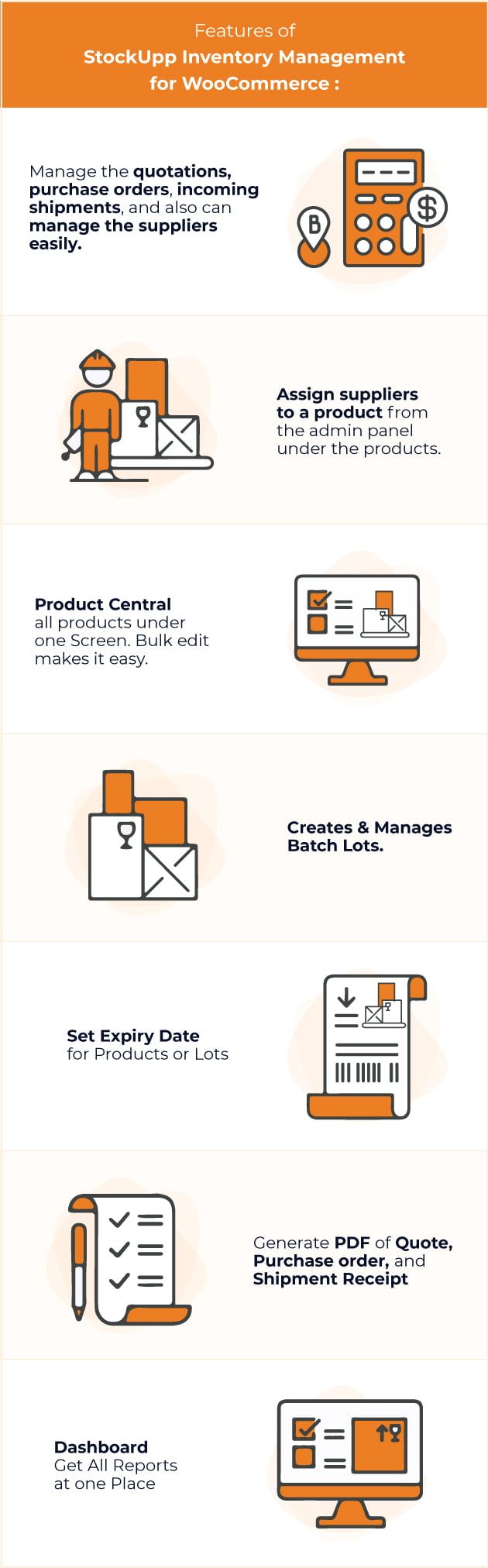
✔ Manage the quotations, purchase orders, incoming shipments, and also can manage the suppliers easily.
✔ Assign suppliers to a product from the admin panel under the products.
✔ Product Central all products under one Screen. Bulk edit makes it easy.
✔ Creates & Manages Batch Lots.
✔ Set Expiry Date for Products or Lots
✔ The admin can update the information about the partial shipments.
✔ Shows low inventory to generate purchase orders to fill your stock.
✔ Generate PDF of Quote, Purchase order, and Shipment Receipt
✔ Option to set prefix for the purchase order number
✔ Easy to Configure & Install.
✔Manages/Updates Stock Once Shipment is Received.
✔ Dashboard Get All Reports at one Place
✔ Compatible with WooCommerce Multi Locations Inventory Management
✔ Inventory Move Stock Move from Locations
✔ No Monthly Fees.
Features
DASHBOARD
- Today Sales & Income & Expenses & Profit
- This Week Sales & Purchases
- In stock/ Out of Stock Product Report
- Location wise Stock Reports
- Filter Reports by Date
QUOTATIONS
- Add, edit, delete & view Quotations
- Add Supplier to Quotations
- Add Products to Quotations
- Add Location to Quotations (Compatibility)
- Confirm Quotation
PURCHASE ORDERS
- Add, edit, delete & view Purchase orders
- Add Supplier to Purchase orders
- Add Products to Purchase orders
- Add Location to Purchase orders (Compatibility)
INCOMING SHIPMENTS
- View Incoming Shipments
- Partial Shipemnt
- Updates Stock Levels for the Shipment Received
- Add Location to Incoming Shipnents (Compatibility)
- Updates Stock Levels at Locations (Compatibility)
INVENTORY MOVE
- Add, edit, delete & view Inventory Move
- Add Supplier to Inventory Move
- Add Products to Inventory Move
- Drafts Stock from One Location to Other Location
PRODUCT CENTRAL
- View All Products on One screen
- Bulk Edit Products
- Update Name, SKU, Price, Stock
- Updates Stock Levels at Locations (Compatibility)
*To enable Multi-location features require WooCommerce Multi Locations Inventory Management plugin.
Have any Question?
Feel free to ask our Support if you looking for any additional features Or have Pre-Sale Question for StockUpp Inventory Management for WooCommerce Plugin
For Free configuration support, email support@techspawn.com
Read more about us at: www.techspawn.com




Changelog
= Version 1.2.0 =
[New] Receive shipments cumulatively, with partial receipts and a WooCommerce stock movement history.
[New] Allocate batches by first expiry (FEFO) or first receipt (FIFO) when WooCommerce changes stock; reconcile cancellations and refunds.
[New] Review sales-based reorder suggestions and create supplier-grouped draft quotations.
[New] Export filtered Product Central CSV files and preview validated imports for existing products and variations.
[New] View daily expiry and low-stock notices, enable an optional email digest, and trace a batch to issued orders, including later returns.
[Fix] Prevent duplicate receipt submissions and reorder drafts; reconcile batch inventory after cancellations, refunds and order-line edits.
[Fix] Keep CSV controls, expiry alerts and batch traceability visible, and preserve variation SKU round trips and product-name batch searches.
[Fix] Recommend no extra purchase when incoming stock already covers demand.
[Fix] Combine Product Central filters consistently for on-screen results and CSV exports.
[Security] Protect CSV actions with store-manager permissions and nonces, escape spreadsheet formulas, and reject stale import previews.

= Version 1.1.10 =
Security: Admin AJAX actions now require a store manager and a valid security token; customers and other logged-in users can no longer call them.
Security: Admin forms and delete links on StockUpp screens are protected against cross-site request forgery.
Security: SQL injection fixes: IDs, filters, searches and edited values are cast, escaped or prepared before they reach the database.
Security: Batch attachment upload only accepts file types WordPress allows (no PHP files).
Security: Customer names on packing slips are escaped.
Fix: Checkout hung when an order needed stock from more than one batch.
Fix: Retrying a failed block payment reuses the order's batch allocation. Changed order items reconcile their previous quantities before reallocating, and concurrent checkout attempts cannot consume the same allocation twice.
Fix: Variation batch metadata uses each variation's ID, so different variations retain their own batch associations in the order editor and packing slip.
Fix: Viewing a received shipment added its stock (and a new pending shipment) again on every page view. Stock is now added once, when you submit the shipment receipt; viewing a shipment never changes stock, and submitting the same receipt twice is refused.
Fix: Receiving several shipments of the same product at the same time no longer loses stock, and a receipt that fails to save changes nothing so it can be retried.
Fix: Database errors anywhere in a shipment receipt now stop processing and roll back the receipt; transaction start and commit are checked before reporting success.
Fix: Partial shipment receipts preserve omitted products in the pending shipment; empty and invalid receipt quantities are rejected.
Fix: Shipment receipts reject products with stock management disabled or an unset stock quantity and explain the required setting, leaving the shipment available to receive after it is configured. Received quantities respect WooCommerce's configured stock precision to prevent silent truncation.
Fix: With Multi Locations, received stock of a multi-product shipment was added to the wrong product's location stock.
Fix: Supplier edits were not saved on sites with a custom database table prefix.
Fix: Changing tax status in Product Central caused a fatal error.
Fix: Product Central loads without PHP warnings when column settings have not been saved, using the initial columns by default.
Fix: Packing slip printed blank until the template setting had been saved.
Fix: Batch attachments on new installs were not saved, and the download link now points to the file URL.
Fix: PHP 8 warnings on the packing slip, product save, order screens, shipments, Product Central and dashboard charts.
Compatibility: WooCommerce High-Performance Order Storage (HPOS): packing slip column and meta box on the new Orders screen; order batch data and the order chart read through WooCommerce.
Compatibility: Cart and Checkout blocks: batches are now assigned to block checkout orders.
Compatibility: Checked for PHP 7.4 to 8.5; tested with WordPress 7.1 and WooCommerce 11.2.
Compatibility: Translations load on init (WordPress 6.7+); DataTables, Font Awesome and jQuery UI styles load from bundled copies instead of external CDNs; admin scripts load only on StockUpp, product and order screens.

= Version 1.1.8 =
New Addition: Added Bulk edit on prdouct central page

= Version 1.1.9 =  February 18, 2023
[New] Added Bulk edit on product central page

= Version 1.1.7 =  February 11, 2023
[Fix] When admin creates a new quotation, shipment or PO it should appear at the top of the list.

= Version 1.1.5 =  January 15, 2023
[Fix] Product central > Add "enable all / disable all" feature in column settings
[Fix] Facing Warnings while managing shipments
[Fix] We can not delete created batches.
[Fix] Expiry date is displayed in the Location column

= Version 1.1.1 =  December 25, 2022
[Fix]  In Manage Incoming shipment "Subtotal and Total" is displayed in the wrong column
[Fix]  Add supplier field in inventory move.
[Fix]  Variable products are not displayed in the dropdown while creating the quotation and the purchase order.

= Version 1.1.0 =  December 18 2022
[New] To select a specific batch number for the particular product on the sales order (Woocommerce)
[New] Batch numbers are generated per product batch
[New ] improved PDF layout and templates for the packaging slips
[New] To make a purchase order directly without creating quotation
[New] To add products to a purchase order if they are not assigned to a supplier
[New] To add attachments to a batch number, such as photos, comments, pdf attachments

= Version 1.0.9 =  October 16 2022
New: PHP 8+ / php backword Compatibility

= Version 1.0.8 = June 08.2022
New: Discount for Quotation, Purchase order

= Version 1.0.7 =Jan 16, 2022

[Fix] Warning and PHP 8 fixes
[Fix] Receive Shipment Validations (if qty is more than PO)

= Version 1.0.6 =Dec 26, 2021
New: Product Central Redesign

= Version 1.0.5 = Dec 12, 2021
New - Custom Meta field for COGS integration
Fix - PHP 8 Warnings Fixed

= Version 1.0.4 = Sept 4, 2021
New - Taxes enable quotations/PO
New - PHP 8 Compatibility
New - Batches/Lot Optional feature ready
Fix - Error Fixes

= Version 1.0.3 = July 3, 2021
New: Profit by Product Report
New: Product Central Filters
New: WooCommerce quickbooks Connector Compatability

= Version 1.0.2 = June 16, 2021
New: Prefix to PO
New: PDF for Quote, PO and Shipment Receipt
New: Add Tax/VAT field for Supplier
New: Bulk Action

= Version 1.0.1 =
Fix: Localization Fixes
Fix: Dashboard data

= Version 1.0.0 =
* New : Initial Release.
Download Now
LIVE PREVIEWDownload Now


